Three months ago, a freelance social media manager I know spent four hours creating a single carousel post. She wasn’t a designer—just someone who needed decent visuals without hiring a studio. After switching to Canva AI, she now creates the same quality content in 20 minutes.
That’s Canva’s promise since adding artificial intelligence: professional-looking designs without professional skills. But after the controversial 300% price increase in late 2024 and the flood of new AI features, freelancers are asking: is Canva AI actually worth it, or just overhyped premium features behind paywalls?
I’ve spent two months testing every major AI feature Canva offers—from Magic Design to the AI video editor. This review cuts through the hype to show you what works, what frustrates, and whether it makes sense for creators in 2025.
What Is Canva AI (Magic Studio)?
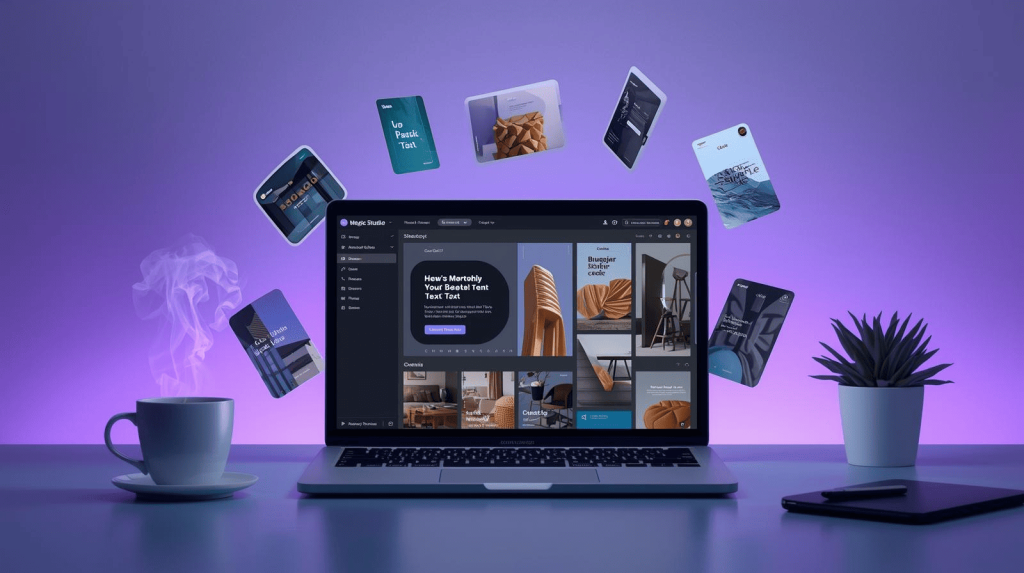
Canva AI, branded as Magic Studio, bundles 25+ artificial intelligence tools directly into Canva’s drag-and-drop editor. Unlike standalone AI generators, Magic Studio lives inside the familiar Canva interface, letting you generate images, write copy, edit photos, and resize designs without switching apps.
Core capabilities:
- Content generation from text prompts (images, layouts, copy)
- Automated design optimization (spacing, colors, typography)
- Intelligent photo editing (background removal, object manipulation)
- Multi-format adaptation (instantly resize for different platforms)
- Voice and text commands through AI Assistant
This integrates naturally with broader AI-powered design workflows for creators that combine multiple tools into seamless production pipelines.
The Major AI Features (Tested Under Real Deadlines)
Magic Design: Complete Layouts from Text Prompts
Describe what you need (“Instagram carousel about productivity tips”), upload optional reference images, and Magic Design generates 10-15 complete variations including layouts, colors, and imagery.
Reality check: Initial results felt generic—corporate stock photos and safe templates. However, the system learns quickly. After rejecting a few options, subsequent generations improved noticeably. Within three rounds, I had usable starting points that cut design time by 60%.
The catch: Brilliant for standard formats (social posts, presentations, flyers) but struggles with unique creative visions. Expect customization time if you need something distinctly different.
Magic Write: AI Copywriting Inside Designs
Activate Magic Write anywhere text appears, describe what you need, and the AI generates copy you can insert directly.
Performance: Solid for first drafts and overcoming blank-page paralysis. Understands tone requests well (“professional but friendly”) and produces grammatically correct copy.
Limitation: Generic phrasing lacking personality. I rewrote 40-50% to inject actual character—still faster than writing from scratch, but not revolutionary.
Magic Edit: AI Photo Manipulation
Select any photo area, describe changes (“remove this person,” “add mountains”), and the AI manipulates accordingly.
This genuinely impressed me. Background removal works flawlessly 90% of the time. Object removal handles simple cases perfectly. I added a laptop to an empty desk photo, and the AI matched lighting, perspective, and reflections convincingly enough that clients couldn’t tell it was AI-generated.
Limitations: Complex edits (hair, tree branches, transparent objects) produce artifacts. For social media and web use, quality exceeds expectations. Professional photographers will spot the edits.
Magic Resize: Instant Multi-Platform Adaptation
Design once, click Magic Resize to instantly adapt to dozens of preset dimensions (Instagram, Facebook, LinkedIn, Twitter, etc.).
Time-saver extraordinaire. I created a promotional graphic, then resized it to five platforms in under 30 seconds. The AI doesn’t just crop—it intelligently repositions elements and maintains visual hierarchy.
Reality: Perfect for simple designs, struggles with complex layouts. You’ll still need manual tweaking on intricate compositions.
DALL-E Integration: AI Image Generation
Describe an image (“realistic photo of freelancer at beach cafe, golden hour lighting”), and Canva generates custom images using DALL-E.
Quality improved dramatically in 2025. Photorealistic images work perfectly for blog headers and social media where stock photography feels generic. Unlimited generations for Pro users means iterating without credit limits.
Honest limitations: Text rendering fails consistently. Hands occasionally look distorted. I’d estimate 60% of generations work immediately, 30% need minor edits, 10% require regeneration.
Pricing: What You Actually Pay in 2025
Free Plan: $0
Limited monthly AI uses, basic templates, 5GB storage. Fine for testing, but limits run out quickly with regular use.
Canva Pro: $120/year ($10/month)
- ~500 AI uses monthly
- 140M+ premium assets
- Unlimited brand kits
- 1TB storage
- Transparent backgrounds, Magic Resize unlimited
The sweet spot for freelancers who create content regularly.
Canva Teams: $100/year per person (3 users minimum = $300/year)
Everything in Pro plus real-time collaboration, approval workflows, pooled AI credits.
Makes sense for small agencies and marketing teams. The per-person pricing stings if you don’t need collaboration features.
The Pricing Controversy
The late-2024 increase hit Teams users hardest. A five-person team previously paying $120 annually now pays $500—a 316% increase. Canva justified this with AI infrastructure costs, but many felt forced to pay for features they didn’t request.
What Canva AI Does Better Than Competitors
Unified workflow: Everything in one platform eliminates the productivity-killing context-switching between separate tools for images, copy, editing, and layouts.
Genuinely accessible: Maintains Canva’s approachable interface while adding capabilities that previously required technical expertise.
Speed for standard formats: Automates 60-70% of repetitive work creating social graphics, presentations, and marketing materials.
Brand consistency: Brand Kit combined with Magic Design maintains visual consistency across hundreds of assets.
Where Canva AI Falls Short
Generic aesthetic: Most outputs share a recognizable “Canva look” that makes standing out difficult.
No Adobe integration: Can’t export native files for professional software, limiting it to final-output tool.
Inconsistent quality: Complex prompts produce variable results requiring multiple generations.
Internet dependency: Cloud platform requires stable connectivity. Outages mean zero productivity.
Email-only support: Even Pro users wait days for responses. No chat or phone support feels inadequate for paid tools.
Who Should Use Canva AI?
Perfect For:
- Freelancers creating regular social content, presentations, marketing materials
- Small teams (3-10 people) collaborating on content
- Non-designers needing professional output without hiring designers
- High-volume creators producing similar formats weekly
Not Ideal For:
- Professional designers needing advanced control or Adobe integration
- Users needing unique creative visions beyond existing templates
- Teams requiring offline capability
- Occasional users who won’t recoup $120 annual value
The Verdict: Is Canva AI Worth It?
For the right user, absolutely yes. If you regularly produce social graphics, presentations, or marketing materials, Canva AI genuinely saves hours weekly and delivers professional quality without the learning curve of traditional software.
Canva Pro at $120/year delivers clear ROI for anyone creating 3+ designs weekly. Time saved—conservatively 2-3 hours weekly—values at $200-400 monthly for most freelancers, making $10 monthly obviously worthwhile.
Teams plan works if you actively collaborate and need unified brand management. If paying for seats just to unlock features, consider individual Pro plans instead.
The platform won’t replace professional designers for complex projects or eliminate creative thinking. But it does what most non-designers actually need: transforms rough ideas into polished visuals quickly, consistently, without requiring design education.
After two months testing under real deadlines with paying clients, I kept my Canva Pro subscription and canceled two other tools. That’s probably the most honest endorsement I can give.

A.G. Makoudi is a tech writer specializing in SaaS tools and digital solutions, helping readers simplify technology and make smarter software choices.