Generating AI video is only half the battle. The real work begins when you need to turn raw clips into polished, client-ready content—and traditional editing tools like Premiere Pro demand skills, time, and steep learning curves that many freelancers can’t afford
AI video editors have changed the game. Tools like Descript, Opus Clip, Vizard, and CapCut AI now automate the tedious tasks—cutting silences, generating subtitles, identifying highlights, and optimizing for different platforms—while keeping you in creative control
We tested the leading AI editing tools to find which ones actually save time and deliver professional results for freelancers working under real deadlines.
The New Editing Paradigm: What AI Actually Automates
Modern AI editors don’t just “speed up” traditional workflows—they fundamentally reimagine them
- Text-based editing: Edit video by editing a transcript, cutting words instead of timelinesyoutube
- Automatic highlight detection: AI identifies the most engaging moments from long videos
- Instant subtitles: Generate accurate captions in 100+ languages in seconds
- Audio cleanup: Remove background noise, filler words (“um,” “uh”), and awkward pauses automatically
- Platform optimization: Auto-resize and reframe for Instagram, TikTok, YouTube Shorts with one click
Top AI Video Editors for Freelancers
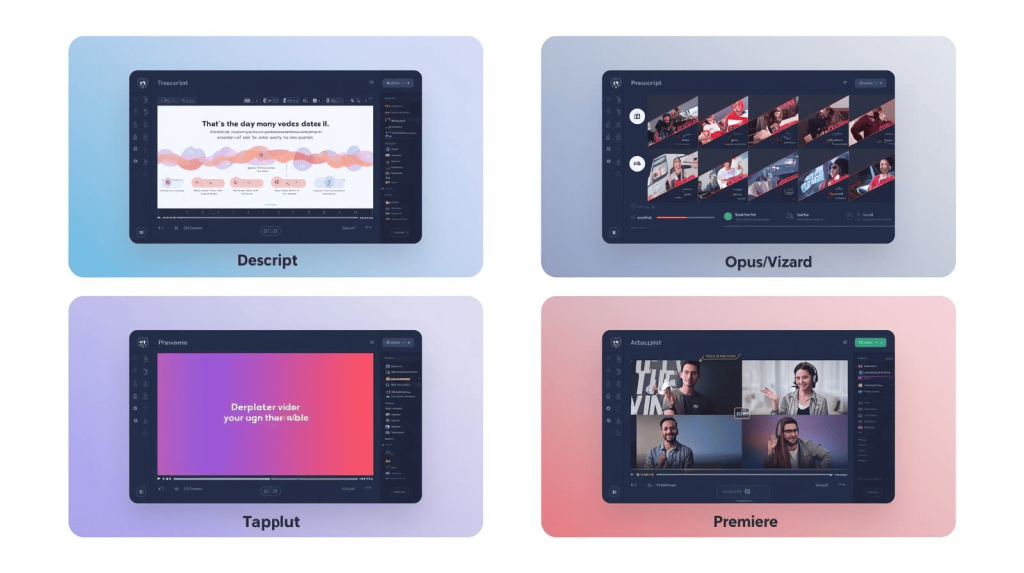
1. Descript – The Text-Based Revolution
Best For: Podcasters, interviewers, and anyone editing dialogue-heavy content.
Descript pioneered the concept of editing video by editing text. Upload your video, and Descript generates a transcript. Delete words from the transcript, and the corresponding video segments disappear automatically
Key Features:
- Studio Sound: AI removes background noise and enhances audio quality with one click
- Filler Word Removal: Automatically delete all “ums” and “uhs” from your videoyoutube
- Eye Contact Correction: AI adjusts your gaze to make it look like you’re looking at the camera
- Green Screen: Remove backgrounds without physical green screens
Pricing: Free plan available; Pro at $24/month
Freelancer Verdict: Essential for interview editing, training videos, and podcasts where dialogue is king. One client saved 12 hours per video by switching from Premiere to Descript.youtube
2. Opus Clip – The Viral Shorts Machine
Best For: Repurposing long videos into high-performing social media clips.
Opus Clip analyzes your long-form content and automatically generates multiple short-form clips optimized for TikTok, Reels, and Shorts. It doesn’t just cut randomly—it identifies “viral moments” using engagement prediction AI.youtube+1
Key Features:
- AI Curation: Identifies the most engaging 30-90 second segments from hour-long videos
- Auto Captions: Adds animated, TikTok-style captions automaticallyyoutube
- Virality Score: Each clip gets a score predicting its engagement potential
- Brand Templates: Apply consistent branding across all clips
Pricing: Free plan available; Pro starts at $29/month
Freelancer Verdict: Perfect for social media managers and YouTubers. Generate 10+ clips from one podcast episode in under 10 minutes.youtube
3. Vizard.ai – The Complete Repurposing Platform
Best For: Marketing teams and content creators managing multi-platform distribution.
Vizard combines highlight detection, editing, and publishing into one seamless workflow. Unlike Opus, which focuses solely on clip extraction, Vizard handles the entire process from upload to scheduling
Key Features:
- Engagement Prediction: AI analyzes narrative structure to identify shareable moments
- Auto-Reframing: Keeps speakers centered when converting landscape to portrait
- Subtitle Customization: Full control over caption styles and positioning
- Batch Processing: Upload multiple videos and process them simultaneously
Pricing: Free plan available; Pro starts at $30/month
Freelancer Verdict: Best for agencies managing multiple clients. One team repurposed a 60-minute webinar into 12 platform-ready clips in 20 minutes
4. CapCut AI – The Social-First Editor
Best For: TikTok creators and mobile-first content producers.
CapCut has become the go-to editor for short-form creators, offering powerful AI features in both desktop and mobile apps. It’s designed for speed and viral aesthetics
Key Features:
- Auto Captions: Generate animated subtitles with trending styles
- Background Removal: AI isolates subjects without green screens
- Flicker Removal: Fixes lighting inconsistencies automatically
- AI Voice Translator: Dub your video into other languages with lip-sync adjustment
Pricing: Free with watermark; Pro at $9.99/month
Freelancer Verdict: Unbeatable for creators targeting TikTok and Reels. The mobile app lets you edit professional content on your phone
5. Adobe Premiere Pro (with Sensei AI)
Best For: Professional editors needing advanced control with AI assistance.
Premiere remains the industry standard, but Adobe Sensei now automates tedious tasks. It’s the bridge between full manual control and AI automation
Key Features:
- Auto Reframe: Instantly resize videos for multiple platforms
- Morph Cut: Smooths jump cuts in interviews automatically
- Scene Edit Detection: Identifies cuts in edited footage
- Speech to Text: Generates searchable transcripts
Pricing: $22.99/month (Photography plan with Premiere)
Freelancer Verdict: Choose this if you need professional-grade color correction and effects alongside AI automation
Comparison Table: Which Editor for Which Job?
| Tool | Best For | Speed | Learning Curve | Price |
|---|---|---|---|---|
| Descript | Podcasts/Interviews | Fast | Low | $24/mo |
| Opus Clip | Social Shorts | Very Fast | Very Low | $29/mo |
| Vizard | Multi-Platform Repurposing | Fast | Low | $30/mo |
| CapCut AI | Mobile/TikTok Content | Very Fast | Very Low | $10/mo |
| Premiere Pro | Professional Projects | Moderate | High | $23/mo |
The Hybrid Workflow: Combining Tools Strategically
Smart freelancers don’t use just one tool. Here’s the most efficient workflow:
- Generate raw footage using tools from our Top 10 AI Video Generators list (Runway, Luma, Veo)
- Initial assembly in Descript (for dialogue) or Premiere (for complex projects)
- Repurpose for social using Opus Clip or Vizard to generate platform-specific versions
- Final polish in CapCut for trending effects and captions
This approach balances professional quality (Descript/Premiere) with viral optimization (Opus/CapCut) without spending hours on manual edits.
The Bottom Line
If you’re just starting: Use CapCut AI (free) to learn AI editing basics and build a portfolio
For dialogue-heavy content: Descript ($24/month) will save you 10+ hours per project.youtube
For social media services: Opus Clip ($29/month) lets you offer “10 clips from one video” as a productized service.youtube
For agency-level work: Vizard ($30/month) handles multi-client, multi-platform distribution at scale
The future of video editing isn’t about replacing editors—it’s about multiplying what one person can accomplish. With the right AI tools, a solo freelancer can now deliver what used to require a three-person team.
Ready to generate the footage to edit? Check our guides on Runway, Veo & Luma Compared and AI Video Tools: The Ultimate Workflow.

A.G. Makoudi is a tech writer specializing in SaaS tools and digital solutions, helping readers simplify technology and make smarter software choices.