Two weeks ago, a social media manager asked me how she could create 30 Instagram posts, 15 carousels, and 10 stories weekly without burning out or hiring a designer. Her answer used to be “you can’t.” Now it’s “use the right AI tools strategically.”
I gave her a workflow combining three AI platforms. She cut content creation time from 12 hours weekly to 4 hours while improving design quality. That’s not magic—it’s knowing which tools handle which tasks best.
Social media design AI tools aren’t created equal. Some excel at static posts, others at carousels, and a few handle video editing. Choosing wrong means wasted subscriptions and content that still looks amateurish. I’ve tested the major platforms creating real social content for three months. This review shows you exactly what works.
The Tools Tested
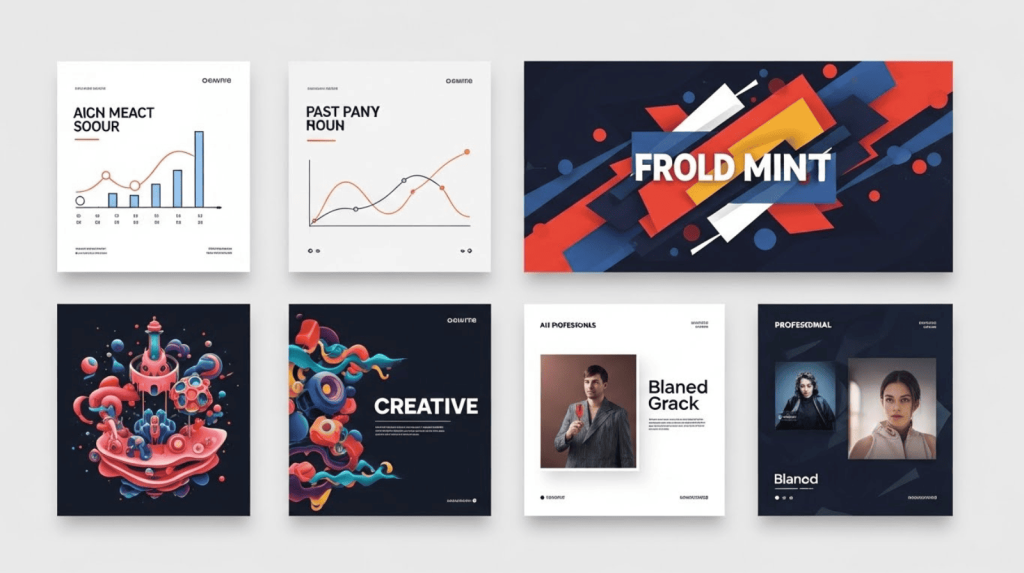
I created identical content across platforms—Instagram posts, Stories, carousels, LinkedIn graphics, and TikTok thumbnails—using:
- Canva Magic Studio
- Adobe Express
- Piktochart AI
- Microsoft Designer
Each tool received the same prompts and time limits. The results varied dramatically.
Canva Magic Studio: The All-Rounder Champion
What Makes It Special
Canva’s Magic Studio bundles 25+ AI features into workflows social media managers already use. Magic Design generates complete post layouts from text prompts. Magic Resize adapts designs to every platform instantly. Magic Edit removes backgrounds and manipulates photos without Photoshop.
Real-World Performance
I described “motivational quote post with sunrise background, warm tones” and received 15 variations in 30 seconds. Quality ranged from usable-immediately to needs-minor-tweaks. Within three iterations, I had posts worth publishing.
Instagram carousels took 2 minutes from concept to completion using Magic Design. The AI assembled layouts, selected complementary colors, and positioned text readably across 10 slides.
Video editing surprised me. Canva’s AI synced transitions to music beats automatically and generated accurate captions for TikTok content. Not professional-grade, but entirely adequate for organic social content.
Where It Struggles
Template fatigue: After creating 50+ posts, the “Canva aesthetic” becomes obvious. Designs look polished but predictable. Standing out requires manual customization that reduces time savings.
AI credit limits: Pro plan ($10/month) caps certain AI features at 500 monthly uses. Heavy users hit limits mid-month, forcing manual work or subscription upgrades.
Best For
Freelancers and agencies managing multiple client social accounts who need speed and consistency over cutting-edge creativity. The unified platform eliminates switching between specialized tools.
Pricing: Free with limits. Pro $10/month unlocks full AI features.
Adobe Express: The Quality-Focused Alternative
What Sets It Apart
Adobe Express targets users who want higher design quality and Adobe’s asset library without Creative Cloud complexity. The AI features feel more refined than competitors but offer less variety.
Real-World Performance
Asset quality immediately impressed. Adobe Stock integration means professional photography and illustrations instead of Canva’s sometimes-generic options. Posts look more sophisticated automatically.
Brand consistency works brilliantly. Upload brand colors, fonts, and logos once—Express applies them across every design without manual adjustments. Critical for agencies maintaining strict brand guidelines.
Content Scheduler includes TikTok through exclusive partnership, plus Instagram, Facebook, Twitter, Pinterest, and LinkedIn—all free on Express’s free plan. Canva requires Pro for similar functionality.
Where It Falls Short
Fewer AI features than Canva. No Magic Resize equivalent means manually recreating designs for different platforms. Time-consuming when managing multi-platform campaigns.
Template library smaller than Canva’s massive collection. You’ll find quality over quantity, but sometimes you need specific niche templates Express lacks.
Best For
Brands prioritizing visual quality and already using Adobe ecosystem products. Content creators who value professional assets over template variety.
Pricing: Free plan includes AI features and scheduling. Premium $9.99/month adds unlimited AI generations.
Piktochart AI: The Carousel Specialist
The Focused Approach
Piktochart does one thing exceptionally well: Instagram carousels. The AI generates complete multi-slide educational posts from topic descriptions.
Real-World Performance
I input “5 productivity tips for freelancers” and received 6 different carousel designs with slide-by-slide content, relevant images, and cohesive styling. Each slide maintained visual consistency while varying layouts to keep viewers engaged.
Data visualization shines. Charts, graphs, and infographics integrate naturally into carousel slides—something general design tools handle poorly.
Customization depth exceeds expectations. Unlike one-click generators, Piktochart AI creates sophisticated starting points designers can refine extensively.
The Limitation
Single purpose tool. If you need anything beyond carousels and infographics, you’ll require additional platforms. The focused approach creates excellence in one area while ignoring others entirely.
Best For
Educators, coaches, and B2B marketers whose Instagram strategy centers on educational carousel content. Agencies running carousel-heavy campaigns.
Pricing: Free plan available. Pro $29/month for unlimited AI generations.
Microsoft Designer: The Budget Winner
What You Get Free
Microsoft Designer offers DALL-E image generation, template-based designs, and social media optimization completely free with a Microsoft account.
Real-World Performance
Speed rivals paid competitors. Designs generate in 10-15 seconds. Quality falls between Canva and Adobe Express—professional enough for most organic content.
AI image generation leverages DALL-E 3, producing better custom imagery than Canva’s built-in generator. Perfect for unique brand visuals.
The Catch
Limited monthly AI credits (15 on free plan) run out quickly. Microsoft 365 subscription ($6.99/month) unlocks unlimited use, but then you’re paying anyway.
Feature gaps compared to mature platforms. No carousel tools, basic video support, limited template variety.
Best For
Solopreneurs testing AI social design tools before committing to paid subscriptions. Budget-conscious creators posting occasionally.
Pricing: Free with 15 AI credits monthly. Microsoft 365 ($6.99/month) adds unlimited credits.
The Comparison: Which Tool Wins?
Speed: Canva Wins
Magic Design generates complete posts faster than competitors. For high-volume content creation, nothing matches Canva’s AI automation.
Quality: Adobe Express Wins
Superior asset library and refined AI produce more sophisticated designs. Worth the slight speed sacrifice for brand-focused content.
Specialization: Piktochart Wins
No other tool creates Instagram carousels as effectively. The focused approach beats generalist competitors in this specific format.
Value: Microsoft Designer Wins
Professional results completely free make it unbeatable for budget-conscious creators.
My Recommendation for Freelancers
For agencies managing multiple clients: Canva Pro ($10/month) handles 90% of social media design needs across all platforms efficiently. The time savings justify the cost immediately.
For quality-focused brands: Adobe Express Premium ($9.99/month) delivers more sophisticated designs that reflect professional brand positioning.
For carousel-heavy strategies: Add Piktochart Pro ($29/month) alongside a general tool. The specialization creates content competitors can’t match.
For budget testing: Start with Microsoft Designer free plan. Upgrade when monthly post volume justifies paid tools.
The Bottom Line
AI hasn’t eliminated the need for design thinking in social media content, but it has eliminated the technical barriers preventing non-designers from executing ideas professionally. These tools won’t make bad ideas good, but they will make good ideas look polished quickly.
The best platform depends on your specific workflow. High-volume managers need Canva’s speed. Premium brands need Adobe’s quality. Educational creators need Piktochart’s carousel mastery. Budget-conscious beginners need Microsoft Designer’s free tier.
Most freelancers building AI-powered design workflows will find Canva Pro delivers the best balance of capability, speed, and value. The platform handles everything adequately and some things excellently—exactly what busy creators need.

A.G. Makoudi is a tech writer specializing in SaaS tools and digital solutions, helping readers simplify technology and make smarter software choices.