The math is brutal if you think about it. A freelancer spends 15 to 20 hours per month writing proposals. That’s time you’re not billing clients. That’s potential income sitting on the desk while you customize templates and reformat the same information for the fifth client this month.
For most freelancers, proposal work falls into a weird gap. It’s necessary, but it doesn’t feel like real work. No client is going to pay for the two hours you spend drafting a pitch. No portfolio grows from writing proposals. Yet proposals are how you turn leads into projects. Which means every hour wasted on proposal admin directly costs you revenue.
This is why proposal automation matters for freelancers. It’s not about fancy software or trying to be fancy. It’s about taking a process that drains your time and making it so fast you can respond to opportunities the same day you get them.
The real cost of manual proposals
Let me break down what’s actually happening with your proposals right now. You get an inquiry from a prospect. Maybe they’ve sent a brief, maybe just a vague question. You open a document template. You reread their requirements and start customizing.
You change the project name. You adjust the scope section to match their specific needs. You update the timeline to fit their deadline. You rewrite the about-us section slightly differently because the last client didn’t need everything mentioned. You create a new pricing breakdown that reflects their budget and project size.
All told, you spend two to three hours on a proposal. Some of that time is thinking—which is valuable. Most of it is formatting, copying and pasting, and making small customization changes that don’t move the needle on whether they hire you.
Here’s the kicker: if you send 10 proposals per month, that’s 20 to 30 hours. If your billable rate is $75 per hour, that’s $1,500 to $2,250 in lost revenue just sitting in proposal work. And that’s not counting the opportunity cost. While you’re writing proposals, you’re not pursuing other opportunities. You’re not building relationships. You’re not working on billable projects that could lead to retainers or referrals.
Worse, the time pressure means you sometimes skip the proposal work entirely. You see an opportunity that doesn’t feel worth the effort, so you don’t respond. A lead sits for a week before you finally get around to sending them something. They’ve already hired someone else by then.
Proposal automation fixes this by compressing the work into minutes instead of hours.
How automation actually works
The basic idea is simple. You build a proposal template once with all your standard sections—about you, your process, pricing structure, timeline framework, terms and conditions. You identify the parts that change for each client and the parts that stay the same.
Then you set up your platform to auto-populate the client-specific information. Their name, their project type, their budget, their timeline. The software fills those details in automatically. The boilerplate sections—your process, your credentials, your payment terms—they’re already there.
The result is that you go from two-hour proposal to 15-minute proposal. You answer some basic questions about the project, pick a template, review what the software generated, and send it.
Some platforms take this further. They suggest content based on the project type. If someone needs a website redesign and you’ve done that before, the software remembers your approach for redesigns and pulls relevant language. If they’re in a specific industry, it can tailor examples or case studies to that industry.
The best part: you actually improve the proposals this way. Because you’re not stressed about the time investment, you’re more likely to add something custom. You might include a relevant example or a specific insight about their industry. You might ask a clarifying question about their biggest pain point. These personal touches feel rare to prospects because most freelancers are too busy cranking out templates to include them.
The numbers that matter
Let’s talk about what automation actually delivers, beyond time savings.
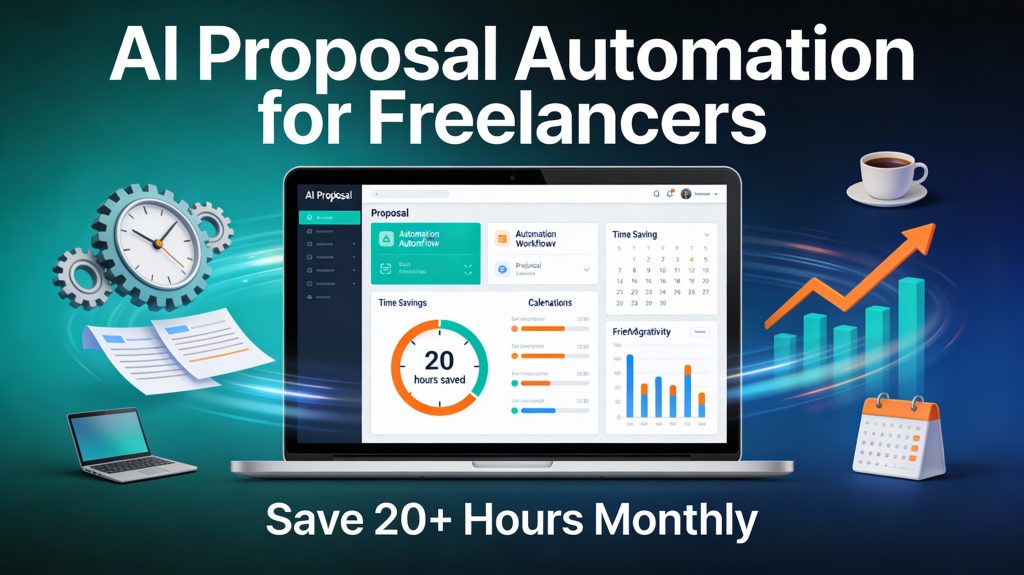
If you’re sending 10 proposals per month and automation cuts the time from 2 hours to 15 minutes, that’s 17.5 hours saved per month. At a $75 hourly rate, that’s $1,312 per month or about $15,700 per year. That’s meaningful money, especially for a solo freelancer.
But the bigger impact is usually proposal volume. Many freelancers don’t send as many proposals as they should because the work is exhausting. With automation handling the grunt work, you start saying yes to more opportunities. You pitch more clients.
If automation allows you to go from 10 proposals per month to 15 proposals per month, and your close rate stays the same, you’re pursuing more projects. That compounds.
Another angle: faster response time wins deals. A prospect who gets a proposal the same day they inquire feels more confident than one who waits three days. Quick response signals that you’re organized and available. Many freelancers lose deals just because they took too long to respond—not because the proposal was bad, but because the prospect moved forward with someone else.
One more thing: tracked engagement. Some proposal tools show you when a client opens your proposal, how long they look at it, which sections they focus on. That data is gold. If every client spends three minutes on your pricing section and then doesn’t respond, you know something about your pricing message isn’t working. If clients always jump to your case studies and ignore your process section, you know what actually persuades them. You adjust based on real behavior, not guessing.
The freelancer-specific tools
There are a few platforms built specifically with freelancers in mind, not massive sales teams.
Better Proposals is probably the most popular for solo freelancers. You build a template, customize it with your brand, and send proposals with one click. Clients can see interactive pricing—they move a slider to change project scope and watch the price update in real time. Plans start at $13 per user per month. It’s designed to be simple, not feature-heavy. You get analytics so you see when clients open and engage with your proposal.
Proposify is stronger if you send lots of proposals and want detailed engagement analytics. It tracks exactly where prospects spend time and even lets you A/B test different proposals to see which version converts better. Plans start at $19 per user per month but you’ll probably want the $41 team plan for approval workflows. Better suited to freelancers who are scaling and want to optimize their approach.
PandaDoc works if you need more than just proposals. You can integrate with your CRM so client information auto-populates. You can collect payments, get e-signatures, and manage contracts all in one place. The interface is more complex than Better Proposals, but for freelancers managing multiple document types with multiple clients, it’s worth the extra learning curve.
Bookipi is simpler and cheaper—free tier available if you don’t need all the features. Good option if you’re testing proposal automation before committing money.
All of these solve the same core problem: they take the proposal template you’d create in Word and make it infinitely faster to customize and send.
The automation loop that compounds
Here’s where this gets interesting. Once you have proposal automation set up, you create a feedback loop that improves your business over time.
Month one: you set up your proposal template and send three proposals in the time it used to take you to send one. You’re starting to respond to more opportunities.
Month two: you review which proposals got opened and which clients engaged with which sections. You notice all your web design pitches are getting interest, but your consulting pitches are getting ignored. You adjust your consulting approach or stop pitching consulting work.
Month three: you’ve optimized based on real feedback. Your response time is faster, so more leads move forward. Your close rate is higher because you’re only pursuing work you’re actually good at.
Month four and beyond: you’re pursuing more opportunities, responding faster, and refining based on data. The whole system compounds.
None of this requires fancy AI or magic software. It just requires removing the friction from proposal creation so you can actually iterate and improve.
Getting started without overthinking it
If you’re not using proposal automation yet, here’s how to start without making it complicated.
First, audit what you’re actually doing right now. Pick your last five proposals and time how long each one took. Write down which sections you rewrote for each client and which sections stayed the same. You’ll probably find 60 to 70 percent of each proposal is boilerplate that doesn’t change.
Second, pick one platform and try the free trial. Spend an hour building your template—cover page, about you, your process, a deliverables section, timeline, pricing, terms. Don’t make it perfect. Make it real.
Third, send one proposal using the tool. Time it. Compare it to how long it used to take.
If you save even one hour per proposal, the tool pays for itself after five or six proposals. Most freelancers send way more than that per month, so the ROI is instant.
The second-order benefit is that once you’re using automated proposals, you naturally start paying attention to what works. You notice patterns. You refine. You pursue better opportunities because the friction is gone.
That’s when understanding how to structure a winning proposal becomes more valuable. You’re not just trying to finish a proposal and send it out. You’re thinking about how to position your work and what actually persuades clients. The framework matters more because you have time to apply it well.
One last thing
The fear with automation is usually that proposals will feel generic or impersonal. The opposite is true. When you’re not stressed about timeline and formatting, you have bandwidth to add something custom. A specific example. A question about their goals. A detail that shows you actually read their brief.
The fastest way to lose a deal is to send a completely templated proposal that feels like a mass email. The best way to win a deal is to send a clean, professional proposal that’s clearly customized for them. Automation doesn’t prevent that. It enables it by freeing up the mental energy you were spending on formatting.