
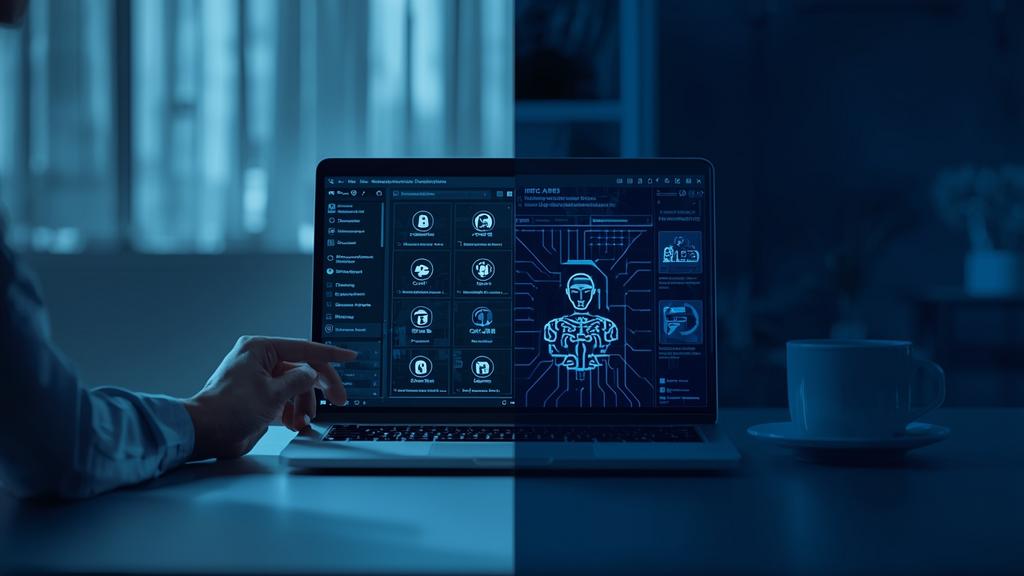
Privacy-conscious devs are ditching the cloud for local LLMs. You can now run heavy-duty coding models on your own hardware without spending a dime.
The landscape of software development changed rapidly as we entered 2026. Many professionals now prefer to keep their proprietary logic and sensitive API keys strictly on their own machines to avoid any potential data leaks or third-party training usage.
Privacy through local execution
Security remains the primary motivator for moving away from cloud-based solutions. When you utilize a local ai coding assistant, your source code never leaves your physical workstation. This eliminates the risk of corporate espionage or accidental data exposure that occurred during the high-profile leaks of 2025.
Beyond security, local models offer zero latency and full offline functionality. This is particularly beneficial for digital content creators and solo entrepreneurs who may work from remote locations with unstable internet connections. You no longer need to worry about subscription tiers or usage caps that often hinder productivity during intense development sprints.
- Complete ownership of your data and intellectual property
- Zero dependence on external server uptime or internet speed
- No recurring monthly subscription fees for premium features
- Customization options for specific programming languages or workflows
Top software for 2026
Several robust platforms have emerged as leaders in the local space this year. These tools act as the bridge between your hardware and the open-source models that power the intelligence. Most are designed to integrate directly into popular editors like VS Code or the newer Cursor variations.
Ollama remains the gold standard for ease of use in 2026. It allows users to pull and run large language models with simple terminal commands. For those who prefer a graphical interface, LM Studio provides a seamless experience for managing different model versions and testing their performance before integration.
| Platform | Primary strength | Best for |
|---|---|---|
| Ollama | Terminal efficiency | Mac and Linux users |
| LM Studio | Visual interface | Beginners and testers |
| Continue.dev | IDE integration | Professional developers |
| Jan.ai | Open source focus | Privacy advocates |
Powerful open models
The release of Llama 4 in late 2025 has set a new benchmark for what a local ai coding assistant can achieve. The 8b and 70b variants are highly optimized for logic and syntax across over 100 programming languages. DeepSeek Coder V3 is another favorite for 2026, offering specialized performance in Python and Rust that rivals many paid cloud services.
Exploring the Ultimate Free AI Coding Assistant Guide can help you understand how these local options compare to cloud-based counterparts. Choosing the right model depends largely on your specific project requirements and the complexity of the codebase you are managing.
Modern hardware requirements
Running a powerful model locally requires specific hardware configurations to ensure smooth performance. In 2026, the focus has shifted toward high VRAM (Video RAM) and specialized neural processing units that are now standard in most professional-grade laptops and desktops.
For a fluid experience with mid-sized models like Llama 4 8b, you should aim for at least 16GB of unified memory on Apple Silicon or a dedicated NVIDIA 50-series GPU with 12GB of VRAM. While smaller 3b models can run on older hardware, the accuracy and reasoning capabilities are significantly lower. Many solo entrepreneurs are now investing in workstations specifically designed to handle these local workloads efficiently.
- Check your system VRAM and total system memory
- Install the latest drivers for your graphics card
- Download a model runner like Ollama or LM Studio
- Select an optimized model based on your hardware constraints
Setting up your environment
The installation process is significantly more streamlined than it was a few years ago. Most tools now offer one-click installers that handle all dependencies and environment variables automatically. Once you have your Local AI Coding Setup ready, the speed of code generation becomes dependent solely on your GPU performance.
After installing the core software, you will need to choose a quantization level. Quantization reduces the memory footprint of a model by compressing its weights. In 2026, 4-bit and 6-bit quantization are the most popular choices as they offer a perfect balance between intelligence and speed. A 4-bit quantized 70b model can often fit within the memory of a high-end consumer workstation while providing elite-level coding suggestions.
Connecting to your editor
Most developers use the Continue extension to bridge the gap between their local model and their code editor. This extension allows you to highlight code blocks and ask for refactoring or bug fixes without ever leaving the interface. It supports autocomplete features that predict your next line of code in real-time by utilizing the local processing power of your machine.
Benefits for content creators
Freelance writers and ghostwriters are finding unique ways to use a local ai coding assistant beyond traditional software development. Many are using these tools to build custom automation scripts that handle repetitive tasks like formatting, metadata generation, and content distribution. By running these processes locally, you ensure that client manuscripts and sensitive project outlines remain confidential.
Solo entrepreneurs can also leverage these models to build internal tools or prototypes without incurring high development costs. The ability to iterate quickly and privately allows for more experimentation without the fear of leaking a unique business idea to a cloud provider. This local-first approach is becoming the standard for agile creators who value both speed and security.
- Automate tedious content management tasks with custom scripts
- Maintain absolute confidentiality for client ghostwriting projects
- Reduce overhead costs by eliminating monthly tool subscriptions
- Build and test proprietary business logic in a secure environment
Future of local development
The trend toward local intelligence is only accelerating. We are seeing more integration of NPUs in everyday hardware which will eventually make running large models as common as running a web browser. The efficiency of these models continues to improve, meaning that even more powerful reasoning will soon be available on basic consumer devices.
As a professional who focuses on content strategy and technical efficiency, I recommend transitioning to a local workflow sooner rather than later. Mastering these tools now will give you a significant advantage in terms of both security and operational speed. The era of relying solely on the cloud for intelligence is coming to an end as the power shifts back to the individual developer.

Enthusiast in exploring AI tools, blogger, and founder of TaskAITools. I help freelancers and businesses grow by providing smart and innovative AI solutions.
I’m curious to find out what blog platform you’re using?
I’m having some small security problems with my latest website and I’d
like to find something more safeguarded. Do you have any recommendations?
Thanks for your comment! This site runs on WordPress. It can be very secure when it’s regularly updated and protected with strong passwords, two-factor authentication, reliable backups, and reputable security tools. I’d recommend focusing on a well-maintained platform and keeping plugins and themes to a minimum.