Top Free AI Video Generators for Bootstrapped SaaS Startups
Video production is a massive bottleneck for SaaS founders.
You need product demos. You need social clips. You need sales collateral.
Hiring a full production crew costs a fortune. Most bootstrapped startups don’t have $10k for a single brand video.
That is where generative AI video marketing changes the math.
I’ve spent hundreds of hours testing these tools. I look for speed, quality, and actual utility.
You don’t need a Hollywood budget anymore. You just need the right stack.
Here are the best free AI video generators for SaaS teams today.
Why SaaS startups need video automation
Attention is the most expensive commodity in 2026.
Your customers won’t read your 2,000-word whitepaper. They want to see your software in action.
Video automation for SaaS allows you to scale. You can create 50 personalized clips in the time it takes to film one.
It helps with user acquisition. It reduces churn by improving onboarding.
Most importantly, it keeps your burn rate low.
For more on specific tools, check : 15 best AI video generators for SaaS marketing (2026 ranked)
1. HeyGen: Best for personalized sales outreach
HeyGen is the leader in AI avatars.
For a SaaS growth lead, this tool is a goldmine. You can create a digital twin of yourself.
Then, you use text to video AI to make it speak.
The free tier gives you 1 credit to test the waters. It is enough to see the quality.
Their “Instant Avatar” feature is scarily good. It captures your facial movements and tone perfectly.
Use this for “Welcome” videos inside your app. It adds a human touch without you recording every time.
Key features for SaaS:
High-quality AI avatars.
Voice cloning that sounds natural.
Easy API integration for automated workflows.
2. InVideo AI: Best for rapid social content
InVideo AI is built for speed.
You give it a prompt. It generates a full video with script, media, and voiceover.
It is perfect for turning your blog posts into LinkedIn clips.
The free plan allows you to export 10 minutes of AI video per week. That is plenty for a small startup.
The “Magic Box” feature lets you edit via text. You just type “change the background music” and it happens.
It saves hours of manual dragging and dropping in a timeline.
3. Runway Gen-2: Best for cinematic brand assets
Runway is the pro’s choice.
If you want your SaaS to look like a premium brand, use Gen-2.
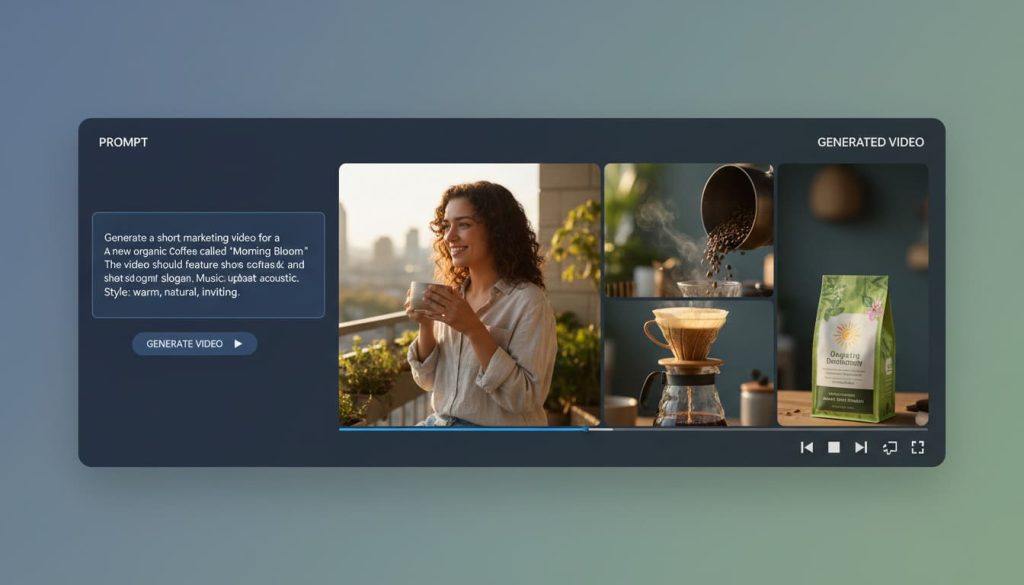
It focuses on high-end generative AI video. It doesn’t use stock footage. It creates new pixels from scratch.
The free tier works on a credit system. You get enough to experiment with “Text to Video” or “Image to Video.”
I use it for background visuals in landing pages. It creates a mood that stock sites can’t match.
It requires a bit more prompting skill. But the results are unmatched in the industry.
4. Fliki: Best for blog-to-video conversion
Fliki is the king of efficiency.
Most SaaS companies have a blog. Most of those blogs are gathering dust.
Fliki takes your URL and turns it into a video summary.
It has a massive library of realistic AI voices. The free plan allows 5 minutes of credits per month.
It is ideal for “Product Update” videos. You write the changelog, and Fliki builds the video.
It is the fastest way to stay consistent on social media.
5. CapCut: The secret weapon for AI editing
CapCut is often overlooked as a “TikTok tool.”
That is a mistake. The desktop version has incredible AI video editing tools.
Their “Auto-Caption” feature is the best in the business. It is 99% accurate and saves hours of typing.
They also have a “Script to Video” feature that is completely free.
It doesn’t have the “AI Avatar” polish of HeyGen. But for quick ads, it is unbeatable.
It is the most powerful free editor on this list.

Comparing the best free AI video tools
| Tool | Best For | Free Tier Limit | AI Strength |
| CapCut | Ad Editing | Unlimited (Watermark-free) | Auto-Captions/Effects |
How to integrate AI video into your SaaS funnel
Don’t just make videos for the sake of it. You need a strategy.
The Acquisition Phase
Use InVideo to create “How-to” clips for LinkedIn and X. Focus on solving one specific problem your SaaS fixes. Keep these under 60 seconds.
The Activation Phase
Use HeyGen for your onboarding flow. A video saying “Hey, I’m the founder, let me show you around” increases retention. It makes the user feel like they are part of a community.
The Retention Phase
Use Fliki to turn monthly feature updates into videos. Send these in your email newsletter. People are 3x more likely to watch a video than read a list of bullet points.
The limitations of free AI video software
Free plans are great for starting. But they have strings attached.
Most will have a watermark. For internal demos, this is fine. For high-end ads, it looks cheap.
You will also hit credit limits quickly.
My advice? Use the free versions to find your favorite workflow.
Once you see an ROI, pay for the seat. The time saved is worth the $30 a month.
Expert verdict: Which one should you choose?
If you are a solo founder, start with InVideo AI. It handles the script and the visuals for you.
If you are a growth lead doing outbound, use HeyGen. Personalized video is a cheat code for high response rates.
If you are a content creator, stick with CapCut. The AI features are free and the control is superior.
Generative AI video marketing is no longer optional.
The barrier to entry is gone. Your competitors are already using these tools.
Pick one from this list and create your first video today. It takes less than ten minutes.

Top Free AI Video Generators for Bootstrapped SaaS Startups
Frequently asked questions
Is AI video creation software really free?
Yes, but with limits. Most offer a “freemium” model. You get a few minutes of video or a set number of credits per month.
Can I use these for YouTube?
Absolutely. InVideo and CapCut are specifically designed for YouTube formats. Just be mindful of watermarks on free plans.
Do I need a powerful computer?
No. Most of these tools (except CapCut) are cloud-based. They run in your browser. All the heavy lifting happens on their servers.
Will AI replace video editors?
Not entirely. It replaces the tedious parts. You still need a human to check the messaging and brand voice. AI is the engine, but you are the driver.