SaaS marketing is brutal.
You need constant content. You need product demos. You need social clips.
But you don’t have the budget for a full production crew. You don’t have time to learn After Effects.
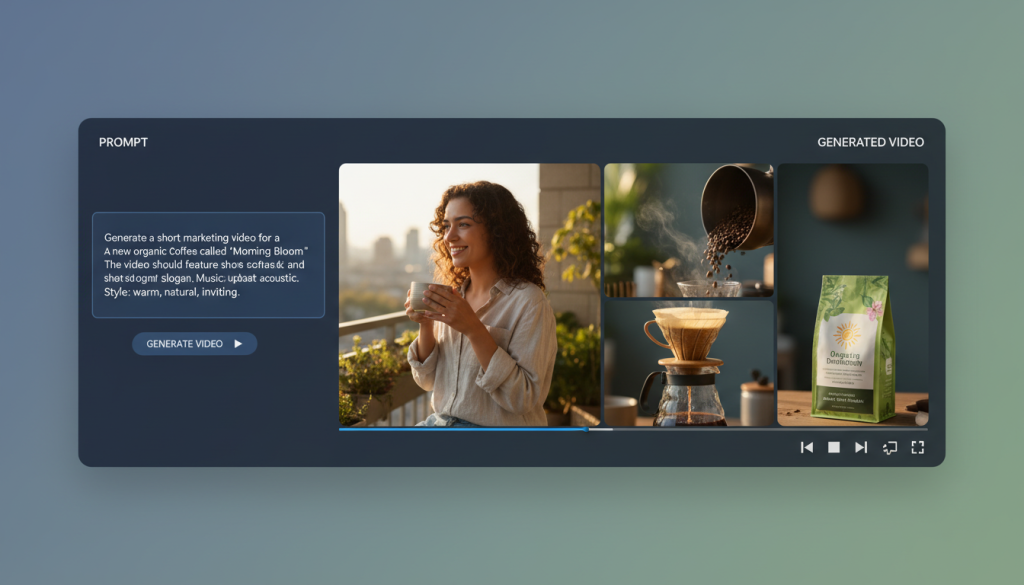
This is where AI video generators for SaaS come in.
I have tested dozens of these tools. Most are trash. They create robotic, glitchy videos that hurt your brand.
But a few are gold.
The right software lets you turn a blog post into a video in minutes. It lets you clone your CEO’s voice for sales outreach. It scales your output without scaling your headcount.
I’ve ranked the top 15 tools based on real utility for high-growth companies.
Let’s get into it.
Why SaaS Companies Need Video Automation
You cannot rely on text anymore.
Buyers want to see the product. They want quick answers.
Here is the reality of the market right now:
CAC is rising. Ads are expensive. Video ads convert better.
Retention is hard. Video tutorials reduce churn.
Speed wins. You can’t wait two weeks for an agency to edit a 30-second clip.
AI video creation software solves the speed and cost problem.
You keep the quality high. You cut the cost by 90%.
Top 3 Picks at a Glance
If you are in a rush, here are the heavy hitters.
| Best For | Tool | Why It Wins |
| Repurposing | Opus Clip | Turns your webinar recordings into viral shorts instantly. |
1. Synthesia
Best for: Professional Product Demos and Training
Synthesia is the leader for a reason.
If you need a “talking head” video but hate being on camera, use this. It is the standard for text to video AI in the corporate world.
You select an avatar. You type your script. You get a video.
Key Features
140+ AI Avatars: They look diverse and professional.
120+ Languages: Great for localized marketing.
Custom Avatars: You can digitize your own CEO (Enterprise plan).
Screen Recorder: Built-in tool to overlay the avatar on your SaaS dashboard.
Pricing
Starter: $22/month.
Creator: $67/month.
Enterprise: Custom pricing.
Verdict
The lip-syncing here is the best in the industry. It isn’t perfect, but it is close.
For SaaS, this is your explainer video machine. Don’t use it for hype reels. Use it for documentation and onboarding.
2. HeyGen
Best for: Personalized Sales Outreach
HeyGen is scary good.
It competes directly with Synthesia but focuses heavily on “Video Translate” and personalization.
For a growth lead, this is a weapon. You can record one video and have AI change the name of the prospect in every version.
Key Features
Video Translate: Changes your lip movement to match a translated language.
Photo Avatar: Animate static photos (good for fun social posts).
Zapier Integration: Automate video creation when a lead hits your CRM.
Pricing
Creator: $24/month.
Business: $72/month.
Verdict
The voice cloning on HeyGen is superior to Synthesia.
If you are doing cold outreach, use HeyGen. Sending a personalized video to a high-value lead increases conversion rates massive. It looks like you recorded it just for them.
3. Descript
Best for: Editing Demos and Podcasts
Descript is not a generator. It is an editor. But it uses so much AI it belongs here.
You edit video by editing text. You delete a word in the transcript, and it cuts the video frame.
For AI video editing tools, this is the MVP.
Key Features
Overdub: Type words you forgot to say, and it generates them in your voice.
Studio Sound: Removes echo and background noise with one click.
Eye Contact: AI fixes your eyes so you look at the camera, even if you were reading a script.
Pricing
Free: 1 hour/month.
Creator: $12/month.
Pro: $24/month.
Verdict
I use this every day. It saves hours.
If your SaaS runs a podcast or records Loom videos, you need Descript. It cleans up “umms” and “ahhs” automatically.
4. InVideo AI
Best for: YouTube Shorts and TikToks
You have a blog post. You need a video.
InVideo AI takes a prompt and builds the whole thing. It writes the script, finds stock footage, adds voiceover, and edits it.
Key Features
Prompt to Video: “Create a 30-second promo for a CRM tool.” Done.
Huge Stock Library: Access to iStock and Shutterstock.
Human-sounding Voiceovers: Better than the robotic defaults of 2025.
Pricing
Plus: $20/month.
Max: $48/month.
Verdict d’expert
It is great for top-of-funnel content.
The videos can feel a bit generic if you don’t edit them. But for volume? It is unbeatable. Use this to flood your social channels with generative AI video marketing assets.
5. Opus Clip
Best for: Repurposing Long-Form Content
SaaS companies love webinars. Nobody watches webinars.
Opus Clip takes your 60-minute webinar and chops it into 10 viral clips. It adds captions, scores the “virality” potential, and reframes it to vertical.
Key Features
AI Curation: It finds the hook automatically.
Active Speaker Detection: Keeps the face in the center of the vertical frame.
Auto-Emojis: Adds dynamic captions like Alex Hormozi.
Pricing
Free: 60 mins/month.
Starter: $9/month.
Pro: $29/month.
Verdict d’expert
This is the highest ROI tool on this list.
If you have a library of Zoom recordings, Opus Clip is free money. It turns dead content into active marketing assets.
6. Rask.ai
Best for: Localization and Dubbing
SaaS is global. Your content is usually just English.
Rask.ai dubs your videos into 60+ languages. It doesn’t just overlay audio. It clones the original voice and translates it.
Key Features
Voice Cloning: The Spanish version sounds like you.
Lip Sync: Matches mouth movement to the new language (Beta).
Shorts Support: Great for localizing TikToks.
Pricing
Basic: $49/month.
Pro: $119/month.
Verdict d’expert
Expensive but worth it.
If you are expanding to LATAM or Europe, Rask is cheaper than hiring translators and voice actors. The accuracy is frighteningly good.
7. Runway Gen-2
Best for: High-End Creative Assets
This is for the creative team.
Runway is not for explainers. It is for “text to video” art. You can generate cinematic B-roll from nothing.
Key Features
Text to Video: Generate clips from prompts.
Image to Video: Make static product shots move.
Video Inpainting: Remove objects from video automatically.
Pricing
Standard: $12/user/month.
Unlimited: $76/user/month.
Verdict d’expert
It has a steep learning curve.
Don’t use this for demos. Use this for high-concept ads or website backgrounds. It replaces stock footage subscriptions.
8. Colossyan
Best for: Workplace Learning and LMS
Colossyan is similar to Synthesia but focused on education.
If your SaaS has a complex onboarding process, Colossyan helps you build a video academy fast.
Key Features
Side View Avatars: Makes conversations look more natural.
PPT to Video: Upload a PDF and it builds the video.
Auto-Translation: One click localization.
Pricing
Starter: $19/month.
Pro: $61/month.
Verdict d’expert
Solid alternative to Synthesia.
I like their “conversation” mode where two avatars talk to each other. It breaks the monotony of a single talking head.
9. Pictory
Best for: Blog to Video
SEO teams love Pictory.
It scrapes your blog post, summarizes it, and matches stock footage to the sentences. It is video automation for SaaS at its simplest.
Key Features
URL to Video: No copy-pasting required.
Auto-Highlight: Creates trailers from long videos.
Teams Plan: Good for collaboration.
Pricing
Starter: $19/month.
Professional: $39/month.
Verdict d’expert
The stock footage matching can be hit or miss. You will need to swap out some clips manually.
But for turning a 2,000-word article into a 2-minute LinkedIn video, it works.
10. Peech
Best for: Branded Content Teams
Peech is smart. It understands your brand kit.
You upload raw footage, and it automatically adds your logo, colors, and fonts. It treats video editing like a template engine.
Key features
Brand Kit Integration: Colors and fonts are always right.
Smart Cropping: Auto-formats for Story, Post, or Landscape.
Subtitle Styles: High-quality animations.
Pricing
Free: Watermarked.
Pro: $49/month.
Verdict d’expert
Great for maintaining brand consistency.
If you have three different marketing managers making video, use Peech to make sure they all look like *your* company.
11. Visla
Best for: Script-Based Storytelling
Visla uses AI to suggest the B-roll based on your script. It is very strong on the “enterprise” vibe.
It integrates well with Slack and Zoom.
Key features
AI Video Search: Finds specific moments in your video library.
Teleprompter: Built-in recording tool.
Step-by-Step Guide: Good for recording processes.
Pricing
Premium: $24/month.
Verdict d’expert
A strong contender for internal comms.
It feels less “marketing” and more “productivity.” Good for async updates between dev and marketing teams.
12. Lumen5
Best for: Corporate Marketing Teams
Lumen5 has been around a while. It is reliable.
It isn’t the flashiest, but it is safe. It focuses heavily on turning text content into social videos.
Key features
Drag and Drop: Very intuitive interface.
Talking Head overlays: Add your webcam to stock footage.
RSS Feed: Auto-create videos when you publish a blog.
Pricing
Basic: $19/month.
Starter: $59/month.
Verdict d’expert
The “Canva of video.”
It is safe for big brands. You won’t get weird AI hallucinations here. It is strictly stock footage and text overlays.
13. Elai.io
Best for: Interactive Avatars
Elai pushes the interactive angle. You can build videos with clickable links (if hosted on their player).
Key Features
Gamified Videos: Branching scenarios.
Voice Cloning: Solid quality.
Avatar Builder: Create custom mascots.
Pricing
Basic: $23/month.
Verdict d’expert
The interactive features are cool for product tours.
Instead of a passive video, let the user choose their path (“I am a Marketer” vs “I am a Developer”).
14. Veed.io
Best for: The All-Rounder
Veed is a beast. It does everything.
Screen recording, AI avatars, auto-subtitles, cutting, stock library. If you only buy one tool, buy Veed.
Key features
Magic Cut: Removes silence and mistakes.
Eye Correction: Fixes your gaze.
Templates: Massive library for SaaS.
Pricing
Basic: $12/month.
Pro: $24/month.
Verdict d’expert
It is the Swiss Army Knife.
It isn’t the best at avatars (Synthesia wins). It isn’t the best at repurposing (Opus wins). But it is good at everything.
15. Kapwing
Best for: Collaborative Teams
Kapwing operates in the browser. It is like Google Docs for video.
Multiple people can edit at the same time. For a fast-moving SaaS team, this is crucial.
Key features
Smart Cut: Removes silences.
Collaborative Editing: Real-time updates.
Meme Maker: Good for social humor.
Pricing
Pro: $16/month.
Verdict d’expert
It can be buggy with large files.
But for quick social edits where the copywriter and the designer need to work together? It works.
How to choose the right tool
Don’t just buy the most expensive one. Look at your bottleneck.
1. Bottleneck: No Actors?
Buy Synthesia or HeyGen. You need avatars.
2. Bottleneck: Too Much Footage?
Buy Opus Clip or Descript. You need editing speed.
3. Bottleneck: No Ideas?
Buy InVideo AI. You need generation.
The “Tech Stack” approach
You probably need two.
My recommendation for a Series A SaaS:
Descript for editing your founder’s content.
Opus Clip for social distribution.
Synthesia for the help center articles.
AI video generators for video creators
Can I use AI video for paid ads? Yes. But be careful with avatars. People can tell they are fake. Use AI avatars for retargeting or explainers. For cold traffic, real humans still convert better.
Is text-to-video AI copyright free? Mostly. Tools like InVideo and Pictory use licensed stock footage (Storyblocks, Getty). Generated art (Runway) is currently a legal gray area, but generally safe for marketing.
Will this replace my video editor? No. It replaces the *boring* work. Your editor should stop cutting silences and start focusing on storytelling and pacing.
Which tool has the best voice cloning? ElevenLabs is the engine behind many of these. But for an integrated video tool, HeyGen currently wins on voice realism.
Final thoughts
The barrier to entry for video is gone.
You used to need $10k and a camera crew. Now you need $50 and a script.
The SaaS companies that win in 2026 will be the ones that flood the zone with helpful, relevant video content.
Pick a tool. Start shipping.