The project management landscape transformed when cloud-native platforms democratized enterprise capabilities through visual interfaces, no-code automation and real-time collaboration. Modern operations PM tools don’t just digitize Gantt charts. They reimagine cross-functional coordination around flexible workflows, automated status tracking, integrated resource management and unified visibility connecting operations teams with marketing, sales, customer success and leadership. The decision evolved from “can we afford proper project management software” to “which platform maximizes operations efficiency while scaling with organizational complexity.”
Selecting optimal project management platform for operations teams in 2026 requires understanding eight critical factors—workflow flexibility adapting to diverse operations processes, visual management styles matching team preferences, automation capabilities eliminating repetitive coordination, integration ecosystems connecting with CRM and business tools, reporting depth providing leadership visibility, collaboration features supporting cross-functional teams, pricing models scaling predictably and learning curves affecting adoption speed. Each platform category emphasizes different philosophies creating tradeoffs between simplicity and power, structure and flexibility, specialization and breadth determining operational effectiveness for years.
Why operations teams need specialized PM tools
The productivity difference between operations teams using optimized versus inadequate project management platforms resembles the gap between air traffic control systems using integrated radar versus handwritten flight schedules. Both can coordinate activities, but throughput, error rates and incident prevention diverge dramatically. Industry research indicates operations professionals spend 35-45% of time coordinating across functions, updating stakeholders and searching for project information rather than executing strategic initiatives. Suboptimal PM tools exacerbate coordination overhead while excellent platforms reclaim time for value-generating work.
Calculate your operations coordination tax. How many hours weekly do operations team members spend status meetings, updating spreadsheets, searching for project information across email and chat, manually compiling reports or coordinating handoffs between departments? Average operations professional participates in 10-15 status meetings weekly consuming 8-12 hours. Spends additional 5-8 hours updating project documentation, sending status emails and responding to “what’s the status of X” inquiries. That totals 13-20 hours weekly—50-80% of capacity consumed by coordination overhead rather than execution. Annually that represents 650-1,000 hours per operations employee worth $32,500-75,000 in salary costs.
The compounding extends beyond direct time costs. Disconnected project information creates visibility gaps where leadership lacks real-time portfolio health insight. Projects slip behind schedule unnoticed until crises emerge. Resource constraints remain invisible until conflicts arise. Dependencies between initiatives go unmanaged causing cascading delays. These coordination failures generate rework, missed deadlines, frustrated stakeholders and revenue impacts 10-20% larger than direct coordination time costs suggest.
Strategic platform selection provides five compounding advantages determining operations effectiveness. First, unified project visibility eliminates information scattering across email threads, chat conversations, spreadsheets and documents. Project status, blockers, dependencies and decisions live in centralized accessible location. Second, visual workflows provide at-a-glance understanding of project health through color-coded status indicators, progress bars and timeline views preventing surprises. Third, automated status tracking eliminates manual update compilation through capturing progress as work happens. Fourth, cross-functional collaboration features including task assignments, comment threads and file attachments keep context organized. Fifth, executive dashboards aggregate portfolio metrics without requiring manual reporting.
Operations efficiency impact manifests clearly in key metrics. Organizations with optimized project management platforms achieve 25-35% reduction in status meetings through self-service visibility. Project delivery predictability improves 30-40% through early identification of risks and dependencies. Resource utilization increases 15-25% through better capacity planning and workload balancing. Cross-functional handoff failures decrease 40-50% through explicit dependency tracking and automated notifications. These advantages compound over time creating sustainable operational leverage as PM excellence becomes organizational capability.
Operations PM platform comparison overview
Modern operations project management platforms divide into four categories serving distinct workflow philosophies. Visual work operating systems including Monday.com and ClickUp prioritize customizable boards and color-coded management. Structured task platforms including Asana emphasize hierarchical projects and task dependencies. Spreadsheet-based tools including Smartsheet provide familiar grid interfaces. Flexible databases including Airtable enable relational data modeling. The category determines interface style, workflow structure and customization approach.
| Platform | Monthly pricing | Best for | Core strength | Workflow style | Views | Free tier | Market position |
|---|---|---|---|---|---|---|---|
| Monday.com | $8-$16/seat | Visual workflows | Customization, UI | Board-centric | 8+ view types | 2 seats | Visual leader |
| Asana | $0-$24.99/user | Structured processes | Templates, hierarchy | Task-centric | 4 main views | 10 users | Structure leader |
| ClickUp | $0-$19/user | All-in-one ops | Feature breadth | Flexible hybrid | 15+ views | Unlimited tasks | Feature leader |
| Smartsheet | $7-$25/user | Spreadsheet fans | Familiarity, formulas | Grid-centric | 4 core views | Trial only | Enterprise familiar |
| Airtable | $0-$24/seat | Database flexibility | Relational data | Database-centric | 6+ views | Generous free | Database PM |
| Wrike | $9.80-$24.80/user | Enterprise operations | Resource mgmt | Balanced hybrid | Multiple views | Free limited | Enterprise ops |
Monday.com visual operations management
Monday.com dominates visual project management through highly customizable boards, intuitive color-coded status tracking and comprehensive view types adapting to any operations workflow. The platform philosophy emphasizes visual communication where color, layout and structure convey project health at glance without reading detailed text updates. No-code customization enables operations teams building tailored solutions matching unique processes without technical expertise or external consultants.

Customizable board structure adapts to diverse operations workflows including campaign launches, event planning, customer onboarding, facility management, vendor coordination, compliance tracking and operational initiatives. Define custom columns tracking any data type including text, numbers, dates, people, statuses, timelines, dropdowns, dependencies, formulas, files, links and ratings. Create color-coded status columns providing at-a-glance project health—green for on track, yellow for at risk, red for blocked. Build custom automations without coding. The flexibility eliminates forcing operations into rigid structures enabling instead matching tool to actual workflows without compromise.
Multiple view types display same project data through different lenses optimizing for specific use cases. Kanban board view visualizes work moving through stages—planning, in progress, review, complete. Gantt timeline view shows project schedules with dependencies and critical paths. Calendar view schedules activities and deadlines. Workload view displays team capacity and task assignments preventing overallocation. Chart view aggregates metrics into visual dashboards. Map view plots location-based activities. Form view captures intake requests. Teams switch between views accessing information in most useful format for current context without recreating data.
Automation recipes eliminate repetitive coordination tasks through 200+ pre-built templates customizable without coding. Automatically notify stakeholders when project status changes to blocked or at-risk. Create recurring tasks for regular operations activities like monthly reporting or quarterly planning. Send reminder notifications 2 days before deadlines. Update dependent items when predecessor tasks complete. Archive completed projects automatically after 30 days. Move items between boards based on status changes. Automations execute reliably eliminating manual coordination overhead and preventing forgotten follow-ups. Operations teams typically automate 30-50% of coordination tasks within first quarter.
Integration ecosystem connects Monday.com with 200+ applications including Slack, Gmail, Outlook, Zoom, Salesforce, HubSpot, Jira, Google Drive, Dropbox, Trello and Microsoft Teams. Sync CRM opportunities creating project boards automatically. Create Slack notifications for important updates. Attach files from Google Drive or Dropbox. Log time entries to accounting systems. Two-way integrations keep data synchronized preventing manual copying. Zapier and Make enable connecting thousands of additional applications. The integrations prevent Monday.com becoming isolated island requiring manual data transfer between systems.
Dashboard and reporting aggregate data across multiple boards providing portfolio-level visibility for operations leaders. Build dashboards combining charts, numbers, timelines and progress indicators. Track metrics including project count by status, overdue items, resource allocation, budget consumption and custom KPIs. Share dashboards with executives through secure links or schedule automated delivery. Set permissions controlling who views sensitive operations data. The visibility enables leadership understanding bottlenecks, resource constraints and delivery risks across entire operations organization without status meetings.
Pricing transparency starts affordable and scales predictably. Free plan supports 2 seats with unlimited boards but limited features. Basic plan costs $8/seat/month (billed annually) for up to 10 seats including unlimited items, 5GB storage and iOS/Android apps. Standard plan $10/seat/month adds timeline view, calendar view and automations (250/month). Pro plan $16/seat/month includes time tracking, formula columns, dependency management and advanced automations (25,000/month). Enterprise plan custom pricing provides advanced permissions, enterprise security and dedicated support. Most operations teams find Standard or Pro tiers optimal.
Learning curve considerations reflect high customization requiring initial investment understanding board structure, column types, automation logic and view options. Teams accustomed to simple task lists experience 2-3 week adjustment period mastering Monday.com’s flexibility. However, intuitive visual interface and extensive templates accelerate adoption. Organizations typically achieve 80%+ team engagement within 4-6 weeks through proper onboarding and champion designation.
For operations teams requiring deep integration between project management and customer relationship data, project management CRM integration examines architectures connecting opportunity tracking with delivery project initiation and resource allocation.
Asana workflow automation for operations
Asana built strong market position through structured task management, comprehensive template library and sophisticated workflow automation. The platform philosophy emphasizes hierarchical organization where projects contain sections containing tasks containing subtasks creating clear structure. This opinionated approach accelerates adoption for teams preferring defined frameworks over unlimited flexibility. Asana particularly strong for operations processes requiring consistency—campaign execution, customer onboarding, event management and compliance workflows benefit from standardized templates ensuring nothing overlooked.
Task hierarchy and multi-homing provide organizational clarity through projects, sections, tasks and subtasks creating intuitive structure. Projects represent major initiatives. Sections divide projects into phases or categories. Tasks represent individual work items. Subtasks break complex tasks into steps. The hierarchy feels natural matching how operations teams mentally organize work. Crucially, Asana supports multi-homing where single task appears in multiple projects simultaneously. Update task once and changes reflect everywhere—perfect for cross-functional operations work involving marketing, sales and customer success. Competitors including Monday.com lack native multi-homing requiring task duplication or complex automations.
Template library provides 80+ pre-built workflows for common operations processes including campaign planning, event management, meeting agendas, OKR tracking, employee onboarding, content calendars and product launches. Templates include pre-configured sections, task assignments, due date logic, custom fields and automation rules. Teams customize templates matching specific requirements without building from scratch. Organizations create private templates standardizing internal processes. Template usage accelerates implementation from weeks to hours while ensuring best practices followed consistently.
Workflow automation through Rules eliminates repetitive coordination without coding. Trigger rules based on task completion, custom field changes, due date arrival or assignee modifications. Actions include assigning tasks, adjusting due dates, moving tasks between sections, adding collaborators, posting comments and creating subtasks. Example automation: When campaign launch task marked complete, automatically create post-launch review task assigned to marketing manager due 7 days later and move project to “Active Campaigns” section. Since November 2025, AI prompts enable creating rules through natural language—describe desired automation and AI generates configuration.
Custom fields enable tracking operations-specific data beyond standard task properties. Create dropdown fields for campaign types, priority levels, departments or approval statuses. Number fields track budget, hours estimated, revenue impact or resource requirements. Date fields capture launch dates, review dates or compliance deadlines. Person fields assign approvers, stakeholders or reviewers. Custom fields appear in project views, filter options and reporting enabling sophisticated project management without external spreadsheets. Advanced tier adds formulas calculating values automatically.
Timeline and workload views provide critical operations visibility. Timeline (Gantt chart) view shows project schedules with task dependencies and critical paths. Identify bottlenecks where dependent tasks blocked. Adjust schedules through drag-and-drop rescheduling. Workload view displays team member capacity showing who overallocated and who available for additional work. Balance workloads preventing burnout and maximizing throughput. These views particularly valuable for operations leaders coordinating multiple concurrent initiatives across limited resources.
Reporting and portfolios aggregate data across multiple projects providing leadership visibility. Build custom reports tracking metrics including project count by status, overdue tasks, completion rates and custom field values. Portfolio feature groups related projects showing aggregate progress, risks and resource allocation. Goals feature connects project outcomes to company objectives demonstrating operations impact on business results. Universal reporting available in Business tier enables creating reports across entire organization.
Generous free tier supports up to 10 users with unlimited tasks, projects, storage and activity logs making Asana accessible for small operations teams. Starter plan $10.99/user/month adds timeline view, workflow automation (250 actions/month), advanced search and custom fields. Advanced plan $24.99/user/month includes portfolios, workload view, proofing and approvals, forms, rules (25,000 actions/month) and advanced integrations. Most operations teams requiring automation and reporting need Advanced tier.
Best for structured operations requiring consistent repeatable processes with clear task dependencies. Teams valuing simplicity and rapid adoption over unlimited customization prefer Asana’s opinionated approach. Organizations running standardized workflows—marketing campaigns, customer onboarding, event execution—benefit from template-driven consistency. However, operations requiring highly customized workflows or database-like relational structures outgrow Asana’s task-centric model.
When operations workflows require sophisticated automation connecting project milestones with CRM updates, email notifications and cross-system actions, (operations automation workflows) explores integration architectures multiplying coordination efficiency through intelligent triggers.
ClickUp all-in-one operations platform
ClickUp positions as comprehensive work operating system consolidating project management, document collaboration, goal tracking, time tracking, chat and knowledge base into unified platform. The philosophy emphasizes replacing multiple tools with single integrated system. ClickUp particularly appeals to operations teams frustrated by tool sprawl where project management, documentation, communication and reporting scattered across 5-10 disconnected applications requiring constant context switching and manual data synchronization.

15+ view types provide ultimate flexibility visualizing work in format matching specific context. List view shows traditional task lists with custom fields. Board view provides Kanban workflow management. Gantt chart displays project timelines and dependencies. Calendar view schedules time-based activities. Table view creates spreadsheet-like database. Timeline view visualizes project phases. Workload view balances team capacity. Mind map view brainstorms project structure. Map view plots geographic activities. Activity view tracks recent changes. Teams view shows organizational structure. Embed view displays external content. The variety eliminates “this tool doesn’t support how we work” objections.
Hierarchies and relationships enable modeling complex operations structure through Spaces, Folders, Lists, Tasks and Subtasks. Spaces represent departments or major functions. Folders group related projects. Lists contain individual initiatives. Tasks represent work items. Subtasks break down complexity. Customize hierarchy depth matching organizational needs—simple teams use fewer levels while complex operations use full depth. Create relationships between tasks across different projects tracking dependencies and blockers. The structural flexibility supports operations organizations from 10 to 1,000+ employees.
Comprehensive features eliminate need for supplementary tools. ClickUp Docs provides collaborative documentation with rich formatting, nested pages, templates and version history replacing Notion or Confluence. ClickUp Chat offers team messaging with threads, file sharing and task creation replacing Slack for some teams. ClickUp Goals tracks objectives and key results with automatic progress rollup. ClickUp Whiteboards enable visual collaboration. ClickUp Dashboards aggregate metrics across projects. Time tracking logs hours on tasks. Forms capture intake requests. The breadth creates operational efficiency through reduced tool switching.
Automation capabilities rival specialized automation platforms. Create unlimited automations in paid plans. Trigger automations from task status changes, assignee updates, due date arrival, custom field modifications, time tracking or comments. Actions include creating tasks, posting comments, changing statuses, assigning people, adjusting dates, moving tasks, sending emails, updating custom fields or executing webhooks calling external services. Pre-built automation templates cover common scenarios. The depth enables operations teams eliminating 40-60% of coordination overhead.
ClickUp AI provides content generation, task summarization, action item extraction and writing assistance throughout platform. Generate project descriptions, task breakdowns, documentation outlines and status update drafts. Summarize long comment threads extracting key decisions and action items. Proofread and improve writing. Answer questions about project data through natural language queries. AI add-on costs $7/user/month on top of base plan adding 20-30% productivity improvement for knowledge work.
Free Forever plan provides generous functionality including unlimited tasks, unlimited members, collaborative docs, Kanban boards, calendar view, real-time chat, 100MB storage and native integrations. Limited to 100 uses per automation and lacking timeline view, advanced dashboards and custom fields. Unlimited plan $7/user/month (annually) adds unlimited storage, integrations, dashboards, Gantt charts, timeline view, custom fields and expanded automation. Business plan $12/user/month includes advanced automation, workload view, time tracking, goal folders and advanced permissions. Enterprise plan custom pricing provides white labeling, dedicated support and enhanced security.
Complexity tradeoff stems from feature comprehensiveness. Interface overwhelming initially with dozens of features, configuration options and view types. Learning curve steeper than simpler tools requiring 3-4 weeks achieving proficiency. However, investment pays dividends through eliminating 3-5 supplementary tools. Best suited for operations teams prioritizing consolidation over simplicity and willing to invest in training. Small teams seeking straightforward project management find ClickUp over-engineered.
Smartsheet spreadsheet-based project management
Smartsheet built market position through providing familiar spreadsheet interface with project management capabilities. The platform particularly strong in enterprise environments where finance, operations and executive teams already comfortable with Excel or Google Sheets but need collaboration, automation and project management features spreadsheets lack. Smartsheet eliminates friction introducing new interface paradigm by leveraging existing spreadsheet mental models.
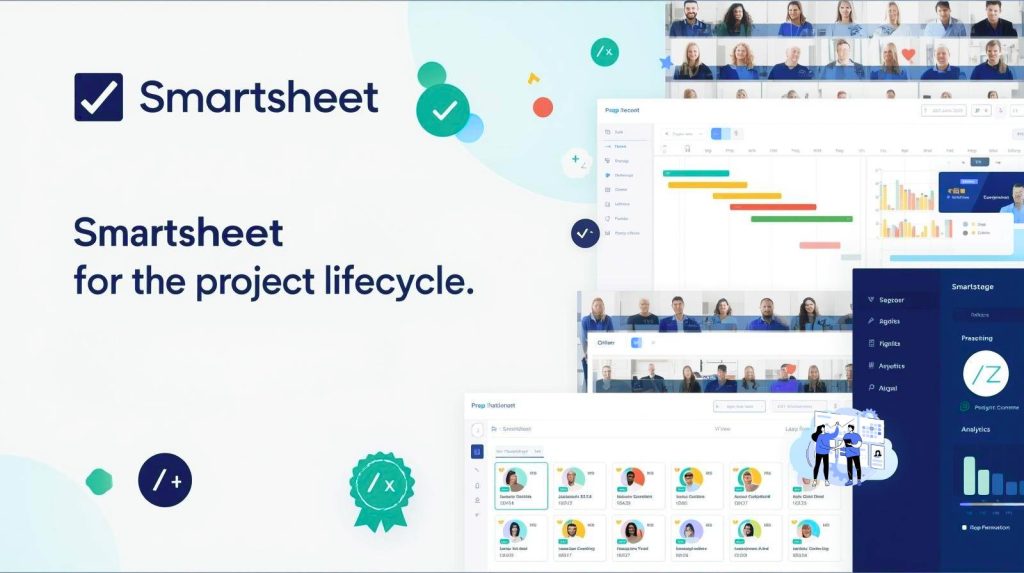
Grid-first interface provides familiar rows and columns where each row represents task or project and columns track properties including assignees, due dates, status, priority, budget and custom fields. Users comfortable with spreadsheet formulas immediately productive applying SUM, AVERAGE, IF, VLOOKUP and 400+ functions calculating values, automating updates and creating dependencies. The familiarity accelerates adoption in organizations where Excel expertise widespread but resistance to “yet another project management tool” high.
Multiple sheet views transform grid data into project management visualizations. Gantt chart view displays project timelines with task dependencies, critical paths and milestone markers. Card view provides Kanban-style workflow management. Calendar view schedules activities and deadlines. Grid view maintains spreadsheet interface. Switch between views instantly without recreating data. The flexibility supports diverse stakeholders—project managers prefer Gantt charts, team members prefer cards, executives prefer dashboards—all viewing same underlying data.
Advanced project features include critical path analysis identifying task sequences determining overall project duration, baseline comparisons tracking schedule variance, resource management showing allocation and capacity, dependencies enforcing task sequencing and project templates standardizing workflows. Control Center provides enterprise-scale portfolio management creating consistent project structures across hundreds of initiatives. Resource Management add-on provides sophisticated capacity planning, time tracking and utilization reporting valuable for operations teams managing billable work.
Dashboards and reporting aggregate data from multiple sheets into executive-friendly visualizations. Build dashboards with charts, metrics, reports, web content and embedded sheets. Create cross-sheet formulas pulling data from different projects. Generate pivot-style summary reports. Schedule automated report delivery via email. Publish dashboards to external stakeholders through secure links. The reporting depth supports data-driven operations leadership requiring portfolio visibility without manual compilation.
Automation workflows eliminate repetitive tasks through visual automation builder. Trigger workflows when rows added, changed or meet conditions. Actions include sending alerts, assigning tasks, changing values, locking rows, requesting approvals, updating other sheets or recording dates. Approval workflows route requests to stakeholders tracking decisions. Alert workflows notify teams of critical changes. The automation reduces manual coordination overhead maintaining project momentum.
Enterprise integration connects Smartsheet with Salesforce, Jira, ServiceNow, Microsoft tools, Google Workspace, Adobe Creative Cloud, DocuSign, Tableau and 100+ business applications. Sync CRM opportunities creating project sheets automatically. Update Jira issues from Smartsheet tasks. Route approval requests through DocuSign. Visualize Smartsheet data in Tableau dashboards. The integrations position Smartsheet as enterprise work management layer connecting diverse business systems.
Pricing structure targets mid-market and enterprise buyers. Pro plan costs $7/user/month including automation, unlimited sheets, Gantt charts and calendar view suitable for small teams. Business plan $25/user/month adds advanced automations, proofing, resource management and unlimited dashboards for growing operations teams. Enterprise plan custom pricing provides Control Center portfolio management, enhanced security, dedicated support and advanced integrations for large operations organizations. Most operations teams requiring sophisticated features need Business tier.
Best for spreadsheet-oriented teams already invested in Excel-based processes seeking collaboration and automation without abandoning familiar interface. Finance and operations professionals appreciate formula capabilities. Enterprise environments value Control Center standardization. However, teams preferring modern visual interfaces or database-oriented workflows find Smartsheet dated compared to Monday.com, Asana or Airtable.
Airtable flexible database operations
Airtable reimagines project management through relational database architecture providing flexibility beyond task-centric or spreadsheet-based platforms. The philosophy emphasizes structured data where tables, records and fields create powerful interconnections enabling sophisticated operations tracking impossible in traditional PM tools. Airtable particularly strong for operations teams managing complex interconnected data including customer accounts, product catalogs, vendor relationships, asset inventories and compliance requirements alongside project execution.

Relational database structure enables modeling complex operations data through multiple connected tables. Create Campaigns table tracking marketing initiatives. Projects table manages execution tasks. Assets table catalogs creative resources. Vendors table stores supplier information. Link records between tables—link campaign to related projects, link projects to required assets, link assets to responsible vendors. Changes propagate automatically through relationships. Query related records seeing all projects using specific asset or all campaigns from particular vendor. The relational capability transforms Airtable from simple project tracker into operations system of record.
Flexible field types capture diverse data formats beyond basic text and numbers. Single select fields provide dropdown options. Multiple select fields tag records with multiple categories. Linked record fields create relationships between tables. Attachment fields store files and images. Checkbox fields track binary status. Rating fields capture qualitative scores. URL fields link external resources. Formula fields calculate values automatically. Rollup fields aggregate data from related records. The field variety enables modeling complex operations data without external spreadsheets or databases.
Multiple views show table data through different lenses optimizing for specific workflows. Grid view provides familiar spreadsheet interface. Calendar view schedules date-based activities. Kanban view manages workflow stages. Gallery view displays image-heavy records. Timeline view visualizes project schedules. Form view captures intake requests. Gantt view (timeline) shows project dependencies. Create multiple views of same table customized for different teams or use cases. Hide irrelevant fields. Apply filters showing subsets. Sort by priority. The flexibility supports diverse stakeholders viewing shared data through personalized lenses.
Automation and integrations eliminate manual coordination through powerful automation engine and extensive integration ecosystem. Trigger automations when records created, updated or match conditions. Actions include sending emails, updating fields, creating records, posting to Slack or calling webhooks. Connect with 1,000+ applications through native integrations, Zapier or Make. Sync data bidirectionally with business systems. The automation multiplies operations efficiency particularly for data-heavy workflows requiring synchronization across systems.
Interface designer creates custom applications on top of Airtable databases without coding. Build approval workflows, dashboards, record details pages and navigation structures tailored to specific operations processes. Publish interfaces to stakeholders lacking direct database access. Control permissions determining who views, edits or manages data. The interface capability transforms raw database into polished operations application matching unique workflows.
Collaboration features include comments, mentions, record history, shared views and real-time editing. Discuss records through threaded comments. Mention colleagues drawing attention to important items. Review complete history of record changes with timestamps and authors. Share filtered views with external stakeholders through secure links. Work simultaneously without conflicts through operational transformation. The collaboration maintains context attached to relevant data rather than scattered across email and chat.
Free tier supports unlimited bases with 1,000 records per base, 2GB attachments per base and 1,000 API calls per workspace per month suitable for small operations teams. Plus plan $10/seat/month removes record limits, increases storage to 5GB per base and adds 3-month revision history. Pro plan $20/seat/month provides 5GB attachments per base, 6-month history, Gantt view and advanced integrations. Enterprise plan $24/seat/month adds enhanced security, admin controls and dedicated support.
Best for data-centric operations managing complex interconnected information beyond simple task lists. Operations teams tracking customer accounts, product SKUs, vendor relationships, asset inventories or compliance documentation benefit from relational structure. However, teams seeking straightforward project management without database complexity find Airtable over-engineered compared to task-focused platforms.
When operations dashboards require consolidating metrics from project management, CRM and automation platforms, (project analytics reporting dashboards) examines architectures creating unified visibility into operations performance, resource utilization and delivery predictability.
Platform selection decision framework
| Decision factor | Monday.com | Asana | ClickUp | Smartsheet | Airtable | Weight |
|---|---|---|---|---|---|---|
| Visual management | Excellent | Good | Excellent | Fair | Good | High |
| Ease of use | Very Good | Excellent | Fair | Good | Good | High |
| Workflow flexibility | Excellent | Good | Excellent | Good | Excellent | High |
| Automation depth | Very Good | Very Good | Excellent | Good | Very Good | Medium |
| Reporting/analytics | Very Good | Very Good | Excellent | Excellent | Good | High |
| Free tier generosity | Limited | Excellent | Good | Trial only | Good | Medium |
| Integration ecosystem | Excellent | Excellent | Excellent | Very Good | Excellent | Medium |
| Learning curve | Moderate | Easy | Steep | Easy | Moderate | High |
| Total cost at scale | Moderate | Moderate-High | Low-Moderate | High | Moderate | High |
Choose Monday.com when you need:
- Highly visual color-coded project management
- Maximum customization without coding
- Intuitive interface requiring minimal training
- Flexible boards adapting to any workflow
- Strong automation eliminating coordination overhead
- Operations teams valuing aesthetics and user experience
Choose Asana when you need:
- Structured task hierarchy and dependencies
- Extensive template library for standardized processes
- Multi-homing tasks across multiple projects
- Generous free tier for small teams (10 users)
- Quick adoption with minimal learning curve
- Operations requiring consistency over flexibility
Choose ClickUp when you need:
- All-in-one platform consolidating multiple tools
- 15+ view types supporting diverse workflows
- Comprehensive feature set eliminating tool sprawl
- Document collaboration and team chat integrated
- Willingness to invest in learning complex platform
- Operations teams prioritizing consolidation
Choose Smartsheet when you need:
- Familiar spreadsheet interface leveraging Excel skills
- Advanced formula capabilities for calculations
- Enterprise Control Center for portfolio standardization
- Strong integration with Microsoft and enterprise tools
- Finance and operations professionals comfortable with grids
- Organizations resistant to modern interface paradigms
Choose Airtable when you need:
- Relational database managing complex interconnected data
- Flexible data modeling beyond simple task lists
- Custom applications built on database foundation
- Operations tracking accounts, inventory, vendors alongside projects
- Teams comfortable with database concepts
- Data-centric workflows requiring sophisticated queries
Choose Wrike when you need:
- Enterprise resource management and capacity planning
- Advanced budgeting and financial tracking
- Sophisticated approval workflows
- Dedicated support and account management
- Operations teams managing billable client work
- Complex project portfolios requiring centralized governance
Integration with CRM and automation platforms
| Integration scenario | Platform approach | Key benefits | Implementation complexity | Best tools combination |
|---|---|---|---|---|
| CRM→PM sync | Native or middleware | Opportunity wins trigger project creation | Medium | Salesforce + Monday.com |
| PM→CRM updates | Automation platform | Project milestones update CRM records | Low-Medium | HubSpot + Asana + Zapier |
| PM→Email automation | Native integration | Task completion triggers nurture sequences | Low | ClickUp + ActiveCampaign |
| PM→Analytics flow | API or export | Project data feeds executive dashboards | Medium-High | Smartsheet + Tableau |
| Cross-platform automation | Automation hub | Complex workflows spanning multiple systems | High | Monday/Asana + Make + CRM |
Native CRM integrations directly connect project management with customer relationship systems eliminating middleware. Monday.com offers native Salesforce integration syncing opportunities with project boards. HubSpot integrates with Asana creating tasks from deals. ClickUp connects with Pipedrive. Native integrations provide real-time synchronization, reduced setup complexity and maintained vendor support through platform updates. Ideal for operations teams managing customer-facing projects requiring tight CRM alignment.
Automation platform orchestration through Zapier, Make or n8n enables sophisticated workflows spanning PM, CRM, email marketing and support systems. Example workflow: When Salesforce opportunity marked “Closed Won”, automatically create Monday.com project from template, assign project manager based on deal size, create Asana tasks for onboarding team, enroll customer in HubSpot welcome sequence and notify team in Slack. Automation platforms handle 80% of integration scenarios without custom code. Operations teams typically implement 10-20 cross-system automations reclaiming 15-25 hours weekly.
Webhook-based custom integrations support unique workflows requiring custom logic beyond automation platform capabilities. Project management platforms expose webhooks triggering on task completion, status changes or custom field updates. Webhooks call custom scripts or integration platforms executing business logic. Example: When ClickUp task tagged “Contract Signed” completes, webhook triggers custom function validating data, creating accounting system invoice, generating welcome packet and scheduling customer success check-in. Custom integrations provide unlimited flexibility requiring technical expertise.
Data warehouse aggregation consolidates project data with CRM, support and analytics creating unified business intelligence. ETL tools including Fivetran, Stitch or custom scripts extract data from PM platforms loading into Snowflake, BigQuery or Redshift. BI tools including Tableau, Looker or Metabase query warehouse creating executive dashboards spanning multiple systems. Example dashboard: Operations performance combining project delivery metrics from Monday.com, revenue data from Salesforce, support ticket volume from Zendesk and customer health scores from Gainsight. Data warehousing supports sophisticated analytics impossible with individual tool reporting.
For organizations implementing complete operations infrastructure connecting CRM, project management, automation and analytics, (integrated operations toolchain ecosystem) examines architecture patterns, implementation roadmaps and change management strategies ensuring successful adoption across cross-functional teams.
Strategic project management platform selection profoundly impacts operations team coordination efficiency, cross-functional collaboration quality and leadership visibility for years ahead. Monday.com dominates visual operations management through highly customizable boards, intuitive color-coded tracking and comprehensive automation requiring moderate learning investment. Asana serves structured operations through hierarchical task management, extensive template library and generous free tier accelerating adoption for standardized processes. ClickUp provides all-in-one operations platform consolidating project management, documentation, chat and goals into unified system eliminating tool sprawl despite steeper learning curve. Smartsheet appeals to spreadsheet-oriented teams leveraging familiar Excel interface with project management capabilities particularly strong in enterprise environments. Airtable reimagines operations through relational database architecture enabling sophisticated data management beyond simple task tracking.
Successful platform selection requires matching capabilities to specific operations requirements including workflow complexity, team technical sophistication, visual preferences, budget constraints, integration needs and organizational culture rather than selecting popular tools misaligned with actual coordination patterns. Early-stage operations teams prioritize affordable or free tiers with rapid implementation. Growth-stage operations balance cost against automation and reporting depth. Enterprise operations require portfolio management, resource optimization and dedicated support justifying premium investments.
Implementation strategy determines whether PM platform investment delivers projected coordination efficiency or becomes underutilized shelfware. Proper change management through stakeholder involvement, comprehensive training and workflow alignment drives adoption above 80%. Integration architecture connecting PM with CRM, marketing automation and analytics creates multiplier effects impossible with isolated tools. Continuous optimization expanding automation coverage and refining workflows compounds benefits over time.
The modern operations project management platform represents critical coordination infrastructure investment yielding compounding returns through reduced status meetings, improved delivery predictability, enhanced resource utilization and portfolio visibility enabling strategic decisions. Strategic platform selection converts operations chaos into competitive advantage determining whether organizations scale efficiently or collapse under coordination overhead as complexity increases. (Integrated operations toolchain ecosystem) examines how project management platforms integrate with CRM software, marketing automation, customer support systems and analytics creating unified operations stack maximizing team productivity while minimizing tool fragmentation.

AI tools and digital marketing expert.
Helping freelancers and companies grow with smart AI solutions.