
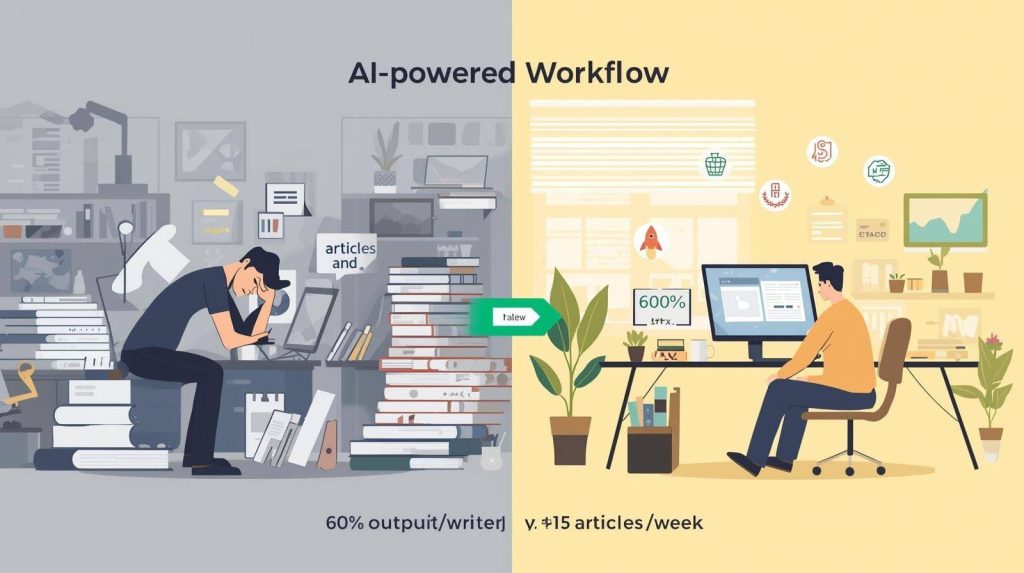
Last year I delivered 18 client articles in one week—a volume that would have destroyed me two years ago. I didn’t work 80-hour weeks or sacrifice quality. I restructured my workflow around AI tools that handle the time-consuming, repetitive tasks while I focus on strategy, creativity, and client relationships.
The result: my monthly output tripled while my actual writing hours decreased by 30%. More importantly, client satisfaction scores improved because I had more energy for the creative and strategic work that truly matters.
Here’s exactly how freelance writers can use AI to dramatically increase productivity without losing the human elements that make your work valuable. For a complete overview of available tools, see our comprehensive guide to the best 27 AI writing tools for freelancers.
The Productivity Paradox: Why AI Helps Instead of Replaces
AI can reduce time spent on writing tasks by up to 69%, according to recent productivity data. But the writers seeing these gains aren’t using AI to replace their work—they’re using it to eliminate bottlenecks that slow them down
The typical freelance writing workflow includes research, outlining, drafting, editing, fact-checking, formatting, and client communication. AI excels at accelerating or automating the first three and last two, freeing you to spend more time on the creative middle stages where your expertise actually shines.
Freelancers who treat AI as a replacement struggle and produce generic work. Those who treat it as an assistant that handles grunt work while they focus on high-value tasks see productivity multiply without quality declining
Stage 1: Research in Minutes Instead of Hours
The Old Way: Spend 60-90 minutes reading articles, analyzing competitors, gathering statistics, and taking notes before writing a single word.
The AI-Powered Way: Use ChatGPT, Claude, or Perplexity to summarize research sources, extract key statistics, identify main arguments, and answer specific questions in 10-15 minutes.
I start every project by asking ChatGPT: “Summarize the top 10 articles about [topic], identify common themes, and highlight any conflicting perspectives.” This gives me a research overview in 3 minutes that used to take an hour of manual reading.
For fact-checking and current data, Perplexity provides answers with automatic source citations, eliminating the need to manually track URLs and verify information. This cuts research verification time by 60-70%
Productivity Impact: Research time drops from 60-90 minutes to 10-20 minutes per article—saving 40-70 minutes per project
For detailed prompts and workflows, check out our guide to ChatGPT and Claude for freelance writers.
Stage 2: Outlining That Guides Instead of Guesses
The Old Way: Stare at a blank document trying to organize thoughts, rearrange sections multiple times, and second-guess structure before settling on an outline.
The AI-Powered Way: Provide ChatGPT or Claude with your topic and target keyword, then ask for a detailed outline with H2/H3 structure, key points per section, and suggested word counts
The outline becomes your roadmap. You’re not writing it—you’re directing AI to create a framework you’ll customize based on your expertise and client needs
For SEO content, tools like Frase analyze top-ranking competitors and generate outlines that cover all major topics while identifying gaps you can fill with unique insights. For more details on SEO tools, read our Frase vs Surfer vs Scalenut comparison.
Productivity Impact: Users report reducing outlining time by 70-80% when using AI-assisted structure generation. What used to take 30-40 minutes now takes 5-10 minutes
Stage 3: First Drafts in Half the Time
The Old Way: Write every sentence from scratch, battle writer’s block, delete paragraphs that don’t work, and spend 2-3 hours producing a 1,500-word first draft.
The AI-Powered Way: Use your AI-generated outline as a blueprint, then ask ChatGPT or Claude to draft individual sections while you focus on intro, conclusion, and transitions—the parts where your voice matters most
I write intros and conclusions myself because they set tone and deliver the main message. For body sections explaining concepts, listing features, or covering background information, I let AI draft first, then rewrite 40-50% in my voice.
This hybrid approach maintains quality while cutting drafting time significantly. Content creators report reducing first draft completion time by 60% using AI draft generation
Productivity Impact: A 1,500-word article that used to take 2-3 hours to draft now takes 60-90 minutes, saving 60-90 minutes per project.
To learn how to maintain your unique voice while using AI drafts, read our guide on using AI without losing your voice.
Stage 4: Editing That Catches What You Miss
The Old Way: Read your draft multiple times, catch some errors but miss others, struggle with phrasing decisions, and spend 45-60 minutes editing.
The AI-Powered Way: Run drafts through Grammarly for grammar and tone, use QuillBot to refine awkward sentences, and ask ChatGPT to identify unclear sections or suggest stronger transitions.
Professional editors estimate that AI-assisted editing reduces revision time by 30-60%, depending on content type. The tools catch technical errors instantly, freeing you to focus on flow, voice, and strategic improvements
I use a staged editing approach: Grammarly first for technical errors, QuillBot for awkward phrasing, then a final human pass for voice and accuracy. This structured process prevents cognitive overload and produces cleaner final drafts faster
Productivity Impact: Editing time drops from 45-60 minutes to 20-30 minutes per article, saving 25-30 minutes per project.
For a detailed comparison of editing tools, see our Grammarly vs ProWritingAid vs QuillBot review.
Stage 5: Client Communication Without the Back-and-Forth
The Old Way: Spend 15-20 minutes crafting pitch emails, revision responses, and status updates, then wait for client replies that create more email chains.
The AI-Powered Way: Use ChatGPT or Claude to draft professional emails, summarize long client threads into action items, and generate clear status updates that preempt common questions
AI helps freelancers deliver work faster and reduce stress by automating communication tasks that don’t require personal touch. I use it for
- Drafting initial pitch emails (5 minutes → 2 minutes)
- Responding to revision requests professionally (10 minutes → 3 minutes)
- Summarizing project status for multiple clients (20 minutes → 5 minutes)
The time saved compounds across dozens of emails weekly, adding up to 3-5 hours monthly
Productivity Impact: Client communication time decreases by 50-60%, saving 1-2 hours weekly.
Stage 6: Project Management That Stays Organized
The Old Way: Juggle multiple clients across spreadsheets, sticky notes, and memory, miss deadlines occasionally, and waste time searching for files or client briefs.
The AI-Powered Way: Use Notion AI or ClickUp AI to organize tasks, generate project summaries, create automated task lists from notes, and track deadlines across clients
ClickUp AI generates task descriptions and project summaries automatically, reducing time spent on planning and organization. Notion AI converts meeting notes into action items and builds content calendars from rough ideas
This organizational infrastructure prevents the cognitive overhead of tracking everything manually, freeing mental energy for actual writing
Productivity Impact: Project management time decreases by 40-50%, saving 2-3 hours weekly.
The Complete Workflow: From Project to Published
Here’s my actual AI-powered workflow for a standard 1,500-word SEO article:
Minutes 0-15: Research
- ChatGPT summarizes top articles and extracts key points (10 min)
- Perplexity gathers current statistics with citations (5 min)
Minutes 15-25: Outline
- Frase generates SEO-optimized content brief (5 min)
- I customize outline based on client goals and unique angle (5 min)
Minutes 25-85: Drafting
- I write intro and conclusion from scratch (20 min)
- ChatGPT drafts body sections based on outline (10 min)
- I rewrite/personalize 40-50% of AI content (30 min)
Minutes 85-110: Editing
- Grammarly catches grammar and tone issues (10 min)
- QuillBot refines awkward sentences (5 min)
- Final human pass for voice, accuracy, flow (10 min)
Minutes 110-120: Formatting & Delivery
- Format in WordPress/Google Docs (5 min)
- ChatGPT drafts delivery email with summary (2 min)
- Final review and send (3 min)
Total time: 120 minutes (2 hours)
The same article without AI used to take 4-5 hours. I’ve cut production time by 60% while maintaining quality standards that keep clients returning

What AI Can’t Do (And Why That’s Your Value)
AI handles speed and volume. You provide strategy, expertise, and judgment. Here’s what AI still can’t replace:
Understanding client goals beyond the brief. AI doesn’t know that Client A prefers data-heavy content while Client B wants storytelling approaches. That contextual knowledge comes from relationship building.
Injecting genuine expertise. AI can summarize what’s already published, but it can’t share your personal experience testing tools, working with clients, or observing industry trends firsthand.
Strategic content planning. AI suggests topics based on keywords, but you determine which topics serve broader client strategies, build authority, or differentiate from competitors.
Creative angles that stand out. Every writer using AI with the same prompts gets similar outputs. Your unique perspective, controversial takes, and creative frameworks separate your work from generic content.
The writers thriving with AI aren’t those producing the most words—they’re those using saved time to strengthen client relationships, develop expertise, and deliver strategic value AI can’t replicate
Measuring Your Productivity Gains
Track these metrics before and after implementing AI tools:
- Articles completed per week (mine went from 4-5 to 12-15)
- Average time per article (mine dropped from 4.5 hours to 2 hours)
- Client revision requests (mine decreased 30% due to better quality from less rushed work)
- Monthly income (mine increased 150% over 12 months)
- Work hours per week (mine stayed constant at 35-40, not increasing despite higher output)
If you’re using AI correctly, all metrics improve except work hours, which should stay constant or decrease slightly. Productivity gains should translate to higher income or better work-life balance, not just more work for the same pay.
The Bottom Line
AI doesn’t make you a better writer—it makes you a more productive one by handling grunt work so you can focus on the creative and strategic elements that actually build your freelance career.
The 10x productivity claim isn’t hyperbole for writers who fully integrate AI into their workflow. Research that took hours now takes minutes. Drafts that took all day now take 60-90 minutes. Editing that felt endless now takes 20-30 minutes
Start small. Pick the biggest bottleneck in your current workflow—probably research or drafting—and integrate one AI tool to solve it. Master that tool completely before adding another.
Within 2-3 months, you’ll either be earning significantly more from higher output or working fewer hours while maintaining income. Either outcome beats the exhausting, manual workflow most freelance writers still suffer through.
The writers who resist AI aren’t protecting their craft—they’re limiting their earning potential and burning themselves out competing on speed with writers who’ve already automated the grunt work.
For comprehensive tool recommendations and strategies, refer back to our complete guide to AI writing tools for freelancers.

A.G. Makoudi is a tech writer specializing in SaaS tools and digital solutions, helping readers simplify technology and make smarter software choices.


been struggling with productivity for months and this guide came at the perfect time honestly the point about treating ai as an assistant not a replacement really resonated because i was either avoiding it completely or feeling guilty when i used it the complete workflow section with actual minute breakdowns is gold im definitely stealing that structure one thing im curious about is how you handle clients who specifically ask if youre using ai tools do you bring it up proactively or just focus on the quality of the work ive had some clients who seem worried about it also going from 4 articles to 15 per week is insane
JESSICA Thanks for sharing thisI’m glad the guide helped. I completely agree: AI works best as an assistant that supports research, organization, and first drafts, while the strategy, judgment, fact-checking, and final editing still come from the person doing the work.
When clients ask directly, I’m always transparent. I explain that I use AI tools to make the workflow more efficient, but every deliverable is reviewed, refined, and tailored to their goals, audience, and brand voice. The client is paying for the quality of the strategy and final result, not for the number of hours spent staring at a blank page.
I do not necessarily bring it up proactively for simple background tasks, such as brainstorming, outlining, or proofreading. However, I would discuss it upfront if a client has a specific policy, if confidential information would be entered into an AI tool, or if AI has a substantial role in the final deliverable. Clear expectations from the beginning are always better than assumptions.
My rule is simple: never use AI as a substitute for expertise or accountability. Use it to remove repetitive work, then apply human judgment to make sure the final piece is accurate, useful, original, and aligned with the client’s needs.