
I ran the same 2,000-word client article through Grammarly, ProWritingAid, and QuillBot to see which tool caught the most errors and provided the most useful feedback. The results weren’t what I expected—the most popular tool didn’t win, and each excelled at completely different aspects of editing.
After using all three daily for over a year, I’ve learned they’re not really competitors. They serve different purposes, and the “best” choice depends entirely on whether you prioritize speed, depth, or flexibility in your editing workflow.
Here’s exactly what each tool does well, where it falls short, and which one deserves a spot in your freelance writing stack. For a complete overview of all available AI writing tools, check out our comprehensive guide to the best 27 tools for freelancers.
What Each Tool Actually Does
Grammarly focuses on real-time grammar, spelling, punctuation, and tone corrections across every platform you write on. The browser extension works in Google Docs, WordPress, Gmail, social media, and anywhere else you type. It’s fast, unobtrusive, and designed to catch mistakes as you write without interrupting flow.
ProWritingAid offers detailed, data-driven analysis of your writing style, structure, and readability. It generates 20+ different reports covering everything from overused words to sentence length variation to passive voice percentage. It’s designed for writers who want to improve their craft, not just fix typos.
QuillBot combines basic grammar checking with advanced paraphrasing and summarizing tools. It’s built for rewriting sentences, generating variations, and condensing long documents. Grammar checking is secondary to its core paraphrasing functionality.
These different focuses mean comparing them directly is like comparing a sports car, a pickup truck, and a Swiss Army knife—they’re all useful, but for different jobs.
Grammar and Error Detection: The Core Test
I tested all three on the same article containing 20 intentional errors—grammar mistakes, spelling errors, punctuation issues, and awkward phrasing.
QuillBot caught 20 out of 20 errors in free tier testing, making it the most accurate pure grammar checker. The interface is clean, corrections are clearly explained, and the “Fix All Errors” button saves time when multiple issues need addressing
Grammarly Free caught 11 out of 20 errors in the same test. Premium catches significantly more, but the free version misses nuanced issues. That said, Grammarly’s strength isn’t just error count—it’s the quality of suggestions and tone adjustments that improve writing beyond simple correctness
ProWritingAid Free caught only 3 out of 20 errors in free tier testing. The free version is extremely limited for grammar checking. Premium catches far more, but even then, its value lies in style analysis rather than pure error detection
For freelancers on a budget who need reliable grammar checking, QuillBot Free wins decisively for accuracy. If you’re still building your tool stack on a budget, our guide to best free AI writing tools covers more zero-cost options
Writing Style and Improvement: Where ProWritingAid Shines
ProWritingAid generates detailed reports analyzing your writing across 20+ dimensions. The Style Report highlights overused words, vague language, and repetitive sentence structures. The Sentence Length Report shows variation patterns. The Readability Report calculates grade level and suggests simplifications
This data-driven approach helps you improve as a writer, not just fix individual pieces. After using ProWritingAid for six months, I noticed my first drafts became cleaner because I’d internalized patterns it flagged repeatedly.
Grammarly offers some style feedback—mainly clarity suggestions and conciseness recommendations—but it’s nowhere near as comprehensive as ProWritingAid. The feedback focuses on making individual sentences clearer rather than analyzing your overall writing patterns
QuillBot doesn’t really do style analysis at all. It checks grammar and offers paraphrasing options, but won’t tell you if you’re overusing certain words or if your sentences are too long.
For writers who want to develop their skills and understand their writing patterns, ProWritingAid is unmatched
Paraphrasing and Rewriting: QuillBot’s Specialty
QuillBot offers seven rewriting modes (Standard, Fluency, Formal, Simple, Creative, Expand, Shorten) with a synonym intensity slider that controls how much text changes. Premium handles unlimited length; free tier processes 125 words at a time
I use QuillBot daily to refine AI-generated content, rewrite awkward sentences I’m stuck on, and create variations for A/B testing. The paraphrasing quality is genuinely impressive—it maintains meaning while completely restructuring sentences.
Grammarly doesn’t have paraphrasing features at all. It offers sentence rewrites for clarity and tone, but these are suggestions to fix problems, not tools to generate variations
ProWritingAid has very limited paraphrasing. It’s not designed for this use case and can’t compete with QuillBot’s dedicated paraphrasing engine.youtube
For freelancers who need to rewrite content, generate variations, or polish AI outputs, QuillBot is essential. To learn more about maintaining your voice when using paraphrasing tools, read our guide on using AI without losing your unique voice.
Tone and Context Adjustments
Grammarly excels at tone detection and adjustment. It analyzes whether your writing sounds confident, friendly, formal, or urgent, then suggests changes to match your intended tone. This is invaluable for client emails, professional content, and adapting writing for different audiences.
The Premium plagiarism checker scans 16 billion web pages, providing peace of mind before submitting client work.
QuillBot offers basic tone options within paraphrasing modes (formal vs. casual) but doesn’t analyze tone the way Grammarly does. It’s functional but not sophisticated
ProWritingAid doesn’t focus on tone at all. Its strength is technical analysis, not contextual appropriateness.
For freelancers writing for diverse clients with different brand voices, Grammarly’s tone features are worth the premium price
Speed and Workflow Integration
Grammarly is the fastest and least intrusive. Corrections appear in real-time as you type, with minimal lag. The browser extension works everywhere, and you barely notice it’s running until it catches an error
QuillBot is also fast for paraphrasing and grammar checks. The interface is simple—paste text, click check or paraphrase, review suggestions. No complicated setup or learning curve.
ProWritingAid is slower because it performs deeper analysis. Running all 20+ reports on a 2,000-word article takes 30-60 seconds. The interface is more complex due to advanced features, which creates a steeper learning curve for new users.
For daily writing where speed matters, Grammarly wins for real-time corrections.youtube
Pricing: What You Get for Your Money
Grammarly costs $30/month or $144/year for Premium. This includes unlimited grammar and spelling checks, tone adjustments, plagiarism detection, and sentence rewrites across all platforms
QuillBot costs $19.95/month or $99.95/year for Premium. This includes unlimited paraphrasing, advanced grammar checking, summarizer (up to 6,000 words), plagiarism checker, and citation generator. It’s significantly cheaper than Grammarly
ProWritingAid costs approximately $10-12/month annually (pricing varies by plan). This includes all 20+ writing reports, grammar checking, style analysis, and integrations with Word, Google Docs, and Scrivener. It’s the most affordable premium option.
For budget-conscious freelancers, ProWritingAid offers the best value if you want comprehensive analysis. QuillBot wins if paraphrasing is your priority.
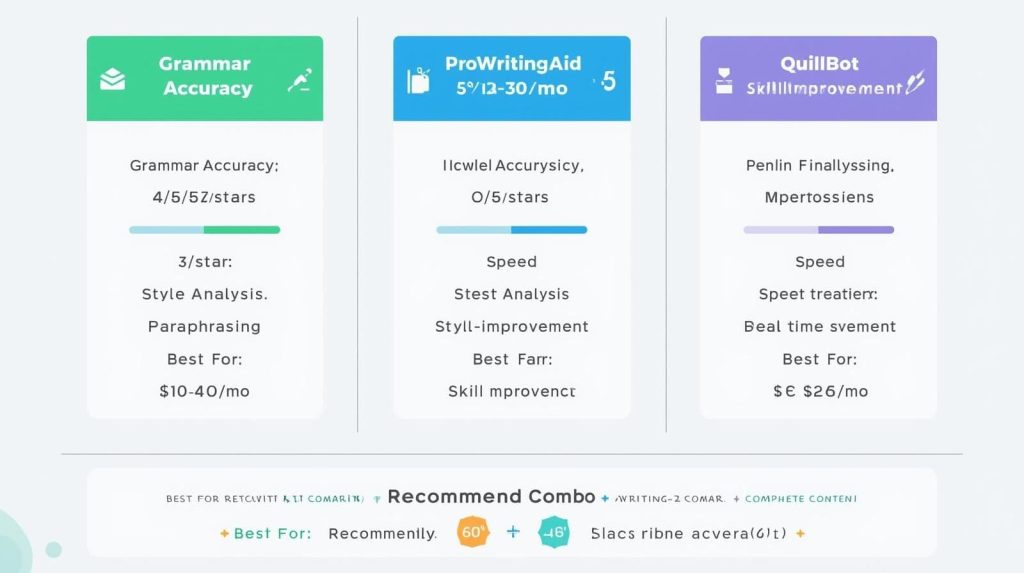
Which Tool Should You Choose?
Choose Grammarly if:
- You write across multiple platforms (Docs, WordPress, email, social media) and want seamless integration
- Real-time corrections and tone adjustments are priorities
- You need plagiarism checking for client work
- Speed and simplicity matter more than detailed analysis
- Your budget allows $12-30/month for editing tools
Choose ProWritingAid if:
- You want to improve your writing skills, not just fix errors
- You appreciate data and detailed reports on writing patterns
- You write long-form content (articles, books, reports) that benefits from deep analysis
- You work primarily in Word, Google Docs, or Scrivener
- You want premium features at the lowest price poin
Choose QuillBot if:
- Paraphrasing and rewriting are central to your workflow
- You frequently polish AI-generated content
- You need summarization tools for research
- Grammar checking is important but not your only need
- You want mid-tier pricing with strong
My Actual Setup (And Why)
I subscribe to both Grammarly Premium and QuillBot Premium because they serve completely different purposes and don’t overlap
Grammarly runs constantly in the background catching typos in emails, client communication, and social media posts. The tone detector helps me adjust formality for different clients. I use it passively—it works without me thinking about it.
QuillBot I use actively when editing. After drafting with AI assistance, I run awkward sections through QuillBot to generate better phrasings. I use the summarizer to condense research sources. The paraphraser helps when I’m stuck on a sentence and need fresh options.
I don’t subscribe to ProWritingAid anymore because ChatGPT and Claude provide similar style feedback when I ask for it, and I’ve internalized most of the patterns it flagged. But for writers earlier in their careers or those working on book-length projects, ProWritingAid’s depth is genuinely valuable
Total cost: $32-50/month for both Grammarly and QuillBot Premium. Worth every dollar for the time saved and quality improvements.
For more strategies on maximizing productivity with AI tools, check out our guide on using AI to 10x your productivity without replacing creativity.
The Bottom Line
These aren’t competing tools—they’re complementary. Grammarly is your real-time safety net that catches errors across every platform. ProWritingAid is your writing coach that helps you improve over time. QuillBot is your rewriting assistant that generates variations and polishes rough drafts.
For most freelancers, the best strategy is:
- Start with QuillBot Free for grammar checking and occasional paraphrasing
- Add Grammarly Premium ($12/month) once earning $2,000+/month consistently
- Consider QuillBot Premium ($8-20/month) if you regularly rewrite AI content
- Try ProWritingAid if you want detailed writing improvement feedback
You don’t need all three. But understanding what each does best helps you choose the right tool for your specific workflow, budget, and writing goals.
For comprehensive tool recommendations across all categories, refer back to our complete guide to AI writing tools for freelancers.

A.G. Makoudi is a tech writer specializing in SaaS tools and digital solutions, helping readers simplify technology and make smarter software choices.