When I started freelancing three years ago, I couldn’t justify $50/month for Jasper or $89/month for Surfer SEO. My first clients paid $75-100 per article, and premium tool subscriptions would have eaten 30-40% of my earnings. I needed AI assistance, but I needed it free.
The good news: free AI writing tools have improved dramatically in 2026. What used to be basic grammar checkers and limited chatbots now includes powerful writing assistants, research tools, and even SEO helpers—all without monthly fees. You don’t need premium subscriptions to compete anymore.
Here are the best free AI writing tools I’ve tested that actually deliver value for budget-conscious freelancers, along with exactly what you get without paying and when you might eventually need to upgrade. For a complete overview of all available options including paid tools, see our comprehensive guide to the best 27 AI writing tools for freelancers.
ChatGPT Free: The Foundation of Any Free Stack
What You Get: Free access to GPT-4o mini with approximately 10 messages every 5 hours before switching to the lighter model. The interface handles research, outlining, drafting, brainstorming, and editing across virtually any content type
Best For: Research and ideation, article outlines, rewriting awkward sentences, answering research questions, and generating content variations. I use ChatGPT free for every project—it’s become essential infrastructure even though I now pay for other tools.
Limitations: The 10-message limit resets every 5 hours, which can feel restrictive during intensive writing sessions. You can’t access advanced features like web browsing, image generation, or custom GPTs. For most freelance writing tasks, though, the free version handles 80% of what you need
When to Upgrade: If you hit the message limit multiple times daily or need real-time web search for fact-checking, ChatGPT Plus ($20/month) becomes worth it around $2,000-3,000/month in freelance income.
Claude Free: Better for Long-Form Content
What You Get: Free access to Claude Sonnet 4.5 with 10-25 messages per 5-hour cycle depending on demand. The 200,000 token context window handles longer documents and maintains context better than ChatGPT across extended conversations
Best For: Long-form article drafts, analyzing multiple sources, creating detailed outlines, and any writing task requiring extended back-and-forth refinement. Claude produces more naturally flowing prose than ChatGPT free, with fewer robotic patterns.
Limitations: Usage limits are slightly less predictable than ChatGPT—sometimes you get 10 messages, sometimes 25, depending on server load. No web search or image generation in free tier
Why I Use Both: I alternate between ChatGPT and Claude to effectively double my free AI access. Research and quick tasks go to ChatGPT, long drafts and document analysis go to Claude.
For detailed prompts and workflows using these tools effectively, check out our guide to ChatGPT and Claude for freelance writers.
Google Gemini: Free with Gmail Integration
What You Get: Free access to Gemini with your existing Google account, integrated directly into Google Docs, Gmail, and Sheets. You can draft emails, generate document outlines, and get writing assistance without leaving your workflow.
Best For: Email drafting, Google Docs integration, quick research, and productivity tasks across the Google ecosystem. If you already write in Google Docs, Gemini saves constant copying and pasting between tools.
Limitations: Writing quality isn’t quite as strong as ChatGPT or Claude for creative or long-form content. The integration is the main selling point—standalone writing capabilities are decent but not exceptional
Pro Tip: Use Gemini for client emails and Google Docs drafts, then switch to ChatGPT or Claude for deeper research or complex writing tasks.
Grammarly Free: Essential Grammar Checking
What You Get: Real-time grammar, spelling, and punctuation checking across every platform you write on—Google Docs, WordPress, Gmail, LinkedIn, social media. The browser extension catches mistakes as you type
Best For: Basic editing and proofreading. Every freelancer needs this installed, period. It’s saved me from embarrassing typos in client emails and caught errors I missed in final drafts countless times.
Limitations: Free tier doesn’t include tone adjustment, sentence rewrites, plagiarism checking, or advanced style suggestions. You get 100 AI prompts monthly for generative features, which runs out quickly if you rely on it for writing assistance
When to Upgrade: Grammarly Premium ($12/month) is one of the first paid tools I recommend once you’re earning consistently. The tone detector and sentence rewrites are genuinely valuable, and the plagiarism checker provides peace of mind.
For a detailed comparison of editing tools, read our Grammarly vs ProWritingAid vs QuillBot review.
QuillBot Free: Paraphrasing and Summarizing
What You Get: Free paraphrasing of up to 125 words at a time, with two writing modes (Standard and Fluency). The summarizer condenses long articles and documents into key points, and the grammar checker catches basic errors
Best For: Rewriting awkward AI-generated sentences, avoiding repetitive phrasing, summarizing research sources, and refining sections that feel clunky. I use QuillBot daily to polish ChatGPT outputs.
Limitations: The 125-word limit means paraphrasing long sections requires breaking them into chunks. Only two modes are available—premium unlocks seven including creative, formal, and shorten modes
Workaround: Copy sections into 125-word chunks, paraphrase each, then reassemble. Takes an extra 5 minutes but works perfectly for free.
Rytr Free: Quick Drafts and Templates
What You Get: 10,000 characters per month (roughly 2,000-2,500 words) across 40+ use case templates including blog sections, product descriptions, social media posts, and email copy. Simple interface, fast generation
Best For: Occasional short-form content when you’ve hit ChatGPT/Claude limits, testing different content angles, or generating social media variations quickly. The templates provide structure that speeds up certain tasks.
Limitations: 10,000 characters monthly isn’t much—maybe 2-3 short articles or 10-15 social posts. Quality requires heavy editing compared to ChatGPT or Claude. You’ll burn through the limit faster than expected
Best Use Case: Keep Rytr as a backup for when you’ve exhausted ChatGPT and Claude limits but need one more draft or social post before the cycle resets.
For a detailed comparison of Rytr with premium alternatives, see our Jasper vs Writesonic vs Rytr review.
Writesonic Free: SEO-Focused Writing
What You Get: 10,000 words monthly using GPT-3.5, with access to blog post templates, ad copy generators, and basic SEO features. Chatsonic (their ChatGPT alternative) includes limited web search and citations
Limitations: 10,000 words disappears quickly with long-form content—that’s maybe 6-7 articles monthly. GPT-3.5 output quality lags behind GPT-4 or Claude, requiring more editing time. Free tier doesn’t include the best features like Surfer SEO integration.
When to Upgrade: If you regularly write SEO content and the free tier proves useful, Writesonic paid plans ($16-33/month) offer better value than competitors for SEO-focused writing.
Perplexity Free: AI-Powered Research
What You Get: Free AI search with automatic source citations, no account required. Ask research questions and get synthesized answers with links to verify information. The conversational interface handles follow-up questions naturally
Best For: Fact-checking, gathering current statistics, researching unfamiliar topics, and finding credible sources to cite in articles. Perplexity beats manual Google searches for speed and saves the step of feeding URLs to ChatGPT.
Limitations: Free tier includes ads and limits file uploads/image analysis. You get 5 Pro searches daily (more powerful model), then unlimited standard searches
Why I Love It: The automatic citations mean I can deliver fact-checked drafts with embedded sources to clients, building trust and reducing revision requests.
Building Your Free Tool Stack
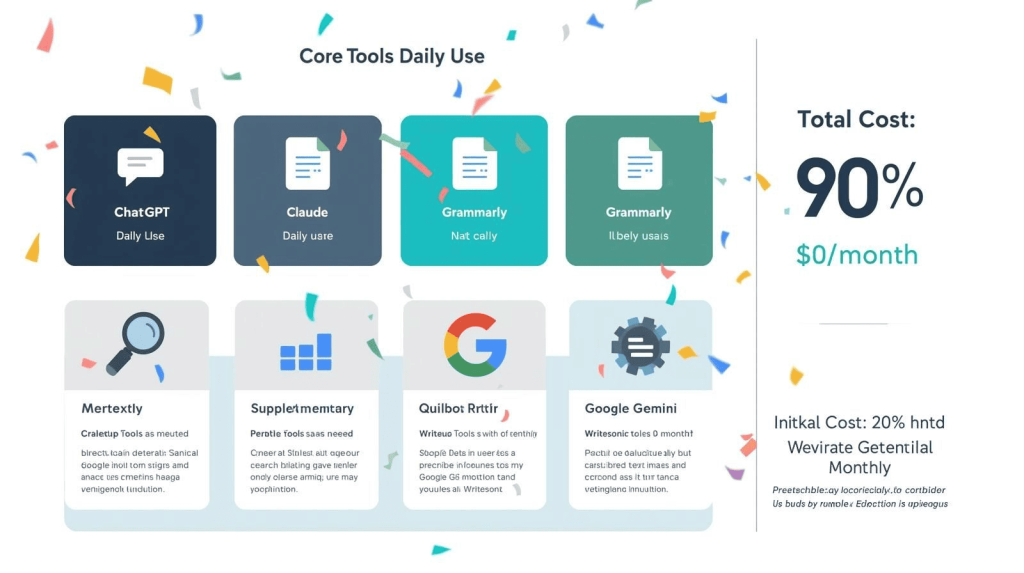
The most effective free setup I recommend for new freelancers:
Core Tools (use daily):
- ChatGPT Free for research, outlines, and drafting
- Claude Free for long-form content (alternate with ChatGPT to extend limits)
- Grammarly Free for grammar checking across all platforms
Supplementary Tools (use as needed):
- Perplexity Free for research and fact-checking
- QuillBot Free for paraphrasing and polishing
- Google Gemini if you work in Google Docs
Backup Tools (when you hit limits):
- Rytr Free for occasional short-form content
- Writesonic Free if you write SEO-focused content
This stack costs $0/month and covers research, drafting, editing, and polishing—everything you need to compete professionally.
When to Start Paying for Tools
Free tools got me through my first six months of freelancing and roughly $8,000-10,000 in earnings. I upgraded to paid tools when hitting three conditions:
- Consistent income: Earning $2,000+/month reliably from writing
- Time constraints: Hitting free tool limits multiple times weekly
- ROI clarity: Knowing exactly which paid tool would save the most time
My first paid subscription was Grammarly Premium ($12/month) because I used it constantly and the upgrade features directly improved my editing speed. Second was ChatGPT Plus ($20/month) because I hit the free message limit daily.
I didn’t subscribe to premium writing tools like Jasper until hitting $5,000+/month in income, because free ChatGPT and Claude handled content generation adequately with more editing time.
To learn how to maximize productivity with both free and paid tools, read our guide on using AI tools to 10x your productivity.
The Bottom Line
You don’t need expensive AI subscriptions to build a successful freelance writing business in 2026. The combination of ChatGPT Free, Claude Free, Grammarly Free, and Perplexity Free provides 90% of the capability premium tools offer—you’ll just spend more time editing and working around usage limits.
Free tools are perfect for:
- Starting out with minimal overhead costs
- Testing whether AI fits your workflow before investing
- Supplementing one or two paid tools without subscribing to everything
- Maintaining profitability on lower-paying client projects
Start with the free stack above. Master those tools completely. Track which limits you hit most often and which tasks take the longest. Then upgrade strategically based on your actual bottlenecks, not marketing promises.
The freelancers who succeed on free tools aren’t those with the biggest budgets—they’re those who squeeze maximum value from available resources while maintaining quality standards clients reward.
For comprehensive tool recommendations across all price points, refer back to our complete guide to AI writing tools for freelancers.

A.G. Makoudi is a tech writer specializing in SaaS tools and digital solutions, helping readers simplify technology and make smarter software choices.