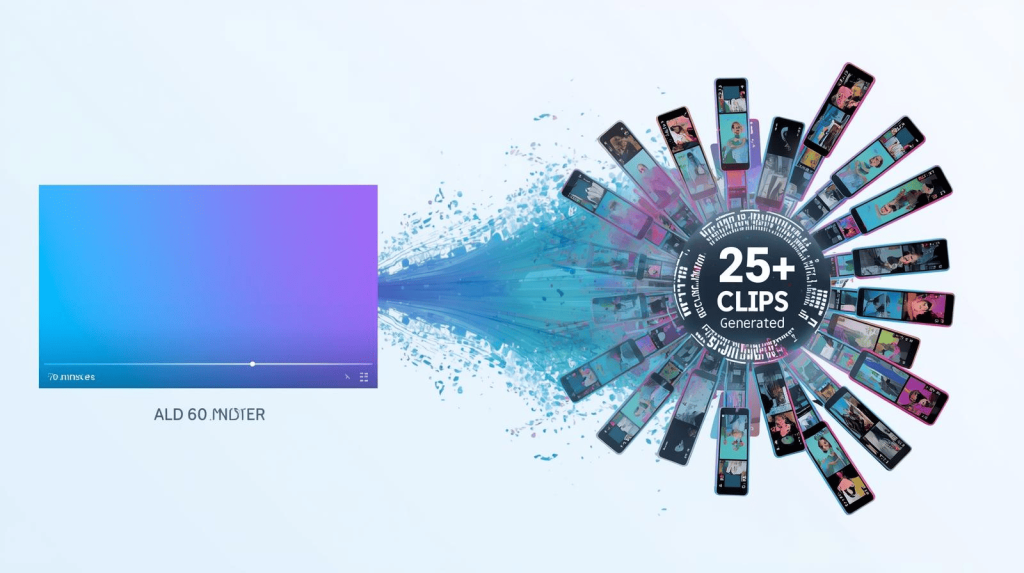
A freelance video marketer told me last week that she used to spend an entire afternoon manually cutting one client webinar into social clips. By the time she finished, she’d have maybe 5-6 usable pieces. Now, using OpusClip’s AI workflow, she extracts 25+ clips from the same webinar in 15 minutes—and her client’s social engagement has tripled
The content marketing rule for 2026 is simple: create once, distribute everywhere. But the bottleneck has always been the “distribute” part. Taking a 60-minute podcast, interview, or webinar and transforming it into dozens of platform-ready clips used to mean hours of tedious timeline scrubbing.youtube
AI has changed that equation completely. The freelancers winning video clients in 2025 aren’t the ones creating more content—they’re the ones repurposing smarter
Why Repurposing Beats Starting from Scratch
Every long-form video contains dozens of shareable moments: key insights, quotable soundbites, emotional reactions, and actionable tips. Traditional editing meant watching the entire video, manually marking timestamps, cutting clips, reformatting for vertical, adding captions, and exporting—a process that could take 4-8 hours per video
AI repurposing tools handle all of that automatically. Upload your video, and the AI scans it for the most engaging moments, cuts them into platform-optimized clips, adds captions, and even predicts which clips will perform best
For freelancers, this means you can offer clients a complete “content multiplication” service: one podcast episode becomes 30 social clips, one webinar becomes a month of LinkedIn content
The AI Repurposing Workflow (Step-by-Step)
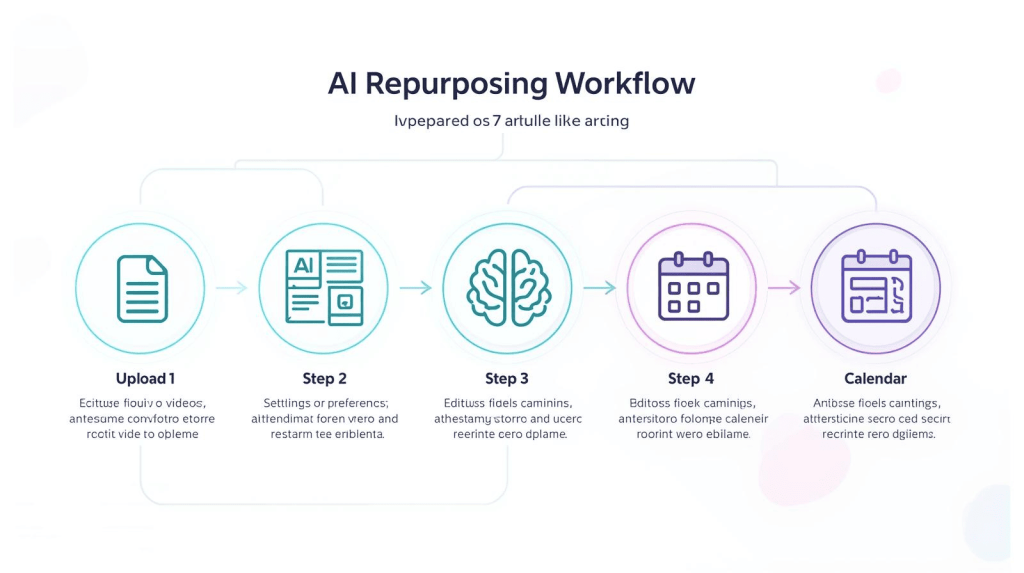
After testing every major tool, here’s the workflow that delivers the fastest, highest-quality results
Step 1: Import Your Long Video
Most AI tools accept multiple input sources
- Direct video file uploads
- YouTube URLs (public or unlisted)
- Zoom recording links
- Google Drive files
- Podcast RSS feeds
Pro tip: For client work, YouTube unlisted links are fastest—no file transfer needed.youtube
Step 2: Set Your Clip Preferences
Tell the AI what you’re optimizing for
- Platform targets (TikTok, Reels, Shorts, LinkedIn)
- Clip length (15s, 30s, 60s, or let AI decide)
- Content style (educational, entertaining, inspirational)
- Brand voice (professional, casual, energetic)
Step 3: AI Analyzes and Generates Clips
The AI scans your video looking for:
- Hook moments: Attention-grabbing statements
- Emotional peaks: Laughter, surprise, emphasis
- Complete thoughts: Ideas with clear beginnings and endings
- Visual interest: Movement, gestures, expressions
Industry-leading tools like OpusClip consistently identify 25+ social-ready clips per hour of video
Step 4: Review and Edit
This is where AI saves the most time. Instead of editing from scratch, you’re reviewing AI-generated clips and making small adjustments:youtube
- Trim start/end points
- Adjust captions for accuracy
- Add AI B-roll footage
- Remove filler words (“um,” “uh,” “like”)
- Customize branding elements
Step 5: Export and Schedule
Modern tools let you post directly to social platforms or schedule across your content calendar. The entire process—from upload to scheduled posts—takes 15-30 minutes for an hour-long video
Best Tools for Different Repurposing Needs
| Tool | Best For | Key Feature | Pricing |
|---|---|---|---|
| OpusClip | All-purpose repurposing | Virality score, 25+ clips/hour | $9/month |
| Descript | Transcript-based editing | Text editing = video editing | $12/month |
| Klap | YouTube-specific workflow | Auto-reframing, topic extraction | $29/month |
| Joyspace | Marketing teams | Team collaboration, analytics | $25/month |
| Reap | Fast clip generation | Speed-focused workflow | $20/month |
Pricing verified January 2026
OpusClip – The Industry Standard
OpusClip has become the go-to tool for professional repurposing for good reason. The AI curation model consistently identifies the most engaging moments, the auto-captioning is accurate, and the virality score actually helps predict performance
Why freelancers love it: The three-stage autopilot (Auto Import, Auto Editing, Auto Scheduling) means you can process multiple client videos in a single session.
Best use cases: Podcasts, webinars, interviews, YouTube videos, panel discussions
Descript – Best for Precision Editing
Descript’s unique approach lets you edit video by editing the transcript. Highlight text, and the video cuts automatically. For freelancers who need precise control over messaging, this text-based editing is faster than timeline scrubbing.youtube
Why freelancers love it: The “Underlord” AI feature can generate clips automatically, but you still have full control to fine-tune every word.youtube
Best use cases: Interview content, educational videos, client testimonials where exact wording matters.youtube
The Freelancer’s Repurposing Strategy
Smart freelancers aren’t just selling video editing—they’re selling content multiplication. Here’s the pitch that wins clients
“Your 30-minute webinar isn’t just one asset—it’s a month of social content. I’ll turn it into 25+ clips optimized for TikTok, Reels, Shorts, and LinkedIn. One recording, endless reach.”
This positions you as a growth partner, not just a video editor. Clients pay more for strategy than execution, and repurposing is pure strategy
Pro Tips for Maximum ROI
1. Batch your repurposing sessions: Process 3-4 client videos in one sitting to maximize efficiency
2. Create clip variations: The same 30-second moment can work with different captions for different platforms
3. Test hooks systematically: AI gives you 25 clips—post the top 10, see what performs, then double down on winners
4. Add strategic CTAs: Every clip should drive viewers somewhere—the full video, a landing page, a follow for more
The Bottom Line
The AI video repurposing market is growing at 35% annually and will reach $15 billion by 2030. This isn’t a trend—it’s the new standard for content strategy
For freelancers, repurposing tools like OpusClip and Descript aren’t just time-savers—they’re revenue multipliers. The ability to turn one client video into 30+ social assets means you can charge more while delivering exponentially more value.
In 2026, the question isn’t whether to use AI repurposing—it’s how fast you can master it before your competitors do
Ready to build your complete workflow? Check our guide on AI Video Tools for Freelancers for the full system.

A.G. Makoudi is a tech writer specializing in SaaS tools and digital solutions, helping readers simplify technology and make smarter software choices.