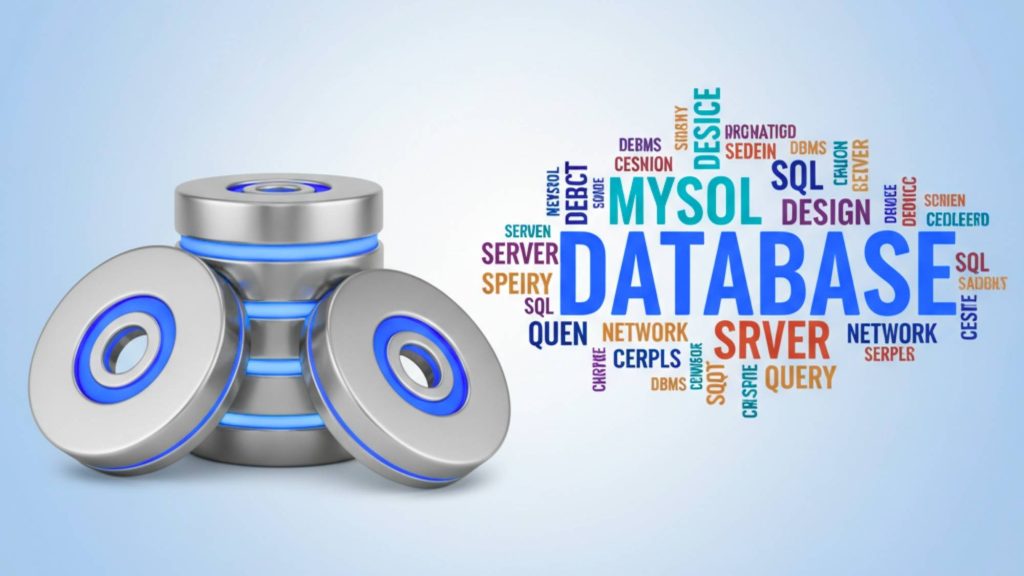
The database tooling landscape evolved when visual management interfaces eliminated command-line friction, ORM frameworks abstracted SQL complexity and cloud platforms automated operational overhead. Modern database tools don’t just execute queries. They provide intelligent schema design, automated migration workflows and performance insights preventing production issues before users notice. The skill shifted from memorizing SQL syntax to architecting data models that scale efficiently while maintaining development velocity.
Why database tool selection determines application performance
Individual SQL expertise matters less than tooling infrastructure and workflow design. Brilliant developers waste hours manually writing repetitive queries, recreating database environments and troubleshooting performance issues without proper monitoring tools. Poor tool choice manifests through slow development cycles, deployment failures from schema conflicts and production incidents from unoptimized queries.
The competitive advantage of proper database tooling manifests through accelerated feature development, reduced deployment risk and operational reliability. Developers with optimized database workflows complete features 30-40% faster than those manually managing SQL and migrations. Intelligent schema design prevents future scalability bottlenecks. Automated testing catches data integrity issues before production deployment. Tool excellence becomes sustainable development advantage.
Modern database tools serve six essential functions determining development efficiency:
- Visual schema management GUI interfaces eliminating command-line friction for database operations
- Query development and optimization Intelligent editors with autocomplete and performance analysis
- ORM frameworks Type-safe abstractions reducing SQL complexity and preventing runtime errors
- Migration management Version-controlled schema changes deployed safely across environments
- Cloud database platforms Managed services eliminating operational overhead and scaling automatically
- Local development environments Docker containers providing consistent databases across team members
Database management tool comparison
Database management tool selection affects daily development efficiency, debugging capability and team collaboration. The tool determines whether developers spend hours in terminals or work efficiently through visual interfaces.
| Tool | Price | Databases | Best for | Strength | Limitation |
|---|---|---|---|---|---|
| DBeaver | Free-$10/mo | 100+ | Multi-database | Free, cross-platform | Performance on large data |
| DataGrip | €99/year | 20+ | JetBrains users | Intelligence, refactoring | Annual subscription |
| TablePlus | $89 one-time | 15+ | Mac/iOS users | Speed, clean UI | Limited to major databases |
| MySQL Workbench | Free | MySQL only | MySQL specialists | Official tool, migration | Single database only |
| pgAdmin | Free | PostgreSQL | Postgres admins | Official, full-featured | Complex interface |
| MongoDB Compass | Free | MongoDB | NoSQL users | GUI for documents | MongoDB only |
DBeaver universal database client
Cross-database compatibility distinguishes DBeaver through support for 100+ database engines. Connect to MySQL, PostgreSQL, MongoDB, Oracle, SQL Server and dozens more through single interface. Switch between database types without learning new tools. Universal SQL editor works consistently regardless of backend. JDBC driver support enables connecting to any database with available driver. The breadth eliminates needing specialized tools per database type.
Free and open source provides professional capabilities without licensing costs. Community edition includes complete database management, ER diagrams, query execution and data editing. No artificial limitations on database connections or features. Commercial Enterprise Edition adds team collaboration, NoSQL support and cloud database connectivity starting $10 monthly. The zero-cost option makes DBeaver accessible to students and budget-conscious freelancers.
Visual query builder generates SQL without writing syntax manually. Drag tables to canvas. Select join columns visually. Filter and sort through interface controls. Builder generates valid SQL for execution or editing. The visual approach accelerates query development for developers uncomfortable with complex SQL syntax.
ER diagram generation visualizes database schema relationships. Automatically generate diagrams from existing databases. See foreign key relationships graphically. Identify missing indexes and normalization opportunities. Export diagrams for documentation. The visualization aids understanding complex schemas and planning changes.
Data import and export handles multiple formats including CSV, JSON, XML, HTML and Excel. Import data from files or other databases. Export query results or entire tables. Transform data during import with mappings. Bulk operations process large datasets efficiently. The flexibility simplifies data migration and backup workflows.
Performance considerations affect DBeaver on very large datasets. Initial connection to databases with thousands of tables loads slowly. Grid view with millions of rows can lag during scrolling. Query result fetching pauses with extremely large result sets. The open-source architecture prioritizes features over maximum performance. Consider TablePlus or DataGrip for performance-critical scenarios.
DataGrip JetBrains professional IDE
Intelligent code completion provides context-aware SQL suggestions. Autocomplete table and column names from connected databases. Suggest JOIN conditions based on foreign keys. Complete function names with parameter hints. Detect typos and invalid references before execution. The intelligence matches JetBrains IDE experience familiar to IntelliJ and WebStorm users.
Smart refactoring enables safe schema changes across codebase. Rename tables updating all queries automatically. Change column names with reference updates. Extract subqueries into views or CTEs. Inline variables and expressions. The refactoring prevents broken queries after schema changes similar to code refactoring in IDEs.
Version control integration tracks database schema changes like code. Commit migrations to Git repositories. Review schema diff before applying changes. Rollback to previous schema versions. The integration enables database migration version control workflows treating schema as code alongside application logic.
Query performance analysis identifies optimization opportunities before production deployment. Explain plan visualization shows query execution strategy. Index usage analysis recommends missing indexes. Execution time profiling highlights slow queries. The analysis prevents performance issues reaching production.
JetBrains ecosystem integration benefits teams already using IntelliJ, WebStorm or PyCharm. Unified license covers all JetBrains tools. Consistent keyboard shortcuts and interface patterns. Database tool windows integrate within IDEs. The consistency reduces context switching for developers working across code and database.
Subscription pricing requires €99 annually for individual license decreasing to €79 second year. All Products Pack including DataGrip with other JetBrains tools costs €289 annually. No perpetual license option forces ongoing subscription. Free alternatives like DBeaver provide similar core functionality without recurring cost. Justify subscription through productivity gains and team standardization.
Specialized database tools
MySQL Workbench serves MySQL and MariaDB specialists exclusively. Official tool from MySQL developers provides full compatibility and latest features. Visual design creates schemas without SQL. Migration wizard moves data from other databases to MySQL. Server administration manages users, configuration and monitoring. The specialization delivers depth impossible in multi-database tools but limits to single database type.
pgAdmin provides official PostgreSQL management through browser-based interface. Comprehensive admin features including role management, tablespace configuration and replication setup. Query tool executes SQL with syntax highlighting. Backup and restore with custom format support. Extensions management enables PostGIS, pgcrypto and custom extensions. Complex interface overwhelms beginners but provides complete PostgreSQL control.
MongoDB Compass visualizes document databases through graphical interface. Browse collections with document tree view. Aggregation pipeline builder constructs queries visually. Schema analysis discovers document structure patterns. Index management optimizes query performance. Validation rules enforce document schema. The official MongoDB tool eliminates JSON query syntax but requires MongoDB specifically.
TablePlus prioritizes speed and clean interface over feature breadth. Native Mac and iOS applications provide instant startup and responsive scrolling through large datasets. Support for MySQL, PostgreSQL, Redis, SQLite and Cassandra covers common use cases. Filter and search data efficiently. Multiple tabs organize concurrent work. $89 perpetual license provides lifetime updates. The simplicity trades comprehensive features for performance and user experience.
ORM frameworks and query builders
ORM frameworks abstract SQL syntax enabling type-safe database interactions through programming language constructs. Strategic ORM selection balances developer productivity against performance requirements and flexibility needs.
| ORM | Language | Type safety | Performance | Learning curve | Best for |
|---|---|---|---|---|---|
| Prisma | TypeScript | Excellent | Good | Low | Type-safe apps |
| TypeORM | TypeScript | Good | Excellent | Medium | Enterprise scale |
| Drizzle | TypeScript | Excellent | Excellent | Low | Performance-focused |
| Sequelize | JavaScript | Limited | Good | Medium | Legacy Node.js |
| Knex.js | JavaScript | None | Excellent | Low | Query building |
| Hibernate | Java | Good | Good | High | Java enterprise |
Prisma modern type-safe ORM
Schema-first workflow defines database models in Prisma Schema Language. Write models in declarative syntax. Generate TypeScript types automatically. Introspect existing databases creating schemas. Migration tool generates SQL from schema changes. The approach provides single source of truth for data model maintaining consistency across code and database.
Exceptional type safety prevents runtime database errors through compile-time checking. Generated Prisma Client provides fully typed database operations. Autocomplete shows available fields and relations. TypeScript catches typos and invalid references before runtime. Relationships are type-safe eliminating join errors. Query results typed precisely preventing property access errors.
Developer experience optimization prioritizes productivity through thoughtful API design. Intuitive query syntax reads like natural language. Nested writes handle complex relational operations simply. Relation loading explicit avoiding N+1 query traps. Error messages clear and actionable. The experience reduces boilerplate and cognitive load compared to raw SQL.
Broad database support includes PostgreSQL, MySQL, SQL Server, SQLite, MongoDB and CockroachDB. Switch databases with configuration changes. Schema migrations generate appropriate SQL per database. The flexibility prevents vendor lock-in enabling database changes when requirements shift.
Performance tradeoffs sacrifice raw speed for safety and developer experience. Query abstraction adds overhead versus raw SQL. Prisma officially acknowledges slower benchmarks than TypeORM and Drizzle. Generated client increases bundle size. The tradeoffs justify for most applications where developer productivity outweighs marginal performance differences. Consider alternatives for extreme performance requirements.
Prisma ecosystem tools extend core ORM functionality:
- Prisma Accelerate provides connection pooling and global caching
- Prisma Pulse enables real-time database event streams
- Prisma Studio offers GUI for viewing and editing data
- Prisma Migrate manages schema migrations with automatic SQL generation
- VS Code extension provides schema syntax highlighting and validation
TypeORM enterprise flexibility
Decorator-based models define entities through TypeScript class decorators. Mark classes as entities. Decorate properties as columns with type metadata. Define relationships through annotations. The Active Record pattern enables calling methods directly on entity instances. Familiar pattern for developers from Ruby on Rails or Laravel backgrounds.
Performance leadership demonstrates fastest execution across benchmarks. Minimal abstraction overhead approaching raw SQL speed. Efficient query generation without unnecessary complexity. Benchmarks show TypeORM outperforming Prisma significantly on large datasets. The speed matters for high-throughput applications and large-scale data processing.
Flexibility through raw SQL enables dropping to SQL when ORM abstraction insufficient. Execute raw queries with parameter binding. Build complex queries TypeORM struggles expressing. Mix ORM and raw SQL within transactions. The escape hatch prevents hitting ORM limitations forcing complete rewrites.
Migration system generates and executes database schema changes. CLI generates migration files from entity changes. Automatic and manual migration creation supported. Version control migrations treating schema as code. Rollback support enables reverting problematic changes. The system integrates schema evolution into development workflow.
Maturity and ecosystem reflect years of production usage in enterprise applications. Extensive documentation covering common scenarios. Large community providing support and solutions. Numerous extensions and integrations available. NestJS framework provides first-class TypeORM integration. The maturity reduces risk for production applications.
Type safety limitations lose checking in filter conditions and relations. Query builder types don’t prevent invalid property references in many scenarios. Relationship type inference weaker than Prisma. Developers encounter runtime errors TypeScript should catch. The gaps require careful testing and code review maintaining quality.
Drizzle lightweight performance
Thin abstraction layer minimizes overhead providing near-SQL speed with type safety. SQL-like query syntax familiar to SQL developers. Generates efficient queries without complex abstraction. Bundle size significantly smaller than Prisma or TypeORM. The lightweight approach suits performance-critical applications and serverless functions with size constraints.
Superior type inference provides excellent TypeScript integration without code generation. Types inferred directly from schema definition. No generation step required after schema changes. Autocomplete and type checking immediate. The approach combines type safety benefits with development speed.
Relational query API handles joins and nested fetches expressively. Select from multiple tables with relations. Load nested relationships efficiently. Control data shape through explicit selection. The API balances SQL power with ergonomic TypeScript interface.
Smaller community reflects newer project with less documentation and fewer resources. Fewer examples and tutorials available. Community support limited compared to mature alternatives. Edge cases require reading source code. Ecosystem integrations sparse. The tradeoff accepts early adopter risk for technical advantages.
Best for performance-focused projects requiring modern type safety with minimal overhead. Ideal for serverless applications sensitive to cold start times. Suits developers comfortable with SQL translating knowledge to typed queries. Consider mature alternatives for complex enterprise requirements or teams prioritizing extensive documentation.
SQL vs NoSQL decision framework
Database paradigm selection determines application architecture, scaling characteristics and development patterns. Strategic choice requires understanding use case requirements and tradeoff implications.
| Factor | SQL databases | NoSQL databases | Winner |
|---|---|---|---|
| Data structure | Fixed schema | Flexible schema | NoSQL for evolving data |
| Relationships | Joins, foreign keys | Document nesting, denormalization | SQL for complex relations |
| Scalability | Vertical primarily | Horizontal scaling | NoSQL for massive scale |
| Transactions | ACID guarantees | Eventual consistency | SQL for financial data |
| Query complexity | Complex JOINs, aggregations | Simple lookups, updates | SQL for analytics |
| Development speed | Schema design upfront | Rapid iteration | NoSQL for prototyping |
| Data consistency | Strong consistency | Eventual consistency | SQL for critical data |
| Use cases | Banking, CRM, ERP | Social media, IoT, logs | Context dependent |
When SQL databases excel
Structured relational data with clearly defined relationships benefits from SQL’s relational model. Customer orders with line items, products with categories and users with roles model naturally as related tables. Foreign keys enforce referential integrity preventing orphaned records. Joins retrieve data across relationships efficiently. Normalization eliminates duplication maintaining consistency.
Transaction requirements demanding ACID guarantees mandate SQL databases. Financial transactions must complete atomically. Inventory systems require consistent stock levels. Multi-step operations must rollback completely on failures. SQL transactions provide these guarantees through locking and transaction logs. NoSQL eventual consistency unsuitable for financial and booking systems.
Complex analytical queries leverage SQL’s powerful query language. Aggregate data across multiple dimensions. Filter and group with complex conditions. Perform window functions for running totals and rankings. Join many tables analyzing relationships. Business intelligence and reporting tools integrate seamlessly with SQL databases.
Schema validation enforces data quality at database level. Column types prevent invalid data entry. NOT NULL constraints require essential fields. CHECK constraints validate value ranges. Unique constraints prevent duplicates. The enforcement catches errors before reaching application code reducing bugs.
Mature ecosystem provides extensive tooling and expertise. Decades of optimization improving performance. Comprehensive monitoring and administration tools. Large talent pool familiar with SQL. Cloud platforms offer managed SQL databases. The maturity reduces technical risk.
When NoSQL databases excel
Unstructured or semi-structured data fits NoSQL document models naturally. Social media posts with varying fields. Log entries with custom attributes. Product catalogs with different properties per category. Document databases store JSON directly without schema translation. Flexible schema adapts to changing requirements without migrations.
Horizontal scalability requirements favor NoSQL distributed architectures. Shard data across multiple servers automatically. Add capacity through additional nodes rather than larger servers. Handle millions of concurrent users. Process terabytes of data. NoSQL databases designed for distributed environments from inception.
Real-time applications benefit from NoSQL performance characteristics. Time-series data ingestion at high rates. Cache layer with millisecond latency. Session storage for web applications. Chat and messaging systems. Key-value stores optimize for high-speed reads and writes.
Rapid iteration without schema constraints accelerates development. Add fields to documents without ALTER TABLE migrations. Support multiple document versions simultaneously. Prototype features quickly without database changes. The flexibility suits startups and experimental projects prioritizing speed over consistency.
Geographic distribution leverages NoSQL multi-region capabilities. Replicate data across continents. Route requests to nearest region reducing latency. Eventual consistency acceptable for social media and content delivery. Cloud database hosting platforms provide global distribution managing complexity automatically.
Cloud database platforms
Cloud database platforms eliminate operational overhead providing managed services that scale automatically. Strategic platform selection balances features, pricing and vendor lock-in considerations.
Supabase PostgreSQL platform
PostgreSQL foundation provides full-featured relational database with extensive extensions. Standard Postgres compatibility ensures ecosystem tooling works. JSONB columns combine relational and document features. PostGIS enables geospatial applications. pg_vector supports AI embedding storage. Full SQL power without proprietary limitations.
Instant APIs generate REST and GraphQL endpoints automatically from database schema. CRUD operations available immediately after table creation. Row-level security controls data access at database level. Real-time subscriptions stream database changes over WebSockets. The instant APIs accelerate frontend development eliminating backend API coding.
Built-in authentication provides user management without external services. Email and password authentication included. OAuth providers integrate easily. Row-level security ties to auth users. Magic link authentication supported. The integration maintains authentication state in database simplifying architecture.
Storage and edge functions supplement database with file storage and serverless compute. S3-compatible storage for images and documents. Edge functions run TypeScript serverless code globally. Triggers respond to database events. Complete backend capabilities within single platform.
Developer experience focus prioritizes quick setup and local development. SQL editor in dashboard. Docker compose setup for local development. CLI manages migrations and deployments. Open source enabling self-hosting if needed. Free tier generous for prototyping.
Scaling limitations require vertical scaling for very large workloads. Read replicas for read-heavy applications. No automatic sharding for massive scale. Complex relational queries may require optimization. Suitable for most applications but not billion-row scale without tuning.
PlanetScale MySQL with Vitess
Vitess-powered scaling enables horizontal MySQL sharding automatically. Distribute data across multiple MySQL instances transparently. Handle billions of rows with low latency. YouTube and Slack use Vitess at massive scale. Single connection endpoint routes queries automatically. The scaling capability suits applications outgrowing single-server databases.
Schema branching workflow treats database schema changes like Git branches. Create branch for schema changes. Test migrations safely without affecting production. Merge schema changes without downtime. Request reviews before merging. The workflow enables safe schema evolution in production.
CLI-first operations provide powerful automation for CI/CD integration. Manage branches from command line. Deploy schema changes through scripts. Integrate with deployment pipelines. Query insights through CLI. The automation suits teams embracing infrastructure as code.
Foreign key limitations restrict some MySQL features due to Vitess. Foreign key constraints disabled in sharded tables. Triggers limited or unsupported. Some stored procedure features unavailable. The tradeoffs enable horizontal scaling but constrain advanced MySQL features. Applications rely on application-level referential integrity.
Pricing jumps significantly from free tier to paid plans. Free tier suitable for development and small projects. Production tier starts $29 monthly immediately. No graduated pricing between free and paid. API database integration testing workflows should account for database costs when selecting platforms.
PostgreSQL support recently added provides standard Postgres without Vitess. Full PostgreSQL feature compatibility including foreign keys and extensions. Sharding through Neki project under development. Metal infrastructure with NVMe SSDs providing low latency. The addition provides PostgreSQL option for teams preferring Postgres over MySQL.
MongoDB Atlas document database
Global distribution replicates data across regions automatically. Multi-region clusters for high availability. Read from nearest region reducing latency. Automatic failover prevents downtime. Built-in backups with point-in-time recovery. The reliability suits production applications requiring uptime.
Flexible schema enables rapid development without migrations. Store JSON documents with varying structures. Add fields without schema changes. Support multiple document versions simultaneously. Nested documents eliminate joins. The flexibility accelerates feature development and prototyping.
Aggregation pipeline provides powerful data transformation and analysis. Filter, group and reshape documents. Perform calculations and aggregations. Join collections when needed. Build complex queries visually in Compass. The pipeline handles sophisticated data processing.
Atlas Search integrates full-text search without external services. Elasticsearch-like search within MongoDB. Autocomplete and fuzzy matching. Relevance scoring and faceted search. The integration eliminates managing separate search infrastructure.
Generous free tier provides 512MB storage permanently free. Suitable for learning and small projects. Shared clusters eliminate infrastructure costs. Easy upgrade path to dedicated clusters. The free tier reduces barrier to entry.
Learning curve challenges developers accustomed to SQL. Different mental model for queries and data modeling. Aggregation pipeline syntax verbose initially. Query performance optimization differs from SQL. NoSQL patterns require rethinking application architecture. The investment pays off for document-centric applications.
Local development with Docker
Docker containers provide consistent local database environments eliminating “works on my machine” problems. Strategic Docker usage standardizes team development and simplifies onboarding.
Docker Compose configuration defines database services in version-controlled files:
textservices:
  postgres:
    image: postgres:16
    environment:
      POSTGRES_USER: developer
      POSTGRES_PASSWORD: localpass
      POSTGRES_DB: myapp
    ports:
      - "5432:5432"
    volumes:
      - postgres_data:/var/lib/postgresql/data
      - ./init.sql:/docker-entrypoint-initdb.d/init.sql
The configuration starts PostgreSQL automatically with initialization scripts. New developers run docker-compose up creating identical environments.
Environment parity ensures development matches production closely. Use same database versions as production. Configure similar resource constraints. Test migrations against realistic data volumes. The consistency reduces deployment surprises.
Isolation benefits prevent database conflicts across projects. Each project runs separate database instance. Different PostgreSQL or MySQL versions coexist. Delete and recreate databases without affecting other work. The isolation enables working on multiple projects simultaneously.
Quick reset capability accelerates testing and debugging. Destroy and recreate database in seconds. Reset to known state with seed data. Test migrations repeatedly without manual cleanup. The speed enables experimentation without consequences.
Volume management persists data across container restarts. Named volumes store database data separately from containers. Backup volumes to preserve development data. Mount SQL files for automatic database initialization. The persistence balances convenience with fresh environments.
Team onboarding simplified reduces setup from hours to minutes. New developers clone repository and run Docker Compose. Database ready immediately with seed data. No manual installation or configuration. The standardization eliminates environment setup as onboarding barrier.
Resource consumption requires sufficient RAM for multiple containers. Each database container consumes 200MB-2GB RAM. Multiple projects running simultaneously consume significant resources. Developer machines need adequate memory. Consider cloud development environments for resource-constrained machines.
Database migration strategies
Database migrations evolve schema safely across development, staging and production environments. Strategic migration practices prevent data loss and deployment failures.
Version-controlled migrations treat schema as code alongside application. Migration files committed to Git. Sequential numbering or timestamps order execution. Descriptive names explain purpose. Code review applies to migrations like application code. The version control enables tracking who changed what when.
Forward and rollback migrations provide safety net for problematic changes:
- Forward migration applies schema change
- Rollback migration undoes change if issues arise
- Test both directions ensuring reversibility
- Keep data transformations idempotent enabling replay
- Document irreversible changes requiring special handling
The bidirectional capability reduces deployment risk.
Test migrations against production-like data before deployment. Dump production schema and data sample. Run migrations locally against real data. Measure migration execution time. Identify blocking operations requiring maintenance windows. The testing catches issues before affecting users.
Blue-green deployment enables zero-downtime schema changes for compatible modifications:
- Deploy application version supporting old and new schema
- Run migrations adding new columns or tables
- Switch traffic to new application version
- Deploy cleanup removing old schema elements
- Multiple deploy steps coordinate application and database
The technique suits applications requiring continuous availability.
Backup before migrations provides last resort recovery. Automated backups before production migrations. Test backup restoration procedures. Document recovery steps. Calculate recovery time objectives. The backups enable recovery from catastrophic migration failures.
Database tool recommendation matrix
| Developer profile | Management tool | ORM | Cloud platform | Monthly cost | Best reason |
|---|---|---|---|---|---|
| TypeScript full-stack | DBeaver Free | Prisma | Supabase | $0-25 | Type safety + free tier |
| Enterprise Java | DataGrip | Hibernate | AWS RDS | €99-200 | Maturity + compliance |
| Performance-focused | TablePlus | Drizzle | PlanetScale | $89-120 | Speed + efficiency |
| NoSQL document apps | Compass | Mongoose | MongoDB Atlas | $0-50 | Document flexibility |
| Multi-database consultant | DBeaver Pro | Knex.js | Self-hosted | $10-30 | Universal compatibility |
| Rapid prototyping | Supabase Studio | Prisma | Supabase | $0-25 | Instant APIs + auth |
Database tool selection and workflow design determine development velocity, application performance and operational reliability through accumulated daily impacts. DBeaver provides free universal database management supporting 100+ databases while DataGrip offers JetBrains intelligence for premium pricing. Prisma leads modern ORMs through exceptional type safety and developer experience while TypeORM delivers performance and flexibility for enterprise scale. Cloud platforms including Supabase, PlanetScale and MongoDB Atlas eliminate operational overhead providing managed services with automatic scaling. Docker containers standardize local development preventing environment inconsistencies.
Success depends on matching tools to team expertise, application requirements and budget constraints rather than adopting popular solutions misaligned with actual needs. Type-safe teams benefit from Prisma’s compile-time checking. Performance-critical applications justify TypeORM or Drizzle. Document-oriented data favors NoSQL platforms. Relational systems require SQL databases. Strategic database infrastructure compounds development productivity through reduced friction, prevented production issues and accelerated feature delivery. Integrated developer stack guide combines database tools with code editors, version control, deployment platforms and API testing forming cohesive development environment.

AI tools and digital marketing expert.
Helping freelancers and companies grow with smart AI solutions.