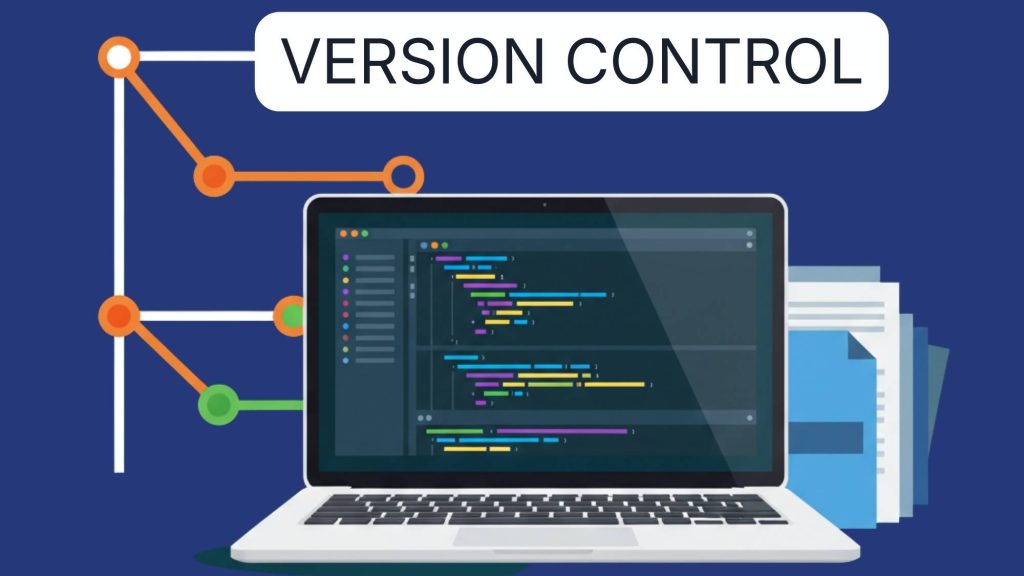
The version control landscape evolved when distributed systems eliminated central bottlenecks, intelligent merge algorithms resolved conflicts automatically and platform integrations transformed repositories into collaboration hubs. Modern version control doesn’t just track changes. It enables parallel feature development, facilitates code review workflows and automates testing through continuous integration pipelines. The skill shifted from mastering arcane commands to architecting branching strategies that balance team velocity with code stability.
Why version control platforms determine team productivity ?
Individual Git expertise matters less than platform selection and workflow design. Brilliant developers waste hours navigating clunky interfaces, recreating CI/CD configurations and troubleshooting integration failures between disconnected tools. Poor platform choice manifests through slow code reviews, broken deployment pipelines and collaboration friction when team members fight tool limitations instead of writing code.
The competitive advantage of proper version control infrastructure manifests through accelerated development velocity, reduced deployment failures and collaborative efficiency. Teams with optimized Git workflows ship features 40-50% faster than those managing branching chaos manually. Automated CI/CD pipelines catch bugs before production deployment. Integrated code review prevents technical debt accumulation. Platform excellence becomes sustainable team advantage.
Modern version control platforms serve six essential functions determining development velocity:
- Code hosting and collaboration Centralized repositories enabling team coordination and code sharing
- Branching and merging Parallel development workflows supporting multiple features simultaneously
- Code review integration Pull request workflows ensuring quality before merging changes
- CI/CD automation Testing and deployment pipelines triggered by repository events
- Project management Issue tracking and roadmap planning integrated with code changes
- Security and compliance Access controls, vulnerability scanning and audit logs
Platform comparison GitHub vs GitLab vs Bitbucket
Platform selection cascades through entire development workflow affecting CI/CD capabilities, collaboration tools and ecosystem integrations. The platform determines automation sophistication, code review efficiency and whether teams maintain unified workflows or juggle disconnected tools .
| Platform | Users | Pricing | CI/CD | Best for | Weakness |
|---|---|---|---|---|---|
| GitHub | 100M+ | Free-$21/user | Actions (basic) | Open source, community | Limited DevOps |
| GitLab | 31M+ | Free-€29/user | Advanced pipelines | DevOps, enterprise | Complex UI |
| Bitbucket | Enterprise | Free-$15/user | Pipelines | Atlassian stack | Smaller ecosystem |
| Azure DevOps | Enterprise | Free-$6/user | Azure Pipelines | Microsoft shops | Learning curve |
GitHub ecosystem dominance
Community and open source leadership establishes GitHub as default collaboration platform. Over 100 million developers host 330+ million repositories making GitHub largest code hosting service globally . Open source projects default to GitHub for visibility and contributor access. The network effects create self-reinforcing cycle where developers expect code on GitHub and projects host there for discoverability. Public repositories remain free with unlimited collaborators enabling open source sustainability.
GitHub Actions provides integrated CI/CD through YAML workflow configurations. Trigger builds on push, pull request or scheduled events. Matrix builds test across multiple Node versions, operating systems and environments simultaneously. Reusable workflows eliminate duplication across repositories. Actions marketplace provides 20,000+ pre-built actions for common tasks including deployment, testing and notifications. Free tier includes 2,000 monthly action minutes for private repositories .
GitHub Copilot integration enables AI-powered coding assistance directly in workflows. Code completion understands repository context suggesting implementations matching established patterns. Pull request summaries generated automatically explaining changes. Issue and pull request automation through Copilot-powered bots. The tight integration between coding environment and version control creates seamless AI-enhanced workflow .
Projects and Issues integrate project management with code development. Kanban boards track feature progress linking issues to pull requests. Milestones group related work organizing releases. Issue templates standardize bug reports and feature requests. GitHub Discussions provide community forums separate from issue tracking. Automated project boards update based on issue and PR status changes .
Security features protect code and detect vulnerabilities. Dependabot automatically creates pull requests updating outdated dependencies. Secret scanning prevents accidental credential commits. Security advisories privately coordinate vulnerability fixes. Code scanning integrates CodeQL detecting security issues in pull requests. Branch protection rules enforce review requirements and status checks before merging .
Marketplace ecosystem extends GitHub through 374+ free applications and integrations . Connect project management tools, deploy to hosting platforms and integrate communication channels. Slack and Microsoft Teams receive notifications about repository events. Jira synchronizes issues bidirectionally. Vercel and Netlify deploy automatically on commits. The integrations eliminate manual context switching between tools.
GitLab DevOps excellence
Complete DevOps lifecycle distinguishes GitLab through integrated toolchain covering planning through monitoring. Built-in CI/CD pipelines exceed GitHub Actions sophistication. Container registry stores Docker images. Package registry hosts npm, Maven and PyPI packages. Security scanning includes SAST, DAST and dependency analysis. Monitoring integrates with Prometheus. The completeness eliminates external tool requirements .
Advanced CI/CD pipelines provide enterprise-grade automation capabilities. Multi-project pipelines coordinate dependencies across repositories. Parent-child pipelines modularize complex workflows. Dynamic child pipelines generate configurations programmatically. Directed acyclic graphs visualize pipeline stages and dependencies. Kubernetes integration deploys to clusters directly. The sophistication supports complex release processes .
Self-hosted flexibility enables on-premise deployment meeting security and compliance requirements. Install GitLab on private infrastructure maintaining complete control. Airgapped environments operate without internet connectivity. Custom runners execute CI/CD jobs on controlled hardware. Backup and disaster recovery under organizational control. The flexibility matters for regulated industries and security-conscious enterprises .
Java developer preference shows 35% of Java developers favoring GitLab over GitHub reflecting enterprise DevOps focus . The integrated tools, advanced pipelines and self-hosting options align with Java enterprise requirements. Spring Boot applications benefit from sophisticated deployment workflows and container registry integration. Maven package hosting eliminates external artifact repositories.
Merge request workflows enhance code review through integrated testing and approval processes. Merge trains serialize merge requests preventing conflicts. Approval rules require specific reviewers based on changed files. Merge request dependencies link related changes. Code quality reports show test coverage and complexity metrics inline. Automated deployment pipelines trigger from merge request approvals streamlining release coordination .
Built-in Wiki and snippets provide documentation and code sharing within platform. Wiki supports Markdown documentation versioned with repository. Snippets share code examples publicly or privately. The integration keeps documentation alongside code eliminating external tool synchronization. Snippets support comments and versioning like full repositories .
Platform selection decision framework
Open source and community projects default to GitHub for maximum visibility and contributor access. The network effects and developer familiarity reduce onboarding friction. Free public repositories with unlimited collaborators enable sustainable open source development. GitHub’s social features including stars, follows and explore page drive project discovery .
Enterprise DevOps requirements favor GitLab’s integrated toolchain and self-hosting capabilities. Complete lifecycle coverage eliminates vendor proliferation. Advanced CI/CD handles complex deployment processes. Compliance and security features meet regulatory requirements. Self-hosting maintains data sovereignty. Calculate total cost of ownership including external tool licensing GitHub requires .
Atlassian ecosystem users benefit from Bitbucket’s tight Jira and Confluence integration. Issue tracking synchronizes bidirectionally between Jira and Bitbucket. Confluence documentation links to code and pull requests. Bamboo provides advanced build capabilities. The integration value matters primarily for existing Atlassian customers rather than greenfield selection .
Microsoft-centric organizations leverage Azure DevOps integration with Microsoft ecosystem. Azure Boards for project management, Azure Repos for version control and Azure Pipelines for CI/CD. Seamless authentication through Azure Active Directory. Visual Studio and code editor Git integration enable smooth workflows. Windows-focused development receives first-class support .
Budget constraints influence platform selection at team scale. GitHub charges $4/user/month for Team plan and $21/user/month for Enterprise. GitLab pricing starts €19/user/month for Premium and €99/user/month for Ultimate. Calculate costs at target team size including required features. Free tiers support small teams but lack enterprise capabilities like SAML authentication and audit logs .
Git branching strategies and workflows
Branching strategy selection determines team velocity, code quality and deployment risk. The strategy balances parallel development capability against merge complexity and defines how features flow from development through production .
| Strategy | Best for | Complexity | Release cycle | Parallel features | Risk level |
|---|---|---|---|---|---|
| Trunk-based | CI/CD teams | Low | Continuous | Limited | Low |
| GitHub Flow | Web applications | Low | Continuous | Moderate | Low |
| Gitflow | Scheduled releases | High | Planned | High | Medium |
| Feature branching | Enterprise teams | Medium | Flexible | High | Medium |
Trunk-based development workflow
Single main branch eliminates long-lived feature branches reducing merge complexity. Developers commit directly to trunk or through very short-lived branches merging within hours. The approach requires feature flags controlling incomplete functionality exposure. Trunk remains deployable constantly through rigorous testing discipline. Large features break into small incremental commits maintaining continuous integration .
Continuous integration requirements demand automated testing catching regressions immediately. Test suite executes on every commit providing rapid feedback. Broken builds block further commits until fixed. The discipline prevents accumulating technical debt. Teams require mature testing infrastructure and engineering discipline. CI/CD pipelines deploy trunk to production automatically or on demand .
Feature flags enable parallel development on shared codebase without branching. Toggle features on/off in production through configuration. Incomplete features stay disabled while other development continues. Gradual rollout to user subsets de-risks releases. A/B testing compares feature variants. The flags add code complexity but eliminate merge overhead .
Google and Facebook adoption demonstrates trunk-based development at massive scale. Google’s monorepo contains billions of lines with thousands of daily commits. Facebook deploys to production multiple times daily. The success requires exceptional tooling and engineering culture. Small teams benefit from simplicity while large organizations need sophisticated infrastructure supporting high commit velocity .
Best practices ensure trunk stability despite continuous integration:
- Commit small atomic changes enabling easy reversion
- Write comprehensive automated tests before committing features
- Fix broken builds immediately as highest priority
- Use pairing or pre-commit code review maintaining quality
- Deploy frequently reducing change size per deployment and limiting blast radius
GitHub Flow simplicity
Feature branches from main provide isolation without long-lived branch overhead. Create branch for each feature or fix. Work in branch until complete. Open pull request for review. Merge to main after approval deploying immediately. Delete branch after merge keeping repository clean. The simplicity suits small teams and web applications with continuous deployment .
Pull request workflow integrates code review naturally into development process. Branch protection requires reviews before merging. Automated tests run on pull requests. Discussion threads resolve questions and suggestions. Reviewers approve when satisfied. Merge options include merge commit, squash or rebase maintaining preferred history structure .
Deployment from main couples code review approval with release readiness. Merged code goes to production immediately or very quickly. The pressure ensures pull requests contain only production-ready code. Incomplete work stays in branches. Teams must maintain high engineering standards and comprehensive testing .
Branch naming conventions improve repository organization and automation:
- Prefix branches with feature/, bugfix/, hotfix/ indicating purpose
- Include issue numbers linking branches to tracking systems
- Use descriptive names explaining change content
- Automated tools key on naming patterns for workflow triggers
- Example: feature/123-user-authentication
Continuous deployment pipeline deploys main branch automatically after successful builds. Staging environment receives deployments first for final validation. Production deployment proceeds after staging verification. Rollback procedures revert problematic deployments quickly. The automation reduces deployment friction enabling frequent releases .
Gitflow for release management
Multiple long-lived branches organize development, releases and hotfixes distinctly. Main branch contains production code. Develop branch accumulates features for next release. Release branches prepare specific versions. Hotfix branches patch production issues. The structure supports planned release cycles and multiple production versions .
Feature branch workflow isolates development from release preparation. Create feature branches from develop. Merge back to develop when complete. Release branches fork from develop when feature-complete. Bugfixes during release apply to release branch. The isolation prevents disrupting release candidates with new feature development .
Release branch process stabilizes code for production deployment:
- Create release branch from develop when features complete
- Apply bugfixes and documentation updates
- Merge to main with version tag when stable
- Merge back to develop incorporating release fixes
- Delete release branch after merging
- Multiple release branches support parallel version maintenance
Hotfix workflow patches production issues outside normal release cycle. Branch from main identifying production bug. Apply minimal fix resolving issue. Test thoroughly. Merge to main and develop simultaneously. Tag main with patch version. Deploy immediately. The dedicated path enables rapid production fixes .
Complexity tradeoffs burden small teams with overhead while benefiting large organizations. Multiple long-lived branches require careful coordination. Merge conflicts increase with branch lifetime. The structure suits teams with scheduled releases, multiple production versions and formal QA processes. Modern CI/CD favors simpler workflows over Gitflow complexity .
GitHub Actions vs GitLab CI/CD automation
CI/CD automation quality determines how quickly code reaches production and whether deployments succeed reliably. Platform comparison reveals significant capability differences affecting pipeline sophistication and maintenance burden .
| Feature | GitHub Actions | GitLab CI/CD | Advantage |
|---|---|---|---|
| Configuration | YAML workflows | .gitlab-ci.yml | Similar |
| Pipeline visualization | Basic logs | DAG graph | GitLab |
| Artifact management | Actions cache | Package registry | GitLab |
| Matrix builds | Yes | Yes | Similar |
| Reusable workflows | Yes | Includes/extends | Similar |
| Self-hosted runners | Yes | Yes | Similar |
| Free tier | 2,000 min/month | 400 min/month | GitHub |
| Advanced features | Limited | Extensive | GitLab |
GitHub Actions capabilities
Workflow syntax defines automation through YAML files in .github/workflows directory. Trigger on push, pull request, schedule or manual dispatch. Jobs run on GitHub-hosted or self-hosted runners. Steps execute shell commands or pre-built actions. Matrix strategy tests across multiple configurations. Concurrency controls limit parallel workflow execution .
Actions marketplace provides 20,000+ reusable actions eliminating custom script requirements. Deploy to Vercel, Netlify or AWS with pre-built actions. Send Slack notifications. Cache dependencies accelerating builds. Upload artifacts preserving build outputs. Community contributions expand capabilities continuously. The marketplace reduces pipeline development time significantly .
Runner environments include Ubuntu, Windows and macOS options. GitHub-hosted runners provide clean environments for each job. Self-hosted runners execute on private infrastructure supporting custom tools and environments. Runner groups enable different runner pools per repository. The flexibility supports diverse tech stacks .
Secrets management stores sensitive configuration securely. Organization, repository and environment secrets scope access appropriately. Secrets never appear in logs preventing accidental exposure. GitHub masks secret values automatically. The security prevents credential leaks common with environment variables .
Environment protection enables deployment approvals and restrictions. Required reviewers approve production deployments. Environment secrets isolate staging and production credentials. Deployment branches control which branches deploy to environments. Wait timers delay deployments enabling validation. The controls reduce deployment risk .
GitLab CI/CD advanced features
Pipeline as code through .gitlab-ci.yml supports sophisticated workflow definitions. Stages organize jobs into sequential phases. Needs keyword creates directed acyclic graphs with explicit dependencies. Only and except rules control job execution conditionally. Templates share common configurations across projects. Includes import external pipeline definitions .
DAG visualization displays pipeline structure graphically. See job dependencies and execution order visually. Identify bottlenecks and optimization opportunities. The visualization clarifies complex pipelines immediately unlike text logs requiring manual parsing .
Multi-project pipelines coordinate changes across microservices architectures. Trigger downstream pipelines automatically. Pass artifacts between projects. Wait for cross-project dependencies. The capability supports complex deployment choreography involving multiple repositories .
Dynamic child pipelines generate jobs programmatically based on code changes. Detect modified services in monorepo. Generate test jobs for only changed components. Create deployment jobs matching infrastructure. The dynamic generation scales to large codebases efficiently .
Built-in container registry stores Docker images without external services. Build and push images in pipeline. Pull images in subsequent jobs. Version images matching code commits. Security scanning detects vulnerabilities. The integration eliminates DockerHub or AWS ECR requirements. Database backend management tools often deploy through containerized pipelines using these registries .
Auto DevOps provides opinionated CI/CD without configuration. Automatically detect language and framework. Generate test jobs. Build Docker images. Deploy to Kubernetes. Security scanning and code quality analysis. The convention-over-configuration approach suits teams wanting fast pipeline setup accepting GitLab’s defaults .
Merge trains serialize merge requests preventing integration conflicts. Queue merge requests maintaining passing tests. Automatically rebase and test before merging. The serialization ensures main branch never breaks from conflicting simultaneous merges .
Pipeline implementation strategies
Test parallelization accelerates feedback through concurrent test execution. Split test suites into independent jobs. Run jobs simultaneously across multiple runners. Aggregate results after completion. The parallelization reduces wait time from 20 minutes to 5 minutes for large test suites .
Cache optimization reduces build time by preserving dependencies between pipeline runs:
- Cache node_modules, vendor directories and build artifacts
- Restore cache in subsequent jobs avoiding repeated downloads
- Invalidate cache when dependency files change
- Balance cache size against download time
- Use compression for large caches
Artifact management shares build outputs between pipeline stages. Build stage produces compiled application. Test stage uses build artifact avoiding recompilation. Deploy stage packages artifact for release. Artifacts persist for debugging failed deployments. The approach eliminates redundant build steps .
Pipeline debugging through local execution catches configuration errors before committing. Act tool runs GitHub Actions locally. GitLab Runner executes jobs on development machine. Test pipeline changes iteratively. The local testing prevents broken pipeline commits disrupting team .
Code review best practices and automation
Code review quality determines whether technical debt accumulates or teams maintain sustainable velocity. Strategic review processes catch bugs early, share knowledge and maintain standards without becoming bottleneck .
Review size limits prevent overwhelming reviewers and enable thorough examination. Keep pull requests under 400 lines when possible. Break large features into reviewable increments. Small reviews receive faster feedback and identify issues more reliably. Studies show review effectiveness drops significantly beyond 400 lines .
Automated checks catch mechanical issues before human review:
- Linters enforce code style automatically
- Unit tests verify functionality
- Security scanners detect vulnerabilities
- Coverage tools ensure adequate testing
- Complexity analyzers identify problematic code
The automation frees reviewers focusing on architecture, logic and design rather than syntax and formatting .
Response time targets maintain development momentum preventing context loss. Respond to review requests within 24 hours or one business day. Quick acknowledgment even if detailed review requires more time. Delayed reviews stall authors who context-switch away. The responsiveness compounds team velocity .
Constructive feedback maintains collaborative atmosphere. Ask questions rather than making demands. Explain reasoning behind suggestions. Acknowledge good implementations. Distinguish optional suggestions from required changes. Respectful communication encourages growth and maintains morale .
Review checklists ensure comprehensive examination covering critical aspects:
- Code compiles and tests pass
- Logic correctly implements requirements
- Edge cases and error handling addressed
- Security implications considered
- Performance acceptable for expected load
- Code readable and maintainable
- Tests cover new functionality
- Documentation updated as needed
Review tooling enhances collaboration efficiency. GitHub and GitLab provide inline commenting on specific lines. Suggestion features enable reviewers proposing code changes directly. Review status shows who approved and what changes requested. Draft pull requests enable feedback on work in progress. Resolved conversation tracking prevents lost feedback .
Pair programming alternative prevents review bottleneck through collaborative development. Two developers work together on implementation. Real-time review happens during coding. The approach suits complex features benefiting from immediate feedback. Reduces async review delay but requires coordinated scheduling .
Merge requirements enforce quality standards through branch protection rules. Require minimum approvals before merging. Require passing CI/CD checks. Require up-to-date branches preventing merge conflicts. Prevent direct commits to protected branches. The automation maintains standards without manual enforcement .
Google’s code review principles emphasize progress over perfection. Approve if code improves overall codebase even if not perfect. Request changes only for significant issues. Trust authors fixing minor issues in follow-ups. The pragmatism prevents review becoming gatekeeping .
Branch protection and security strategies
Repository security prevents unauthorized changes, protects sensitive data and maintains code quality through enforced policies. Strategic protection balances security requirements against development velocity .
Branch protection rules enforce quality gates before merging. Require pull request reviews with specified approver count. Require status checks passing before merge. Require branches up-to-date before merging. Restrict who can push to protected branches. The rules prevent bypassing code review and CI/CD validation .
Required reviews ensure code receives human examination:
- Specify minimum reviewer count
- Require reviews from code owners on file changes
- Dismiss stale reviews when code changes
- Restrict approval to specific teams or individuals
- Prevent self-approval on pull requests
Status checks integrate automated testing with merge workflow. Define required status checks that must pass. Checks include CI/CD pipelines, linters and security scans. GitHub and GitLab prevent merging until checks succeed. The integration maintains quality automatically .
CODEOWNERS file distributes review responsibility by code area. Assign teams or individuals to directory patterns. Automatically request reviews from owners when files change. Require owner approval for protected branches. The assignment ensures domain experts review relevant changes .
Secret scanning prevents credential leaks through automated detection. GitHub scans commits for exposed credentials. Alerts notify when secrets detected. Partner services revoke compromised credentials automatically. The scanning prevents common security incidents .
Dependabot security updates automate dependency patching. Detect vulnerable dependencies. Create pull requests updating to patched versions. Configure auto-merge for low-risk updates. The automation reduces security exposure from outdated dependencies .
Two-factor authentication protects accounts from compromise:
- Require 2FA for organization members
- Support TOTP, SMS and security keys
- Enforce on sensitive operations like changing security settings
- Provide backup codes for account recovery
- Monitor 2FA adoption across team
Audit logs provide visibility into security-relevant events. Track configuration changes, access grants and unusual activity. Export logs to SIEM systems for analysis. Retain logs for compliance requirements. The visibility enables incident investigation and compliance demonstration .
Access controls follow least-privilege principle. Grant minimal permissions required for role. Use teams organizing permissions by function. Regular access reviews remove unnecessary permissions. The controls limit damage from compromised accounts .
Collaborative workflows and team coordination
Version control enables team coordination through shared conventions, integrated communication and workflow automation. Strategic collaboration practices scale development velocity as teams grow .
Commit message conventions communicate changes effectively. Use conventional commits format: type(scope): description. Types include feat, fix, docs, refactor, test. Include issue references linking commits to tracking. Write imperative mood descriptions. The convention enables automated changelog generation and semantic versioning .
Git hooks automate local checks preventing bad commits:
- Pre-commit hooks run linters and formatters
- Commit-msg hooks validate message format
- Pre-push hooks run fast tests
- Post-merge hooks update dependencies
- Prepare-commit-msg hooks add issue references
The automation catches issues before reaching CI/CD. Share hooks through tools like Husky ensuring team consistency .
Issue templates standardize bug reports and feature requests. Provide structured format collecting necessary information. Include checklists for verification steps. Link to documentation and contribution guidelines. The templates improve issue quality reducing clarification back-and-forth .
Pull request templates guide comprehensive PR descriptions. Prompt for change summary and motivation. Request test plan and screenshot for UI changes. Include checklist for common requirements. Link related issues automatically. The templates ensure reviewers have context .
Draft pull requests enable early feedback on work in progress. Mark PR as draft during development. Request input on approach before completion. Convert to ready when complete. The early feedback prevents large rework after implementation .
Project boards visualize work status and coordinate priorities. Kanban columns track progress stages. Automate card movement based on events. Link cards to issues and pull requests. Filter and search large backlogs. The visibility aligns team on priorities .
GitHub Discussions provide community forums separate from issue tracking. Create Q&A threads for questions. Announce releases and roadmap updates. Gather community input on proposals. Pin important discussions. The separation prevents issues becoming discussion threads .
Notifications management prevents information overload:
- Watch repositories for all activity
- Subscribe to specific issues and PRs
- Configure email vs web notifications
- Unsubscribe from irrelevant threads
- Use filters organizing notifications by project
The selective attention maintains awareness without overwhelming inbox .
Migration strategies between platforms
Platform migration requires careful planning balancing immediate disruption against long-term benefits. Strategic migration minimizes downtime and data loss .
Repository migration transfers code history between platforms. Use platform import features when available. Export repository as bundle preserving full history. Import bundle to new platform. Verify branches, tags and commit history. The preservation maintains project continuity .
CI/CD pipeline translation adapts automation configurations for target platform. GitHub Actions and GitLab CI/CD use similar but incompatible YAML. Translate workflow stages to target syntax. Test pipelines thoroughly before cutover. Consider third-party migration tools. Deployment hosting platform solutions may require pipeline updates for new deployment targets .
Issue and PR migration preserves project context beyond code. Export issues including comments and attachments. Import to target platform mapping users. Link migrated issues to original for reference. Archive old platform in read-only mode. The migration maintains institutional knowledge .
Team onboarding smooths transition for developers:
- Document platform differences and new workflows
- Provide training on new features and interfaces
- Update development environment configurations
- Migrate authentication and access controls
- Create quick reference guides for common tasks
The preparation reduces productivity disruption .
Phased rollout reduces risk through gradual migration. Start with non-critical repository testing process. Migrate low-activity projects learning tooling. Move high-traffic projects after refining approach. The incremental strategy contains problems to limited scope .
Rollback planning prepares for migration failures. Maintain old platform during transition. Document rollback procedures. Set cutover date with contingency timing. Communicate migration schedule to stakeholders. The planning enables abort if critical issues emerge .
Platform selection decision matrix
| Team profile | Platform | Workflow | CI/CD focus | Monthly cost | Best reason |
|---|---|---|---|---|---|
| Open source | GitHub | GitHub Flow | Basic Actions | Free | Community reach |
| Startup (<10) | GitHub | Trunk-based | Actions + Vercel | $0-80 | Simplicity + free tier |
| Enterprise Java | GitLab | Gitflow | Advanced pipelines | €190-990 | DevOps integration |
| Regulated industry | GitLab Self-hosted | Feature branches | On-premise | €290-990 | Compliance control |
| Atlassian users | Bitbucket | Feature branches | Bamboo/Pipelines | $150-450 | Jira integration |
| Microsoft stack | Azure DevOps | Feature branches | Azure Pipelines | $60-240 | Azure ecosystem |
Version control platform selection determines team collaboration efficiency, CI/CD automation sophistication and development velocity through accumulated workflow impacts. GitHub dominates with 100 million users benefiting from community ecosystem, GitHub Actions CI/CD and extensive marketplace integrations suited for open source projects and GitHub-centric workflows. GitLab excels for enterprise DevOps through complete lifecycle tooling, advanced CI/CD pipelines and self-hosting flexibility meeting compliance requirements. Git branching strategies including trunk-based development, GitHub Flow and Gitflow enable different team sizes and release cadences balancing parallel development against merge complexity.
Success depends on matching platform capabilities and workflow strategies to team composition, project requirements and deployment patterns rather than adopting popular solutions misaligned with actual needs. Small teams benefit from GitHub Flow simplicity while enterprises require Gitflow release coordination. CI/CD automation quality determines deployment confidence and release frequency. Code review practices balance quality gates against velocity. Strategic version control infrastructure compounds team productivity through reduced friction, automated quality enforcement and collaborative workflows. Comprehensive developer workflow ecosystem integrates version control with code editors, deployment platforms, API testing and productivity tools forming cohesive development environment.

AI tools and digital marketing expert.
Helping freelancers and companies grow with smart AI solutions.