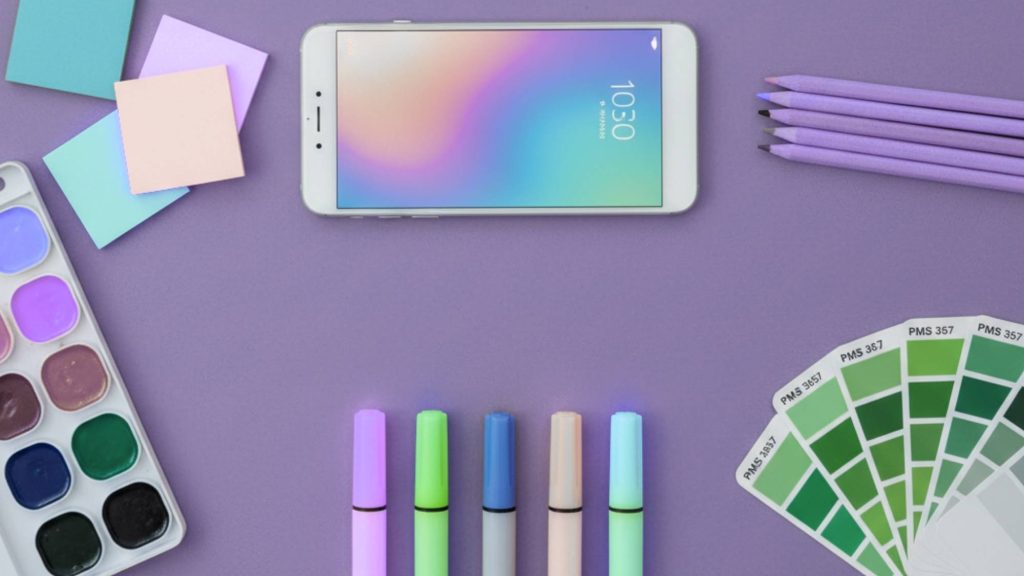
The color and typography landscape evolved when specialized tools learned to generate harmonious palettes algorithmically, pair typefaces systematically and validate accessibility automatically. Modern platforms don’t just suggest combinations. They teach color theory through interactive visualizations, ensure WCAG compliance instantly and enable designers to make confident decisions backed by mathematical relationships. The skill shifted from intuitive guessing to systematically building cohesive visual systems that work across every application.
Why color and typography tools accelerate design decisions
Color and typography represent the two most impactful visual decisions designers make. Wrong choices create illegible interfaces, unprofessional brand perception and accessibility barriers that exclude users. Right choices establish instant visual hierarchy, emotional resonance and professional polish that elevates every project element.
The productivity difference between systematic tool-assisted selection and manual trial-and-error compounds across projects. Designers with proper palette generators and pairing tools make confident decisions in minutes rather than hours of experimentation. Accessibility compliance happens automatically rather than through tedious manual checking. Brand consistency emerges naturally when systems document and enforce approved combinations.
Color and typography tools deliver four critical benefits:
- Speed acceleration Generate harmonious combinations in seconds versus hours of experimentation
- Accessibility assurance Automated WCAG compliance checking prevents exclusion issues
- Consistency enforcement Documented systems ensure approved combinations across all touchpoints
- Educational foundation Interactive tools teach color theory and typography principles through use
Platform comparison overview
Different design needs demand specialized tool approaches. Palette generators focus on color relationships, contrast checkers ensure accessibility compliance and font pairing tools navigate typography combinations. The platform matrix below maps capabilities to workflow stages.
| Platform | Best for | Pricing model | Key strength | Major limitation | Learning curve |
|---|---|---|---|---|---|
| Coolors | Fast palette generation | Free-$3/month | Instant spacebar generation | Limited color theory education | Minimal |
| Adobe Color | CC users, extraction | Free with Adobe ID | Photo palette extraction | Requires Adobe account | Low |
| Paletton | Color theory learning | Free | Mathematical harmony visualization | Technical interface | Moderate |
| Fontpair | Google Font combinations | Free | Click-to-download pairs | Google Fonts only | Minimal |
| Archetype App | All-in-one design platform | $5-15/month | Includes palette and font tools | Subscription required | Moderate |
| Figma Contrast | Accessibility checking | Free with Figma | Built into design workflow | Figma-only integration | Minimal |
Feature comparison matrix
Understanding capability differences helps match tools to specific workflow requirements. The feature matrix reveals where platforms excel and where supplementary solutions become necessary.
| Feature | Coolors | Adobe Color | Paletton | Fontpair | Archetype | Figma Contrast |
|---|---|---|---|---|---|---|
| Palette generation | Excellent | Good | Excellent | No | Good | No |
| Photo extraction | Limited | Excellent | No | No | Yes | No |
| Color theory education | Limited | Good | Excellent | No | Limited | No |
| Accessibility checking | Basic | Basic | No | No | No | Excellent |
| Font pairing | No | No | No | Excellent | Good | No |
| Export formats | Multiple | Multiple | Multiple | CSS/Download | Multiple | N/A |
| Workflow integration | Browser | Adobe apps | Browser | Browser | Platform | Figma native |
| Community palettes | Yes | Yes | No | No | No | No |
Color palette generators
Color palette tools eliminate guesswork by generating mathematically harmonious combinations based on color theory principles. These platforms handle the complex relationships between hues, saturation and brightness that create professional-looking schemes.
Palette generation platforms
Coolors dominates fast palette generation through its signature spacebar interface. Hit spacebar and receive instant five-color harmonious scheme. Don’t like it? Hit spacebar again for completely new palette. The simplicity masks sophisticated algorithms that generate over 50,000 schemes daily across 2 million users. The lock feature separates Coolors from competitors. Found one perfect color? Lock it in place and generate new schemes that complement your locked selection. The explore section hosts thousands of community-created palettes searchable by color, mood or keyword. The extract theme feature analyzes uploaded photos to create perfect palettes from prominent colors.
Adobe Color integrates deeply with Creative Cloud ecosystem while remaining free for anyone with Adobe account. The tool excels at extracting palettes from photographs using AI that understands which colors work together naturally. Upload any image and receive five harmonious colors pulled from the composition. The color wheel visualization shows relationships between selected colors with adjustable harmony rules including analogous, monochromatic, triad, complementary and custom. Libraries sync directly to Photoshop, Illustrator and other Adobe applications. The trending section reveals what professional designers currently use.
Paletton teaches color theory through interactive visualization while generating schemes. The interface displays how colors relate on the wheel as you select them showing every harmony type available including monochromatic, complement, triad, tetrad and freestyle. Mathematical precision ensures generated schemes follow established color theory principles. Preview features display your palette on example websites, images and designs before committing. The tool simulates how schemes work in real applications. The interface feels technical but results remain consistently harmonious. Educational tooltips explain why certain combinations work.
Color Hunt operates differently as curated collection platform where designers share favorite combinations. The community uploads thousands of schemes organized by trending, popular and recent filters. Collections group palettes by theme including seasonal colors, vintage schemes and industry-specific applications. The simplicity of browsing pre-made palettes accelerates design starts. Click any palette to copy hex codes instantly. The platform reveals emerging color trends before they reach mainstream adoption.
Palette workflow strategies
Palette generation follows systematic approach regardless of tool choice. Start by identifying project mood and industry context. Healthcare projects demand different palettes than entertainment brands. Generate multiple options exploring different harmony types before selecting finalists.
Photo extraction method works exceptionally well for brand projects with existing photography or location imagery. Upload representative photos to Adobe Color or Canva palette generator. The extracted schemes automatically harmonize with visual assets you’ll use throughout the project. This technique ensures cohesive relationship between photography and color choices.
Lock and iterate approach suits designers with partial color requirements. Client provides brand blue? Lock that specific blue in Coolors and generate hundreds of complementary schemes. The locked color remains constant while surrounding colors shift. This technique balances client requirements with designer exploration.
Theory-first generation benefits designers learning color relationships. Start in Paletton selecting harmony type before choosing colors. The wheel visualization teaches how complementary, analogous and triadic relationships function. Generated schemes follow mathematical principles ensuring professional results.
Trend research method accelerates projects requiring contemporary aesthetics. Browse Color Hunt trending section or Adobe Color community palettes. Identify patterns across popular schemes. Current 2026 trends favor earthy grounding colors, warm soft neutrals and intense vibrant accent combinations.
Prototyping interactive mockups lets you test color palettes in realistic interface contexts before finalizing design direction and brand systems.
Accessibility and contrast checking
Accessibility compliance transformed from optional consideration to legal requirement across digital products. Contrast checking tools automate WCAG validation ensuring text remains readable for users with visual impairments and color blindness.
Contrast validation platforms
Figma Color Contrast Checker integrates directly into design workflow providing instant feedback without leaving your workspace. Enter foreground text and background hex codes to see contrast ratio and compliance with WCAG AA and AAA standards. The color simulation dropdown previews designs through different types of color blindness including protanopia, deuteranopia and tritanopia. The tool automatically calculates whether combinations pass for normal text, large text and graphical elements. Integration means checking happens during design rather than after completion.
WebAIM Contrast Checker provides browser-based validation independent of design tool ecosystem. The simple interface accepts hex codes, RGB values or color picker selection. Results display contrast ratio with clear pass or fail indicators for WCAG Level AA and AAA at both normal and large text sizes. The lightness slider lets you adjust colors incrementally to achieve minimum required contrast without starting over. Link sharing enables team collaboration on contrast decisions.
Material Design Color Tool focuses on comprehensive scheme accessibility rather than individual pair checking. Select primary and secondary brand colors and the tool generates multiple shades of each automatically. All combinations display on six UI mockups showing real application contexts. The accessibility tester runs continuously highlighting which text and background combinations pass WCAG standards and which fail. This holistic approach catches accessibility issues before they reach production.
Silktide Accessibility Checker extends beyond color into comprehensive accessibility auditing. The browser extension tests over 200 accessibility criteria covering WCAG 2.0, 2.1 and 2.2 at all levels. The built-in contrast checker evaluates any two on-page elements with instant pass or fail results. Screen reader simulation shows how designs perform for blind or partially sighted users. The tool provides specific code and design change guidance to improve inclusivity.
Contrast compliance strategies
Accessibility checking integrates into design workflow at multiple stages preventing late-stage revisions. Check contrast ratios during initial palette selection before applying colors throughout entire projects. Tools like Material Design Color Tool validate entire schemes simultaneously rather than checking individual pairs repeatedly.
Minimum contrast requirements vary by text size and weight under WCAG standards. Normal text requires 4.5:1 contrast ratio for Level AA compliance and 7:1 for Level AAA. Large text defined as 18pt regular or 14pt bold needs only 3:1 for AA and 4.5:1 for AAA. Graphical elements including icons and UI components require 3:1 minimum contrast. Understanding these thresholds helps designers make informed tradeoffs.
Color blindness simulation reveals how palettes perform for users with different vision types. Approximately 8% of men and 0.5% of women have some form of color blindness. Tools providing simulation prevent relying solely on color to convey information. Designs should use shape, position, text labels and patterns alongside color coding.
Documentation and enforcement maintain accessibility compliance across team members and project phases. Export contrast ratios alongside color specifications in design systems. Create style guides documenting approved text and background combinations that meet requirements. Regular audits with tools like Silktide catch regressions before launch.
Organized typography asset libraries centralize font files, pairing documentation and usage guidelines ensuring consistent accessible typography across projects.
Font pairing and typography tools
Typography pairing determines visual hierarchy, readability and brand personality across digital and print deliverables. Font pairing tools navigate the overwhelming selection of thousands of typefaces to suggest complementary combinations that work together harmoniously.
Typography pairing platforms
Fontpair specializes in Google Fonts combinations making thousands of free font pairings accessible to any designer. The interface displays curated pairs with real content examples showing headlines, subheadlines and body copy together. Filtering options include Sans-Serif/Serif, Display/Serif, Monospace/Sans-Serif and other classification combinations. Each pairing includes click-to-download button and CSS code snippet for immediate implementation. The trending section reveals currently popular combinations among the design community. Subscribe to monthly newsletter to receive fresh font pair recommendations.
Archetype App provides all-in-one platform combining font pairing with color palette generation and design inspiration gallery. Select primary font and receive list of complementary typefaces algorithmically matched for harmony. The comparison feature lets you evaluate multiple pairings side-by-side with your actual content. Preview pairings across different mockup contexts including websites, mobile apps and print layouts. The app includes tutorial content explaining why certain combinations work based on typography principles.
Monotype Font Pairing Generator accesses over 40,000 commercial fonts from professional type foundries. Select any primary font from their library and receive suggestions for compatible secondary and accent typefaces. The tool considers factors including x-height relationships, stroke weight contrast and stylistic consistency. Preview examples show fonts together in realistic design contexts. This platform suits projects with budget for premium typography where Google Fonts limitations become restrictive.
Font Pairer by Designs.ai uses artificial intelligence to suggest combinations optimized for different design elements. Specify whether you need fonts for headlines, sub-headlines, body copy or accent text and the AI recommends matched pairs. The tool learns from thousands of successful design projects to identify patterns that work. Free account provides limited access to core pairing features.
Typotheque Font Combinator enables experimental typography exploration for designers seeking unique combinations beyond conventional pairings. The web-based interface lets you test any fonts together with comparison and contrast features revealing how typefaces interact. Popular curated pairings include Roboto and Merriweather, Open Sans and Lora, Raleway and Montserrat. These combinations work seamlessly across various design contexts.
Typography selection workflow
Font pairing follows systematic hierarchy where primary display font establishes personality and secondary body font prioritizes readability. Start by selecting display font reflecting brand personality whether that means modern geometric sans-serif, elegant serif or distinctive display face. Secondary body font should contrast sufficiently to create visual hierarchy while maintaining stylistic harmony.
Contrast principle guides successful pairings through differentiation between fonts. Pair serif with sans-serif, heavy weight with light weight, wide with condensed, geometric with organic. Avoid pairing fonts that look similar but not identical which creates uncomfortable tension. Either make fonts clearly different or use single family with multiple weights.
Hierarchy testing validates pairing effectiveness by setting actual project content at intended sizes. What looks good in pairing tool preview can fail with real headlines and paragraphs. Test longest and shortest content examples at final output sizes whether screen or print. Readability at small body text sizes determines secondary font success.
Responsive considerations matter for web and app projects where fonts render across device sizes and resolutions. Fonts optimized for screen reading perform differently than print faces. Test pairings on actual devices checking legibility at mobile sizes. System fonts load faster than web fonts impacting performance metrics.
Brand personality alignment ensures typography choices communicate intended characteristics. Financial services brands need different typography than creative agencies. Conservative industries favor classic serif combinations while tech startups lean toward modern geometric sans-serifs. Font pairing tools filtering by mood or industry accelerate appropriate selection.
Professional mockup presentation displays typography and color decisions in realistic branded contexts helping clients visualize complete design systems.
Building design systems with color and typography
Design systems codify color and typography decisions into reusable documented standards ensuring consistency across teams, projects and time. Tools that support system building extend beyond individual palette generation into comprehensive organizational frameworks.
Design system components
Color token structure organizes palettes into semantic naming that communicates usage rather than appearance. Instead of blue-500, use primary-action or interactive-element. This abstraction lets you change underlying colors without updating component code. Define primary brand colors, secondary accent colors, semantic colors for success, warning, error states, neutral grays for text and backgrounds, and overlay colors for shadows and dividers.
Typography scale systems establish consistent sizing relationships across all text elements. Use modular scale ratios like 1.250 (major third) or 1.333 (perfect fourth) to generate mathematically harmonious sizes. Define heading levels H1 through H6, body text sizes for different contexts, caption and label sizes, and button and UI element text. Document line height, letter spacing and font weights for each size creating complete specifications.
Accessibility documentation within design systems prevents teams from using non-compliant combinations. Document approved text and background color pairs with their contrast ratios. Specify minimum font sizes for different color combinations. Include color blindness simulation results showing how palettes appear to users with different vision types. Provide alternative color coding systems using icons or patterns alongside color.
Component libraries implement color and typography decisions as reusable building blocks. Create button components using approved color tokens and typography specifications. Build form element libraries with consistent styling. Develop card and content block templates that enforce system rules. Tools like Figma enable sharing component libraries across design team ensuring automatic consistency.
System maintenance strategies
Design systems require ongoing maintenance as brands evolve and new requirements emerge. Schedule quarterly reviews evaluating whether current color and typography choices still serve project needs. Track where designers deviate from system indicating missing components or inadequate flexibility.
Version control documents system evolution over time. When brand colors change or typography updates, version the system clearly. Communicate changes to all team members with migration guides. Archive previous versions for reference when maintaining older projects.
Tool integration connects design system specifications to implementation code. Export color tokens as CSS variables, SCSS maps or JSON files that developers import directly. Generate typography CSS classes from documented scale. Plugins bridge design tools to code repositories maintaining single source of truth.
Team onboarding teaches new designers and developers how to use established systems. Create getting started guides explaining where to find approved colors and fonts. Provide examples showing correct and incorrect usage. Regular training sessions review recent updates and answer questions.
Color and typography trends 2026
Understanding current design trends helps create contemporary aesthetics that feel relevant while avoiding choices that date quickly. The 2026 color and typography landscape reflects broader cultural shifts toward authenticity, sustainability and digital-first experiences.
Current color trends
Earthy grounding colors dominate 2026 palettes reflecting increased focus on sustainability and nature connection. Terracotta, sage green, warm browns and clay tones create calming approachable atmospheres. These colors work particularly well for wellness, organic product and eco-conscious brands. The trend represents shift away from bold neons toward muted sophisticated hues.
Warm soft neutrals replace stark white and gray with beige, cream, sand and taupe creating inviting comfortable environments. These neutrals pair beautifully with both earthy and vibrant accent colors. The warmth makes digital interfaces feel more human and approachable. Pantone’s 2026 Color of the Year “Cloud Dancer” exemplifies this trend as lofty white with warm undertones.
Intense vibrant accents provide energy and focal points within neutral-dominant palettes. Electric blue, coral, bright yellow and magenta create striking contrast when used sparingly. These accents work in call-to-action buttons, notifications and highlight elements demanding attention. The key involves restraint using vibrant colors purposefully rather than overwhelming compositions.
Gradient transitions continue growing popularity creating depth and visual interest beyond flat color. Subtle gradients between related hues add sophistication to backgrounds and UI elements. The trend benefits from improved rendering on modern displays showing smooth color transitions without banding.
Typography evolution
Variable fonts gain mainstream adoption solving responsive typography challenges through single file containing multiple weights and styles. Designers adjust weight, width and slant dynamically rather than loading separate font files. This technology improves performance while enabling sophisticated typographic control.
Rounded geometric sans-serifs balance modern aesthetics with friendly approachability. These typefaces communicate technology and innovation without feeling cold or sterile. Popular choices include Inter, Circular and Sofia Pro reflecting trend toward humanistic geometric forms.
Serif resurgence particularly in digital contexts contradicts previous wisdom that serifs perform poorly on screens. Modern high-resolution displays render serifs beautifully restoring their readability advantages. Contemporary serif choices like Fraunces and Lora create sophisticated cultured impressions.
Tool selection framework
| Project type | Color tools | Typography tools | Accessibility tools | Monthly cost |
|---|---|---|---|---|
| Solo freelancer | Coolors free + Adobe Color | Fontpair + Google Fonts | Figma Contrast free | $0 |
| Small agency | Coolors Pro + Adobe Color | Fontpair + Archetype | WebAIM + Figma | $8-15 |
| Brand consultant | Adobe Color + Paletton | Monotype + Archetype | Material Design + Silktide | $20-40 |
| Enterprise team | Adobe Color + Custom | Monotype + Custom pairings | Automated testing suite | $100+ |
Color and typography tools transform subjective design decisions into systematic selection backed by mathematical relationships and accessibility standards. Palette generators like Coolors and Adobe Color create harmonious schemes instantly while teaching color theory principles. Contrast checkers including Figma’s built-in tool and WebAIM ensure WCAG compliance protecting against accessibility exclusion. Font pairing platforms like Fontpair and Archetype navigate typography combinations effectively. Design system approaches codify these decisions into reusable documented standards ensuring consistency. Success depends on matching tool capabilities to specific workflow needs, learning underlying principles that tools automate and maintaining design systems as living documents. Complete designer tool ecosystem integrates color and typography tools with design software, asset management and productivity platforms for comprehensive creative workflows.

AI tools and digital marketing expert.
Helping freelancers and companies grow with smart AI solutions.