
Two weeks ago, a freelance product designer told me she spent three days creating wireframes for a client’s mobile app. By the time she presented the mockups, the client had changed their mind about half the features. Starting over meant another three days and eating into her profit margin.
After discovering Uizard’s Autodesigner, she now generates complete wireframe sets in 20 minutes. Client wants changes? She regenerates variations in real-time during meetings. That’s the promise AI brings to UI/UX work: speed that turns feedback loops from days into minutes.
But Uizard and Figma AI approach this problem differently. Uizard targets rapid prototyping and non-designer collaboration. Figma AI enhances existing design workflows for experienced designers. Choosing wrong means paying for capabilities you won’t use or missing features you desperately need.
I’ve tested both platforms on real client projects for six months. This review shows you exactly what each tool does well, where they frustrate users, and which freelance UI/UX designers benefit most.
Uizard: Turn Ideas into Prototypes in Minutes
What Makes Uizard Different
Uizard exists for one purpose: converting rough concepts into workable digital designs as fast as possible. It doesn’t compete with professional design tools on precision—it wins on speed and accessibility for non-designers.
Autodesigner 2.0 generates complete multi-screen UI designs from text prompts in 30-60 seconds. Describe “mobile habit tracking app with purple color scheme and daily streak counter” and receive functional prototypes with connected screens, not just static mockups.
Wireframe Scanner digitizes hand-drawn sketches instantly. Freelancers who ideate on paper can photograph sketches and convert them to editable digital wireframes without manual redrawing.
Screenshot-to-Design analyzes existing apps or websites and generates editable versions you can customize. Perfect for clients who say “make it look like this app but for our industry.”
Real-World Performance
The impressive part: I described a SaaS dashboard layout, and Uizard generated six screen variations (login, dashboard, settings, profile, analytics, notifications) with proper navigation connections in 45 seconds. For initial client presentations or internal team discussions, this speed eliminates hours of blank-canvas paralysis.
The frustrating part: Design quality looks amateurish compared to manually crafted interfaces. Typography spacing feels off, color choices lean generic, and component styling screams “template”. Experienced designers will spend significant time refining AI output to match professional standards.
Best use case: Validating UX flows and content structure before investing time in pixel-perfect design. Think of it as extremely fast sketching, not finished product creation.
Pricing and Plans
Free Plan: 3 projects, 400 components, unlimited viewers/commenters
Pro Plan: $12/month – Autodesigner 2.0, unlimited projects, 10 AI generations monthly, private projects
Business Plan: $39/month – 50 AI generations monthly, priority support, advanced collaboration
Who Should Use Uizard
Perfect for:
- Product managers and founders who need quick mockups without hiring designers
- Freelance UI designers validating concepts before detailed work
- Teams collaborating with non-designers who need visual communication tools
- Rapid prototyping for user testing where polish doesn’t matter yet
Not ideal for:
- Designers delivering client-ready production files
- Projects requiring pixel-perfect precision or custom illustration
- Teams already proficient in Figma who don’t need simplified workflows
Figma AI: Enhanced Workflows for Professional Designers
What Figma AI Actually Does
Unlike Uizard’s replacement approach, Figma AI enhances existing Figma workflows rather than trying to eliminate design work entirely. The tools integrate directly into Figma’s interface designers already know.
AI Design Generation creates layouts from text prompts—request “SaaS pricing page with three tiers” and receive responsive components with proper hierarchy. Unlike standalone generators, these designs use your existing Figma components and design system automatically.
Smart Layout Adjustments automatically reflows designs when you add or remove content, maintaining spacing and alignment rules without manual repositioning.
Content Generation fills designs with realistic placeholder content (names, addresses, product descriptions) matching your context instead of generic “Lorem ipsum”.
Design-to-Code Export generates cleaner HTML/CSS and React components than previous Figma versions, reducing developer cleanup time.
Real-World Performance
The workflow improvement: I built a multi-page website mockup 60% faster because Figma AI handled the grunt work—generating component variations, adjusting responsive breakpoints, and filling realistic content. I focused on creative decisions instead of mechanical execution.
The limitation: AI suggestions work brilliantly for conventional patterns (pricing pages, login forms, dashboards) but offer little help with innovative interfaces requiring custom solutions. It accelerates standard work but doesn’t inspire creative breakthroughs.
Best use case: Professional designers building websites, dashboards, or apps with established design patterns who want to eliminate repetitive tasks and focus on unique brand expression.
Pricing and Access
Figma AI features integrate into existing Figma plans:
Free Plan: Limited AI features, 3 Figma files, basic collaboration
Professional: $12/month per editor – Full AI capabilities, unlimited files, advanced prototyping
Organization: $45/month per editor – Enterprise features, design systems, analytics
Most freelancers already pay for Figma Professional, meaning AI features add zero incremental cost—just unlock them in your existing subscription.
Who Should Use Figma AI
Perfect for:
- Freelance UI/UX designers already using Figma who want productivity boosts
- Design teams maintaining design systems across multiple projects
- Agencies managing client websites needing faster iteration
- Developers who design occasionally and need guided assistance
Not ideal for:
- Complete beginners who don’t understand design fundamentals (AI won’t teach you good design)
- Teams not already invested in Figma ecosystem
- Designers preferring Adobe XD, Sketch, or other tools
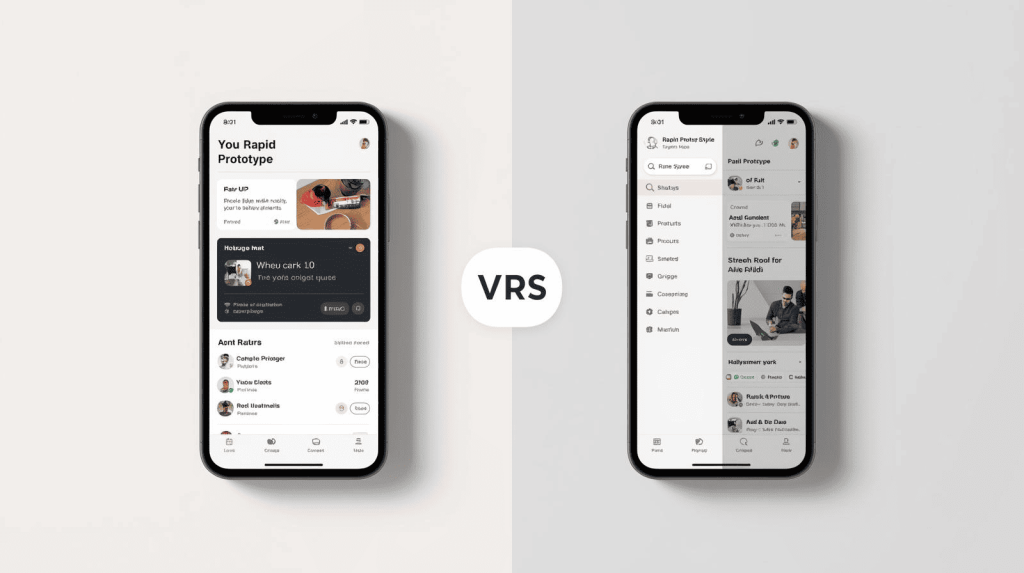
Head-to-Head Comparison
Speed: Uizard Wins
Uizard generates complete prototypes 3-4x faster than Figma AI. For initial concepts and rapid validation, nothing beats Autodesigner’s seconds-to-screens workflow.
Design Quality: Figma AI Wins
Figma AI output looks professional because it uses your design system and follows established conventions. Uizard output requires significant refinement to reach client-ready quality.
Learning Curve: Uizard Easier
Non-designers become productive in Uizard within hours. Figma AI requires existing Figma knowledge to leverage effectively.
Long-Term Value: Figma AI Wins
Professional designers already pay for Figma, making AI features free additions. Uizard requires separate subscription for capabilities Figma designers rarely need.
Collaboration: Tie
Both offer real-time collaboration and commenting. Uizard’s simplified interface helps non-designers participate. Figma’s comprehensive tools serve design teams better.
My Recommendation for Freelancers
If you’re an experienced UI/UX designer: Stick with Figma Professional ($12/month). The AI features enhance workflows you already use without requiring new tools or processes. You’ll see immediate productivity gains on every project.
If you’re a product manager, founder, or non-designer: Try Uizard Pro ($12/month) for rapid prototyping and client communication. The speed justifies the cost when you’re not hiring designers for every iteration.
If you’re a designer who occasionally needs ultra-fast concepts: Use Figma AI for production work and Uizard’s free tier for those rare moments when you need throwaway mockups in minutes.
If you’re budget-conscious: Figma’s free plan includes basic AI features sufficient for learning. Upgrade to Pro only when project volume justifies it.
The Bottom Line
Uizard and Figma AI solve different problems. Uizard eliminates the blank canvas problem for non-designers and accelerates early-stage concepts. Figma AI makes professional designers more efficient without changing how they work.
Most freelance UI/UX designers already using Figma should activate AI features in their existing subscriptions before considering separate prototyping tools. The productivity gains integrate seamlessly into AI-powered design workflows without disrupting established processes or adding subscription complexity.

A.G. Makoudi is a tech writer specializing in SaaS tools and digital solutions, helping readers simplify technology and make smarter software choices.