Six months ago, a freelance brand designer told me she used seven different tools to complete a single client project: one for logos, another for social posts, a third for presentations, plus separate apps for image editing, mockups, color palettes, and typography. Her monthly software costs exceeded $200, and switching between platforms killed her productivity.
After consolidating to three AI-powered tools, she cut costs to $50 monthly and finished projects 40% faster. That’s the real value AI design tools offer freelancers in 2025: doing more with less while maintaining professional quality.
I’ve tested dozens of AI design platforms over the past year under real client deadlines. This list focuses on tools that actually save time and money for freelancers who need logos, social media content, and branding materials—not enterprise-level software requiring design degrees to operate.
The Top 10 AI Design Tools (Tested and Ranked)
1. Canva – Best All-Around for Freelancers
What it does: Everything from social posts to presentations, logos to video editing, all in one platform with 25+ AI features.
Why freelancers love it: Magic Design generates complete layouts from text prompts, Magic Resize adapts designs to any platform instantly, and the Brand Kit maintains consistency across unlimited client projects.
Pricing: Free plan available. Pro at $120/year ($10/month) unlocks unlimited AI features.
Best for: Freelancers creating high volumes of social content, presentations, or marketing materials who need speed over ultra-custom design.
2. Adobe Firefly – Best for Photorealistic AI Images
What it does: Generates commercial-safe AI images integrated directly into Adobe Creative Cloud apps.
Why it stands out: Firefly’s training on licensed Adobe Stock content means you can use generated images commercially without copyright concerns. Generative Fill removes or adds objects to photos with context-aware quality that rivals Photoshop’s manual tools.
Pricing: 25 monthly credits free. Creative Cloud subscription ($54.99/month) includes unlimited generations.
Best for: Designers already using Adobe tools who need photorealistic images for client work without legal risks.
3. Midjourney – Best for Artistic Quality
What it does: Creates stunning AI-generated images from text prompts via Discord interface.
Why designers choose it: Unmatched artistic quality with exceptional detail, lighting, and composition. Style consistency using reference images maintains brand aesthetics across multiple generations.
Pricing: Basic plan $10/month (200 generations), Standard $30/month (unlimited relaxed mode).
Best for: Freelancers needing unique, eye-catching visuals for branding, marketing campaigns, or social media that stand out from generic stock imagery.
The catch: Steeper learning curve with prompt engineering, and Discord-based workflow feels clunky compared to web interfaces.
4. Figma AI – Best for UI/UX Designers
What it does: Generates UI mockups from text prompts, auto-links prototype flows, and suggests accessibility improvements.
Why UI designers need it: AI creates full mobile/web interfaces from descriptions like “modern banking app login screen” matching your design system automatically. Smart prototyping connects screens based on user flow logic without manual linking.
Pricing: Free for individuals. Professional $12/month per editor.
Best for: Freelance UI/UX designers building wireframes and prototypes who need to move from concept to client presentation in hours not days.
5. Looka – Best AI Logo Generator
What it does: Creates professional logos with complete brand kits (color palettes, fonts, business card templates).
Why it works: Generates dozens of logo variations based on industry and style preferences. One-time $20 purchase includes vector files and basic brand assets.
Pricing: Logo packages start at $20 (basic) to $80 (premium brand kit).
Best for: Freelancers needing quick logo solutions for clients with tight budgets or timeline.
Reality check: Logos look professional but lack the uniqueness custom design provides. Best for startups and small businesses, not established brands requiring distinctive identities.
6. Designs.ai – Best Multi-Tool Suite
What it does: Combines logo maker, video creator, voiceover generator, and design editor in one subscription.
Why freelancers consider it: One price ($29/month Basic) covers logos, videos, voiceovers, and graphics with 1,000 monthly AI credits. Eliminates juggling multiple specialized tools.
Pricing: Basic $29/month, Pro $69/month, Enterprise $199/month.
Best for: Multi-skilled freelancers offering design, video, and content services who want consolidated tools and billing.
The downside: Jack-of-all-trades means each individual tool feels less powerful than specialized alternatives.
7. Microsoft Designer – Best Free Option
What it does: AI-powered graphic design with Canva-like interface and DALL-E image generation.
Why it’s valuable: Completely free with Microsoft account, includes 15 monthly AI credits, generates social posts and marketing graphics from text prompts.
Pricing: Free with 15 AI credits/month. Microsoft 365 subscription ($6.99/month) adds unlimited credits.
Best for: Budget-conscious freelancers testing AI design tools or handling occasional projects that don’t justify paid subscriptions.
8. Adobe Express – Best for Content Creators
What it does: Quick social media graphics, videos, and web pages with AI generation and 160M+ Adobe Stock assets.
Why content creators use it: Seamless integration with Adobe Firefly for commercial-safe AI images. Templates optimized for Instagram, TikTok, YouTube, and other platforms.
Pricing: Free plan with 10 monthly AI generations. Premium $9.99/month.
Best for: Social media managers and content creators producing platform-specific graphics daily.
9. Piktochart – Best for Infographics and Carousels
What it does: AI-powered infographic and carousel creator for social media, particularly Instagram.
Why it excels: Specialized focus on data visualization and multi-slide social content. Generates complete Instagram carousels from topic descriptions.
Pricing: Free plan available. Pro $29/month.
Best for: Freelancers creating educational content, data visualizations, or Instagram carousel posts regularly.
10. Uizard – Best for Rapid Prototyping
What it does: Converts sketches to digital wireframes, generates UI layouts from text, creates interactive prototypes.
Why developers and designers use it: Transforms hand-drawn sketches into editable digital mockups using AI. Drag-and-drop customization requires zero coding.
Pricing: 3 free projects monthly (400 components). Pro $12/month.
Best for: Freelance developers and designers who need to visualize app/web interfaces quickly for client approval before investing development time.
Choosing Your AI Design Stack
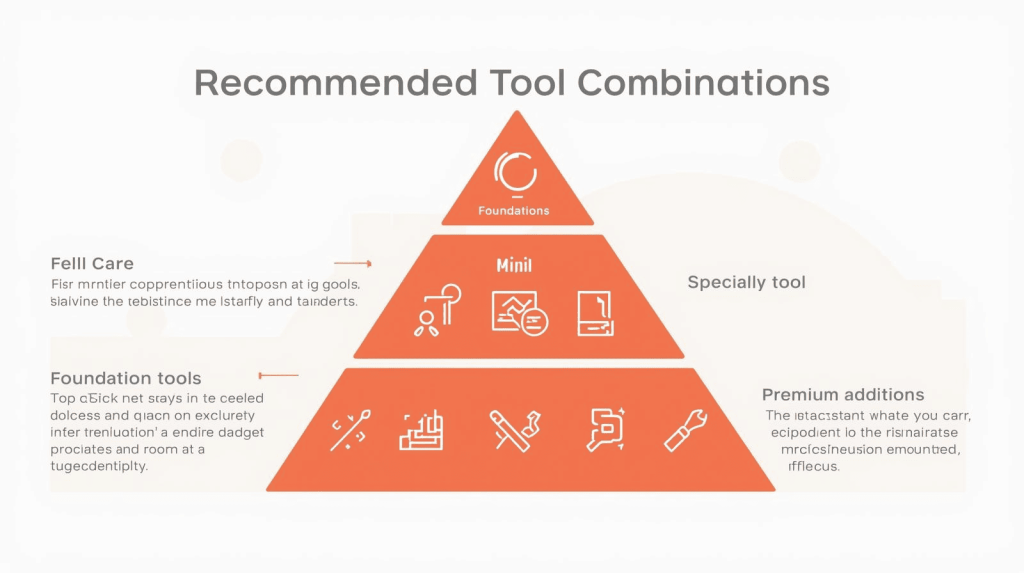
For solo freelancers: Start with Canva Pro ($10/month) for 80% of design needs, add Midjourney Basic ($10/month) for standout imagery when clients need something special. Total: $20/month covering logos, social content, presentations, and custom graphics.
For UI/UX specialists: Figma (free or $12/month) handles wireframes and prototypes, pair with Adobe Firefly via Creative Cloud for photorealistic mockup assets.
For budget-conscious beginners: Microsoft Designer (free) plus Canva Free covers basic needs while building your client base. Upgrade to paid plans when monthly project volume justifies the investment.
For multi-service agencies: Designs.ai Pro ($69/month) or Canva Teams provides comprehensive capabilities across logos, videos, graphics, and collaboration tools your team actually uses.
The Bottom Line
The best AI design tool isn’t the one with the longest feature list—it’s the one you’ll actually use consistently to deliver client work faster without sacrificing quality. Start with one or two tools that match your specific freelance services, master their AI features, then expand your stack only when client needs clearly justify additional subscriptions.
Most freelancers waste money on tools that promise everything but excel at nothing. The platforms listed here solve specific problems exceptionally well. Choose based on what you create most often, not what sounds impressive in sales copy.

A.G. Makoudi is a tech writer specializing in SaaS tools and digital solutions, helping readers simplify technology and make smarter software choices.