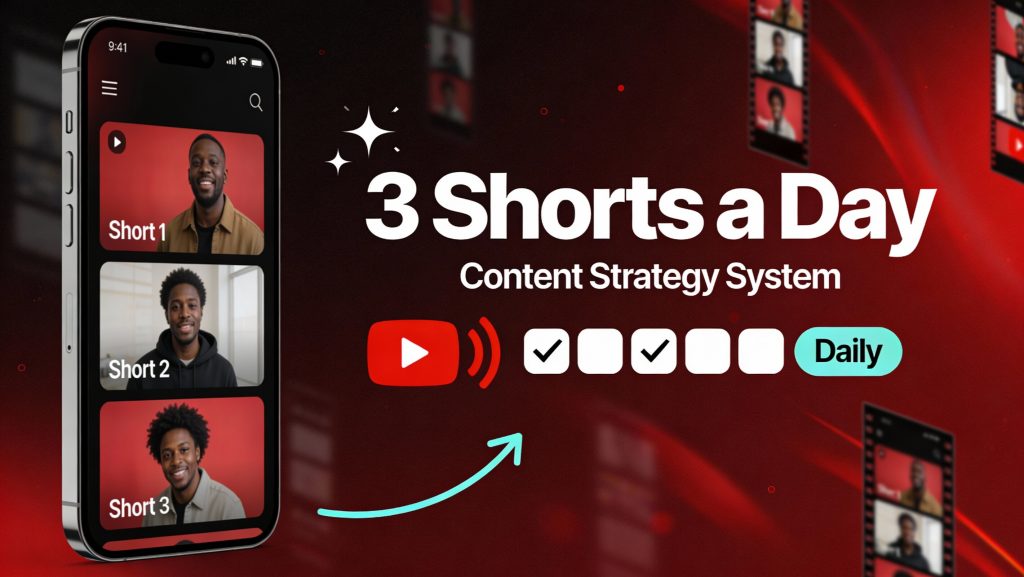
Posting three Shorts daily gets easy once you stop “thinking of ideas” and start running a simple system. In this page, you’ll map weekly themes, choose 2–3 repeatable formats, and use hook-first planning to generate three strong concepts every day. You’ll also set up lightweight series rules so viewers know what to expect and return. The workflow connects seamlessly with my AI video automation framework for 3 Shorts a day to keep production consistent.
Most people don’t fail because they can’t record. They fail because they keep restarting the same mental process three times a day. What should I post. What angle. What format. When do I publish. Then they end up posting late, rushing edits, and losing consistency.
The fix is a system that decides once, then runs. The system needs three things. A place where your pillars and ideas live. A calendar that makes your daily cadence real. And a clean batch setup so files and tasks don’t turn into chaos.
Tools matter here, but only if they remove friction. If a tool creates more setup than output, it’s not helping. The goal is simple. plan fast, produce in batches, publish on schedule.
The 3 pillars rule and the 9 angles
Most Shorts that perform well fit into a few repeatable patterns. You don’t need a brand new format every time. You need clarity and repetition. Your audience learns what to expect. You also get faster because you’re not reinventing your workflow.
Start with 3 pillars. These are your core themes. Then add 3 reusable angles per pillar. That gives you 9 “idea slots” you can reuse every week. Mistake and fix, 3-step method, before and after, quick checklist. Those angles are flexible enough to work in almost any niche.
To make this practical, you need one home base for pillars, angles, and ideas. Notion is strong for this because it lets you build a simple database and reuse it every week. The “Creator Content Planner Template” is designed as a content dashboard to help creators stay organized and productive while managing social content. That matters because the template already nudges you toward the right habits. An idea list, a pipeline, and a calendar view.
A simple setup that works.
- one page for your 3 pillars
- one database for ideas with two tags, pillar and angle
- one field called “promise” that forces you to write the point in one sentence
- one field for “series” and “episode number” when you want to build momentum
That “promise” field is a big deal. If you can’t write the idea as one clear sentence, the Short will usually ramble. This one habit prevents a lot of wasted production time.
A lightweight calendar that fits on one page
The calendar is what protects your pace. Without it, you rely on mood and free time. With it, you ship even on busy days.
A simple structure is enough.
- morning, a direct tip
- midday, a demo or example
- evening, a lesson learned or a clear opinion
This rhythm keeps your content varied without pushing you into chaos. It also makes it easier to turn one topic into three Shorts. One angle per slot.
Now the part people underestimate. Scheduling. If you publish 3 times a day, manual posting becomes a daily tax. You either forget, or you end up posting at random hours, then you can’t tell what’s actually working.
Planable is useful when you want a real calendar workflow and you want to schedule without extra friction. Their YouTube page states you can create, collaborate, and publish YouTube videos and Shorts in one spot, and that you can schedule content directly from Planable. That solves a real problem. You can batch your uploads and lock the week in place.
One detail that helps your system stay clean is to plan by series, not just by day. If you can see episode numbers on the calendar, you keep the chain going. You stop leaving series half-finished.
The hook library, your best shock absorber
Hooks are a bottleneck when you post often. You can have good ideas, but if the first line is weak, the Short dies early. A hook library fixes that by giving you reliable starting points you can reuse.
The best hook library is searchable and tied to your pillars. Keeping it in the same Notion workspace as your idea system works well, because you can link hooks to pillars and formats.
A practical hook library structure.
- hook type, problem, promise, contrast, confession
- best for, face cam, screen, text-led
- notes, when it tends to work
Keep it small and usable. A list of 20 to 30 hooks that you actually reuse beats a list of 300 you never open.
Another practical habit is to connect hooks to series. If you run a series called “30 mistakes,” you already have a hook format baked in. It reduces decision fatigue even more.
Repeatable formats that save hours
If every Short is a prototype, you will burn out. Repeatable formats remove decisions and speed up production. The tool support you need here is not fancy. You need simple checklists and templates tied to each format.
In Notion, create a format page for each of your main formats.
- face cam, one idea in 20 seconds
- screen + voice, quick demo
- text-led “list” format
- reaction format with a clear take
Then add a short checklist inside each format page.
- opening line is clear
- one idea only
- example included
- captions are readable
- ending is clean
This becomes your quality guardrail. High output makes small mistakes more expensive. Checklists keep quality consistent without slowing you down.
The 3-block batching method
Posting three times a day does not mean producing three times a day. Batching is what makes the pace sustainable. You separate the work into blocks.
- idea block, build a list for the week
- production block, record or assemble multiple Shorts
- finishing block, finalize and schedule
Batching breaks when your file organization breaks. If you waste time hunting clips or mixing exports, you lose the whole benefit.
One tool that’s surprisingly useful here is a Google Workspace add-on called “Auto create folder and files.” It’s built to automatically create parent folders with multiple subfolders in Google Drive from Google Sheets, generate files from templates, and save the links back into the sheet. It even highlights that it’s designed to remove the duplicated task of creating folder structures manually.
Why this matters for Shorts.
- you can create a repeatable folder structure per batch day
- every batch has the same layout, so you never lose assets
- the structure helps even if you work with an editor or VA
This is not about being obsessive. It’s about keeping momentum. When you’re producing at volume, your system needs to be boring and consistent.
How to pick topics that actually hold up
High volume increases the risk of posting filler. To avoid that, your idea list needs a simple filter. You can do this directly in your Notion idea database.
Three quick checks.
- useful in one sentence
- provable with a quick example
- strong enough to turn into a series
If the idea fails, it gets parked. If it passes, it moves into “ready.” This small gate keeps your content sharp and protects your time.
Series logic, your consistency engine
Series are the easiest way to keep pace without feeling like you’re starting from zero every day. A series is a promise. People come back because they expect the next part.
Tools help here by tracking episode numbers and status. Notion can do this inside your idea database. Planable helps by showing your series on a calendar so you don’t leave gaps. Their YouTube page highlights planning and publishing Shorts in one place, which fits a series workflow well.
A simple series system.
- series name
- episode number
- status, idea, recorded, edited, scheduled, published
Once that’s in place, you can produce episodes in batches. You can also reuse visual elements and captions style, which makes production faster.
Maintain quality without overproducing
Shorts are fast, but they don’t forgive confusion. You don’t need heavy production. You need clean execution.
Keep a 60-second review checklist before scheduling.
- hook is clear in the first 2 seconds
- one idea only
- example is visible
- ending is sharp
This keeps your quality steady while you scale volume.
Three Shorts a day becomes realistic when you stop chasing daily inspiration and you start running a system. Notion helps you structure pillars, angles, hooks, and series using a creator-focused planner template that’s designed to keep content organized and productive. Planable helps you turn your calendar into action because it supports publishing and scheduling YouTube videos and Shorts in one place. And a simple automation like “Auto create folder and files” removes the file chaos that kills batching by creating repeatable Google Drive folder structures from a sheet in one click.
If writing is the next bottleneck, keep the workflow moving with AI Scripting for Shorts (Hook Formulas, Story Beats, CTA Variations).